For a voice-recording session where you’ll mostly be sitting down, a wired lavalier mic is a sensible choice if the mic input, connector wiring and power requirements are all compatible. If you’ll be moving around or recording two voices, a wireless kit with the right features can give you greater freedom of movement or two transmitters. You’ll need to check the receiver, kit version and battery life. Making a test recording with your device, clothing and recording space will help you decide.
Who records voice recordings?
Recording from a fixed position
If you’ll mostly be speaking on your own, first check that the mic, connector wiring and input on your recording device are compatible. RØDE specifies a compatible TRS input with plug-in power for the Lavalier GO; other models have their own connection requirements.
Recording while on the move
If you’ll be standing up or moving around during a recording, weigh up the freedom of movement a wireless kit offers against the receiver, batteries and the right kit version. For example, Hollyland offers the LARK M2 in Mobile, Camera and Combo versions.
Recording with a guest
If you regularly record a second voice, check that the specific version you choose includes two transmitters and a compatible receiver. According to DJI, the DJI Mic Mini 2S set in question includes two transmitters, a receiver and a charging case.
What should you look for when buying?
Wired, with a compatible TRS input
A good fit if: You’ll mostly be recording from one spot and have a suitable TRS microphone input.
The trade-off: The cable limits how far you can move; RØDE says the Lavalier GO needs plug-in power from a compatible input.
Wired, directly to your mobile device
A good fit if: Your mobile device has a suitable 3.5 mm socket, or you’re using a compatible CTIA-compliant adapter.
The trade-off: Your adapter and recording app must actually use the external microphone; Shure specifies these connection requirements for the MVL.
Wireless for movement or two voices
A good fit if: You’ll be moving around as you speak, or want to record a guest with a kit that includes two transmitters.
The trade-off: The receiver connection, kit contents and battery life need to suit your recording. DJI’s battery-life figure is based on specific test conditions.
| What you need |
What to check when buying |
Who is this important to? |
| Connection and signal path |
Check that your recording device, TRS or TRRS signal path, power requirements and, where needed, CTIA adapter are all compatible. |
If I want to use my existing recording device, the whole connection chain needs to work. Around 31% of consumers therefore put compatibility first. |
| Voice and positioning |
Test the microphone position, contact with clothing and cable routing with a test recording in the space you’ll actually use. |
If I want clear speech without distracting rustling, I pay attention to the clip and cable. Around 31% of consumers prioritise voice recording and setup. |
| Freedom of movement |
Consider how far you need to move, whether the receiver is compatible and whether the batteries will last for your planned session. |
If I want to move around while speaking, I don’t want to be tethered to my recording device by a cable. Around 23% of consumers put freedom of movement first. |
| Two voices |
Check that the specific version includes two transmitters and a receiver that’s compatible with your recording device. |
If I want a guest to join in, I need two suitable microphone channels, not just one transmitter. Around 15% of consumers prioritise recording two voices and getting the right kit contents. |
Common buying and recording mistakes
-
Assuming a 3.5 mm socket guarantees compatibility
The plug size, signal wiring and power requirements also need to match. A microphone may fit the socket but still not be recognised or used by your recording device.
Check the entire signal chain and listen to a recording made with the app you intend to use before your session.
-
Assuming wireless battery life is the same for every version and situation
DJI’s battery-life figures are based on specified test conditions, while the Mobile and Camera versions of the Hollyland LARK M2 differ.
Check what’s included with the specific version and plan around the way you’ll record, rather than relying on a single battery-life figure.
-
Hiding the lavalier without checking how it works with your clothes and cable
Contact with fabric and a moving cable can create audible noise in your recording.
Test the clip and cable routing with the clothes you plan to wear when recording. RØDE says a cable loop below the clip can help reduce strain on the cable.
Brands and product ranges to consider
RØDE
The wired Lavalier GO is an option for a compatible TRS microphone input or wireless transmitter.
- RØDE says the model comes with a clip and pop filter.
- The compatible signal path needs to provide plug-in power; a 3.5 mm plug alone doesn’t guarantee universal smartphone compatibility.
Shure
The MVL is designed for voice recordings using a compatible mobile device.
- Shure specifies an omnidirectional pickup pattern and an included windscreen.
- For mobile devices without a suitable 3.5 mm socket, check whether you need a compatible CTIA-compliant adapter. These are the manufacturer’s claims, not the result of an independent sound comparison.
Sennheiser
The ME 2 is a lavalier microphone for speech, listed by Sennheiser for certain bodypack transmitter systems.
- The German product page specifies an omnidirectional pickup pattern and a 1.6 m cable.
- A 3.5 mm plug doesn’t automatically mean the microphone will work directly with every phone or recorder.
DJI
The Mic Mini 2S is available as a wireless kit in different versions.
- DJI specifies internal 32-bit float recording for the model. One named kit version includes two transmitters, a receiver and a charging case.
- Manufacturer claims about recording and battery life depend on the model version or test conditions, and don’t guarantee interference-free performance in every home studio.
Hollyland
The LARK M2 is a wireless product range with Mobile, Camera and Combo versions.
- Hollyland specifies a transmitter weight of 9 g and 48 kHz/24-bit audio for the LARK M2.
- Battery life and receiver options vary by version. Hollyland also notes that the current version no longer includes a magnetic back clip, so check the contents of the specific kit.
Joybuy products for voice recordings
The following Joybuy products include wired lavalier microphones and wireless kits for compatible mobile devices. Before using a wireless version, check its specific frequency range and the regulations that apply in Germany.
 No image available
SYNCO S8 lavalier microphone
Could be suitable for a voice recording if the connection works with your smartphone, PC, laptop or camera.
The product description specifies a 3.5 mm connection, an adapter kit and a clip.
View at Joybuy
 No image available
Moman M1CXT, USB-C, 2 transmitters and 1 receiver
For recording a voice with a guest or enjoying greater freedom of movement, provided your recording device supports the USB-C receiver.
The product details specify two transmitters and one receiver. Before using it, check the frequency range of the specific version and the regulations that apply in Germany.
View at Joybuy
 No image available
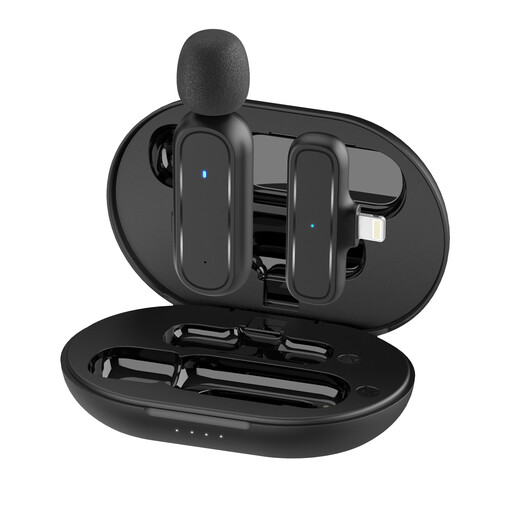
Moman MC1(A), Lightning, 1 transmitter and 1 receiver
For recording a voice on an iPhone or iPad, provided the specific device is compatible with the Lightning receiver.
The product details specify one transmitter and one receiver. The Lightning receiver is designed for the iPhone and iPad devices named in the product title. Check the frequency range and the regulations that apply in Germany.
View at Joybuy
 No image available
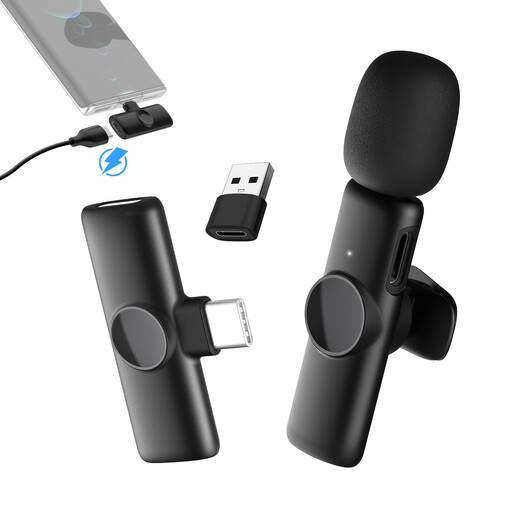
Moman MS1(C), USB-C, 1 transmitter and 1 receiver
For recording a voice on a USB-C smartphone, provided the receiver is compatible with your device.
The product details specify one transmitter and one receiver. The USB-C receiver is designed for the USB-C smartphones named in the product title. Check the frequency range and the regulations that apply in Germany.
View at Joybuy
 No image available
Moman MC1X(A), Lightning, 2 transmitters and 1 receiver
For recording a voice with a guest on an iPhone or iPad, provided both transmitters and the Lightning receiver are compatible with your recording device.
The product details specify two transmitters and one receiver. The Lightning receiver is designed for the iPhone and iPad devices named in the product title. Check the frequency range and the regulations that apply in Germany.
View at Joybuy
Frequently asked questions
How can I check that the microphone works before my session?
Check the input, connector wiring and power requirements, then listen to a recording made with the app you plan to use. RØDE specifies TRS and plug-in power for the Lavalier GO; Shure specifies a suitable mobile device connection or a CTIA-compliant adapter for the MVL.
How should I position a lavalier to minimise interference from clothing and the cable?
Position it close to your voice so the capsule and cable don’t rub against your clothes. RØDE recommends making an extra cable loop below the clip to reduce strain on the cable. Test the setup with the clothes you’ll wear when recording.
What should I check in a wireless kit for recording two voices?
Check that the specific kit version includes two transmitters and a receiver compatible with your recording device. DJI lists a Mic Mini 2S kit with two transmitters, a receiver and a charging case; receiver versions differ between Hollyland LARK M2 kits.
Can I secretly record other people during a private voice-recording session?
Under Section 201 of the German Criminal Code (StGB), recording another person’s private spoken words without their authorisation is a criminal offence. Get consent from everyone involved before recording. Further data protection requirements may also apply when processing identifiable voices later; the Federal Commissioner for Data Protection and Freedom of Information cites a legal basis under Article 6(1) of the GDPR.
Can I use any wireless microphone in Germany without checking anything else?
Don’t assume a microphone is suitable for use just because it’s described as ‘wireless’. Check the frequency range of the specific device version and the conditions that apply to it. The Federal Network Agency publishes a general allocation for wireless microphones, listing permitted frequency bands and technical and operational conditions.


