What should you consider when choosing?
Wired USB-C lavalier
A good fit if: You record in one place using a device that supports an external USB-C microphone.
Keep in mind: The cable limits your freedom to move, and the connector shape alone doesn’t confirm compatibility.
Wired 3.5 mm lavalier
A good fit if: Your device supports the signal path used by the specific microphone, such as TRRS or a suitable TRS microphone input.
Keep in mind: TRS and TRRS aren’t interchangeable just because they use the same plug diameter; the cable also restricts movement.
Wireless clip-on microphone
A good fit if: You move around while narrating and the kit includes a receiver that works with your recording device.
Keep in mind: The transmitter, receiver and specific kit configuration all need to work together, and a test recording is still important.
Lavalier with a body-worn recorder
A good fit if: You want to record a file locally without relying on a wireless connection to your desk.
Keep in mind: Starting the recording, power, storage media and file transfer all need to be part of your process.
The figures below show the main purchase priority for each person recording documentary narration at a shared desk.
| Purchase priority |
What to look for |
Who it matters most to |
| Clear speech |
Clip the capsule close to your mouth, avoid contact with clothing, and listen to a test recording with the actual sounds at your desk. |
When narrating at a shared desk, you want your voice to be clear without assuming that other sounds will be blocked out. Around 36% of consumers prioritise clarity for this type of recording. |
| Compatible device connection |
Check your device model, audio input, adapter and recording app together; for 3.5 mm, distinguish between TRS and TRRS. |
If you plan to keep using your smartphone, computer or recorder, the microphone must work with its audio signal path. Around 29% of consumers put device compatibility first. |
| Freedom to move |
For a wireless kit, check which receiver is included in the specific package; for a body-worn recorder, plan how you’ll transfer the file afterwards. |
If you move away from your desk while speaking or filming, a recording option that doesn’t rely on a cable running to the desk matters. Around 21% of consumers prioritise freedom of movement. |
| A recording process you can check |
Record and play back a test file before the main take; with a body-worn recorder, check the storage media and transfer method. |
If a section of narration would be difficult to repeat, you’ll want to check the recording and where the file will be saved in advance. Around 14% of consumers prioritise a reliable recording process. |
Joybuy products for this recording setup
This selection includes wired 3.5 mm lavaliers and wireless lavaliers for USB-C and Lightning devices.
 No image available
SYNCO S8 lavalier microphone for smartphone, PC, laptop and camera
For recording speech with a device that supports the specified 3.5 mm audio connection.
The product description lists smartphones, PCs and laptops as compatible devices. Its omnidirectional pickup pattern won’t automatically block out conversations at the next table.
View at Joybuy
 No image available
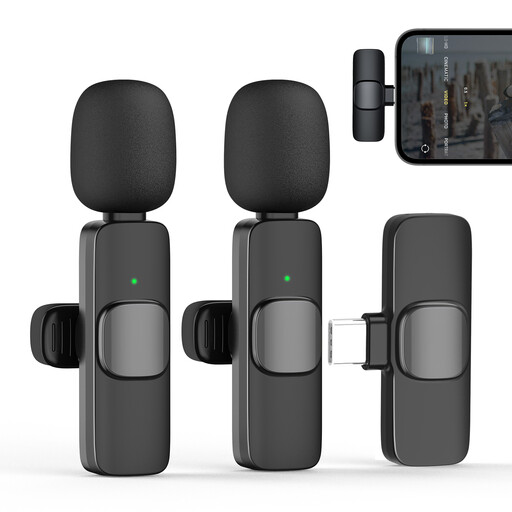
Moman M1CT wireless lavalier microphone, USB-C, 1TX+1RX
For a single narration voice when your recording device supports the USB-C receiver.
The product name specifies one transmitter and one receiver. Its omnidirectional pickup pattern won’t automatically block out other voices.
View at Joybuy
 No image available
Moman CP1X(C) Type-C wireless lavalier, 2.4GHz, 1TX&1RX
For recording speech with a compatible Type-C device when you need freedom to move.
The product name specifies one transmitter and one receiver. Check that your device supports this receiver; the omnidirectional pickup pattern won’t automatically block out other voices.
View at Joybuy
 No image available
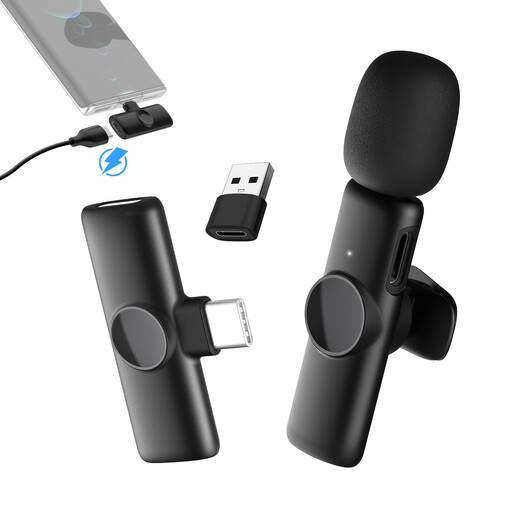
Moman MS1(C) USB-C wireless lavalier, 1TX&1RX
For a single narration voice with a compatible USB-C recording device.
The product name specifies one transmitter and one receiver for USB-C phones. Its omnidirectional pickup pattern won’t automatically block out conversations at a shared desk.
View at Joybuy
 No image available
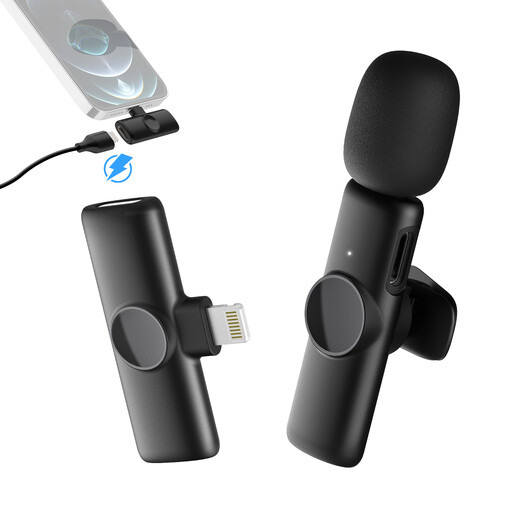
Moman MS1(A) Lightning wireless lavalier for iPhone and iPad, 1TX and 1RX
For a single narration voice with a compatible Lightning recording device.
The product name specifies one transmitter and one receiver for iPhone and iPad. Its omnidirectional pickup pattern won’t automatically block out voices in the surrounding area.
View at Joybuy
Frequently asked questions
Can a lavalier block out other people’s conversations at the table?
Not simply because of its design. Clip the capsule close to your mouth and position it so it doesn’t rub against your clothing, then listen to a test recording in the actual environment. RØDE describes the common omnidirectional pickup pattern as picking up sound from multiple directions.
For a seated recording, should I choose a wired mic, wireless mic or body-worn recorder?
If you’re staying at your desk and your device supports the microphone connection, a wired lavalier is a sensible option. If you need to move around, consider a wireless kit with a compatible receiver; a body-worn recorder creates a local file, but you’ll need to plan how to transfer it as part of your process.
How can I tell whether a 3.5 mm lavalier will work with my device?
Check the complete signal path, not just the plug diameter. Shure describes the MVL as suitable for compatible mobile devices with the right TRRS connection or a CTIA adapter; the RØDE Lavalier GO needs a suitable TRS microphone input with plug-in power.
Is one lavalier enough for two people speaking at the same time?
If you want to edit the two voices separately, you’ll need a setup with suitable microphones or transmitters and separate recording tracks. Check what’s included and the recording options for the specific configuration; a single lavalier clipped to your clothing isn’t a confirmed solution for two separately editable voices.
Am I allowed to record other people’s conversations at a shared desk?
Under section 201(1) of the German Criminal Code (StGB), recording another person’s non-public spoken words without authorisation is a criminal offence, as stated in the legal text on the Federal Ministry of Justice and Federal Office of Justice’s Gesetze im Internet website. Before recording, check whether other people’s voices will be captured, and don’t record non-public conversations without authorisation. The assessment of a particular case depends on its circumstances.


