For a village audio guide, position the lavalier close to the person speaking, then make a test recording in the actual location to see how much the fan can be heard. Choose a microphone to suit your connection and recording style: a compatible wired mic works well in a fixed position, a directional capsule needs careful positioning, while a wireless or bodypack recorder gives you freedom to move or lets you record separately. Noise reduction and 32-bit float recording are no substitute for a quiet recording environment or listening back to the finished recording.
Which setup is right for you?
Narrators recording in a room with a fan
If you’re recording an audio guide, focus on the microphone’s distance from your mouth, its position and any background noise at the recording location. RØDE recommends placing a lavalier about a hand’s breadth, or 20–30 cm, from your mouth.
Recording with a smartphone you already own
If you want to use your current device, make sure the microphone connection is compatible with your recording app. USB-C, TRRS and other microphone inputs aren’t interchangeable without checking compatibility.
Narrators on the move
If you’ll be changing location while speaking or want to save a separate voice recording, compare a wireless set with a body-worn recorder. Check how the recording is saved and transferred afterwards, too.
What should you look for when buying?
When recording an audio guide with an audible fan in the background, the main things to consider are speech clarity, device compatibility, freedom to move and your preferred recording workflow.
Wired lavalier
Suitable if: you’ll be speaking mainly from one fixed position and the connection is compatible with your recording software.
The trade-off: the cable limits your movement, and USB-C and TRRS require different compatible inputs.
Directional lavalier
Suitable if: you can point the capsule towards the speaker and position it appropriately in relation to the fan. Shure describes the MX185 as having a cardioid pickup pattern for noisy environments.
The trade-off: Shure says careful positioning is needed for good sound, and the capsule won’t automatically work with every recording device.
Wireless system with onboard recording
Suitable if: you want to move around while speaking or save a file directly to the transmitter. DJI lists these features for the Mic Mini 2S.
The trade-off: check the receiver connection, exact model and file-transfer process. Noise reduction is a manufacturer’s claim, not proof of how the system will sound next to your fan.
Bodypack recorder with lavalier
Suitable if: you’d prefer to record independently, without a constant wireless connection to your recording device.
The trade-off: memory card, power supply and file transfer are all part of the recording process; 32-bit float recording won’t remove fan noise.
| Buying consideration |
What to look for |
Who is it important for? |
| Speech clarity |
Attach the microphone close to your mouth without it rubbing against clothing. With the fan running, listen back to a short recording, including the pause. |
If I want to record a clear audio guide despite the fan, I pay particular attention to microphone position and listening back to a test recording. Around 36% of consumers put speech clarity above all else when recording alongside a fan. |
| Device connection |
Use a test recording to check the microphone input, any adaptors required and whether the recording software is set to use the external microphone. |
If I want to record using my existing smartphone or computer, the connection needs to work in practice. Around 29% of consumers prioritise a reliable connection to their recording device. |
| Freedom to move |
Check the receiver and connections, as well as what’s included in the set. Make a test recording while moving as you plan to during the actual recording. |
If I’ll be changing location while speaking, the connection shouldn’t tie me to one spot. Around 21% of consumers mainly want to be able to move around while speaking. |
| Separate voice recording |
Test how recording starts, storage, power and file transfer before your session. |
If I want to save a separate file, the recording process needs to work without any surprises. Around 14% of consumers prioritise a voice recording saved separately. |
Avoid common misconceptions
-
Assuming noise reduction means you don’t need a test recording
DJI’s stated noise-reduction feature doesn’t tell you how the voice will sound next to your fan. Processing can also change the sound of your voice.
At the recording location, compare short passages with and without processing. Listen back for clarity and any changes to the sound.
If the result isn’t right, you may need to record again or spend extra time editing the audio.
-
Checking only for “3.5 mm” and not the connection type
The RØDE smartLav+ uses TRRS. A plug of the same diameter doesn’t mean the microphone is electrically compatible with a TRS wireless transmitter input.
Check the plug, microphone input and any adaptor required for your exact device, then make a test recording.
-
Assuming a windscreen will block out the fan
Shure describes the MVL windscreen as helping to reduce breath and wind noise. That doesn’t mean it will eliminate the sound of a fan running in the room.
If possible, reduce the source of the noise or change your recording position, then listen to the sound that remains.
Notable microphone brands
Shure
Shure offers the directional MX185 lavalier and the portable MVL lavalier.
- The MX185 has a cardioid pickup pattern, and Shure describes it as suitable for noisy environments.
- Shure notes that the MX185 needs careful positioning for good sound. The MVL has an omnidirectional pickup pattern and requires a compatible socket or suitable adaptor.
DJI
The Mic Mini 2S is designed for mobile recording, with freedom to move and optional recording on the transmitter.
- DJI lists onboard recording and two-level AI noise reduction for the Mic Mini 2S.
- Noise reduction is a manufacturer’s claim, not an independent sound comparison recorded next to a specific fan. Check the connection and what’s included with the exact model.
Sennheiser
The XS Lav USB-C is a wired lavalier for compatible mobile devices or computers.
- Sennheiser lists USB-C, a 2-m cable, an omnidirectional pickup pattern, a clip and a foam windscreen.
- The cable limits your freedom to move, and an omnidirectional pickup pattern isn’t designed to target fan noise.
RØDE
The smartLav+ is a lavalier with a TRRS connection for compatible smartphones.
- The German product sheet lists a 1.2-m cable and a pop shield.
- TRRS isn’t automatically compatible with a TRS wireless transmitter input. Check the connection and any adaptor required for your device.
Zoom
The Zoom F2 pairs a lavalier with a portable recorder that records independently.
- Zoom lists 32-bit float WAV recording to microSD and power from two AAA batteries.
- Storage, batteries and file management are all part of the recording process; the recording format doesn’t reduce noise.
Joybuy products for mobile lavalier recording
This selection features wireless lavalier systems for mobile voice recording, including models with USB-C or Lightning connections.
 No image available
DJI Mic Mini 2S (2 TX + 1 RX + Charging Case)
For recording while on the move, if you want to save a separate file on the transmitter.
The set includes two transmitters, one receiver and a charging case. DJI lists onboard recording and two-level AI noise reduction for the Mic Mini 2S; check the sound at your recording location by listening to a test recording.
View at Joybuy
 No image available
Moman MC1(C) Wireless Lavalier Microphone (USB-C, 1TX&1RX)
An option for mobile recording if you use a USB-C phone and want to move around while speaking.
This product is described as a wireless lavalier microphone for USB-C phones. Three modes are listed, including a noise-rejection mode; check the voice quality with your voice and the fan running in the room.
View at Joybuy
 No image available
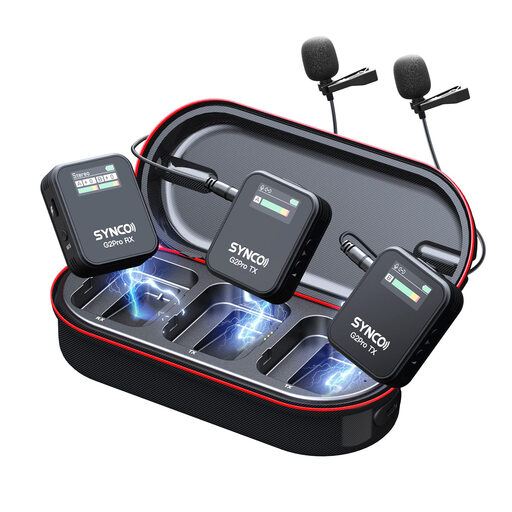
SYNCO G2(A2) Pro Wireless Lavalier Microphone
For recording speech while on the move, if the set described is compatible with your recording device.
The set is described as including two transmitters, a receiver and a charging case. Other listed features include a 2.4 GHz connection, three audio modes and DSP noise reduction; test the processing before your actual recording.
View at Joybuy
 No image available
Wireless Lavalier Microphone Set (2 Transmitters, USB-C and Lightning)
A possible choice for mobile recording if you need two transmitters or a compatible USB-C or Lightning connection.
The set is described as including two transmitters and connection options for USB-C and Lightning. Before buying, check which receiver option is compatible with your recording device.
View at Joybuy
 No image available
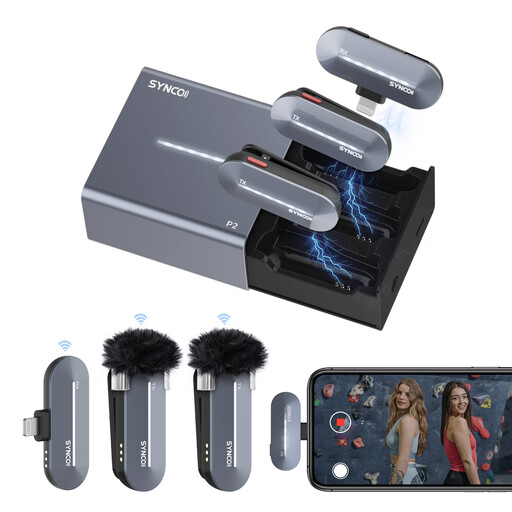
SYNCO P2SL Wireless Microphone for iPhone (Lightning)
For mobile recording with an iPhone, if the Lightning model is compatible with your device.
This model is described as including two lavalier microphones and a Lightning receiver. Mono and stereo modes, as well as DSP background noise reduction, are listed; check the voice recording in the actual location.
View at Joybuy
Frequently asked questions
Will a windscreen help with a fan in the room?
A windscreen won’t guarantee that you won’t hear a fan running in the room. It’s designed to deal with air movement around the microphone and certain breath or wind noises. Make a test recording to hear the difference.
Where should I clip on the lavalier before recording?
As a general guide, RØDE recommends positioning it about a hand’s breadth, or 20–30 cm, from your mouth. Attach the microphone so your clothing doesn’t rub against it, then listen back to a short recording with the fan running. If you’re using a directional capsule, you’ll also need to position it carefully.
What extra equipment should I check for my setup?
Check whether your device needs an adaptor and whether a bodypack recorder requires a memory card and batteries as part of the recording process. With a wireless set, check the receiver connection and exact model as well.
Can I simply record other people for an audio guide?
No, not as a general rule: under § 201 of the German Criminal Code (StGB), recording another person’s non-public speech without permission is a criminal offence. If identifiable people are involved, also check the relevant data protection and usage requirements. This doesn’t mean there’s a general ban on recording a narration spoken by you alone.
Can I use any wireless microphone in Germany?
Not simply because it’s labelled a “wireless microphone”. In its general frequency allocation issued in April 2026, the German Federal Network Agency specifies frequency bands and technical and operational conditions. Check the frequency details of the particular system for use in Germany; Decision 37/2026 repeals the earlier Decision 109/2025.


