If you’ll be sitting still for most of your talk and your recording device has a compatible input, a wired lavalier microphone clipped close to your body is a sensible starting point. It won’t remove room echo: Shure points out that a microphone can’t improve a room’s acoustics. If you need more freedom to move, consider a wireless set. If you want to record without using your phone or camera as the recorder, a lavalier with its own recorder is another option – both involve extra steps for the receiver, power or file management.
Who are the different recording options suitable for?
Smartphone users who speak calmly
If you usually record while sitting down, it’s important to choose a compatible connection and position the microphone appropriately on your body. RØDE describes the smartLav+ as having a TRRS connection for smartphones; Shure lists a 3.5 mm TRRS connection for the MVL and says you should check that the recording set-up is CTIA-compatible.
Meditation teachers who move around
If you change position or move around while recording, a wireless set can give you more freedom. You’ll need to choose the right receiver version and get the transmitter and receiver ready before recording; the components included with the Hollyland LARK M2S Combo vary by set.
Speakers with their own recording workflow
If you want to record without relying on a smartphone or camera app, you could consider a lavalier recorder. The Zoom F2 is supplied with a lavalier microphone; batteries, storage and managing the files afterwards are all part of your workflow.
What should you consider when choosing?
Shure explains that a microphone can’t reliably distinguish direct speech from room reflections that have already been picked up. As well as checking the recording set-up, consider the microphone’s position and listen to a test recording made in the room you plan to use.
Wired connection to a smartphone
Suitable if: you’ll be sitting fairly still while speaking and using your smartphone as the recorder.
Bear in mind: the cable may restrict movement, and the connection and adapter must be suitable for your specific device.
Wired connection to a camera or recorder
Suitable if: your recording device has a compatible microphone input. RØDE lists the Lavalier GO with a TRS connection for compatible devices and Wireless GO transmitters.
Bear in mind: TRS and smartphone TRRS connections aren’t directly interchangeable; when using the BOYA BY-M1 in camera mode, you’ll also need to check the battery.
Wireless clip-on set
Suitable if: you’d like to stand up or move around while guiding your session. The Hollyland LARK M2S Combo is available with different receiver components.
Bear in mind: preparing the transmitter, receiver and battery charge takes extra time. The manufacturer’s stated range doesn’t guarantee interference-free recording indoors.
Lavalier with its own recorder
Suitable if: you want to record without using a smartphone or camera as the recording device. Zoom lists mono WAV recording in 32-bit float for the F2.
Bear in mind: batteries, a memory card, file transfers and listening back are all part of your own process; 32-bit float won’t prevent echo or clothing noise.
| Consideration |
What to check when buying |
Who is this important to? |
| Voice and room sound |
Check how the microphone is attached and whether a windscreen is included; listen to a quiet spoken passage, including the pauses, at your recording location. |
If I speak quietly, I want to record my voice close to my body and listen for echo, breathing or rustling in a test recording. Around 40% of consumers pay particular attention to clear speech and room sound. |
| Compatible connection |
Check the microphone input on your specific device, whether it uses TRS or TRRS, and which adapters you need. |
If I want to record using my existing smartphone, camera or recorder, I want to make sure the connection will work before I buy. Around 33% of consumers prioritise the connection to their recording device. |
| Freedom to move |
For wireless sets, check the receiver version and how it connects to your recording device; only rely on battery-life claims under the stated conditions. |
If I want to stand up or change position while guiding a session, I don’t want to feel restricted by a cable. Around 17% of consumers pay particular attention to freedom of movement. |
| Standalone recording |
Check whether a lavalier microphone, power source and storage are included, and how to transfer and listen to recordings. |
If I want to record without a smartphone or camera app, I also need to plan how I’ll manage the files. Around 10% of consumers prioritise a standalone recording workflow. |
Common pitfalls when buying and using a microphone
-
Confusing noise reduction with echo removal
A microphone can’t reliably remove room reflections that have already been picked up from your voice. So a noise-reduction feature doesn’t prove that room echo will disappear.
First, make a short recording with the microphone in the position you plan to use, then listen to the sound of the room before comparing extra features.
If the recording doesn’t sound right in the room, you may need to try another location or record it again.
-
Assuming every 3.5 mm plug is universally compatible
According to their manufacturers, smartphone lavalier microphones such as the RØDE smartLav+ and Shure MVL use TRRS; the RØDE Lavalier GO has a TRS connection. A plug that fits doesn’t necessarily mean the microphone will work with your recording device.
Check the actual input on your device and, where relevant, the adapter wiring and compatibility with your recording app.
-
Relying on wireless range or battery life without checking
Manufacturers’ range and battery-life claims apply under specific conditions and don’t guarantee long recording times indoors.
Test the complete set where you plan to record and for the length of time you intend to record; if you’ll be staying in one place, you could also consider a wired microphone.
-
Clipping the lavalier under clothing that rubs against it
Contact between clothing, the capsule or the cable can cause audible interference. It can be particularly noticeable during quiet passages.
Secure the clip and cable so that nothing rubs when you move, then listen to a test recording, including the pauses in your speech.
Key brands and what they’re suited to
RØDE
The smartLav+ is described as suitable for compatible smartphone TRRS inputs; the Lavalier GO is designed for compatible TRS inputs or Wireless GO transmitters.
- Official model specifications list clips and a pop shield.
- The brand name alone doesn’t confirm that the connection will work with your recording device. The manufacturer’s sound descriptions aren’t independent measurements made in a meditation room.
Shure
According to its German product page, the MVL is designed for close-range mobile voice recordings.
- Specifications include a 3.5 mm TRRS connection and a supplied windscreen.
- For devices without a compatible input, you’ll need to check whether a CTIA-compatible recording set-up is required. The advertised improvement in sound compared with built-in microphones is a manufacturer’s claim.
BOYA
The BY-M1 is a wired option that the manufacturer says can switch between camera and smartphone modes.
- The six-metre cable can give you more distance between the microphone and recording device.
- You’ll need to manage the cable. The LR44 battery specification applies to the BY-M1 and shouldn’t be assumed to apply to the BY-M1S or BY-M1 Pro II.
Hollyland
The LARK M2S Combo is a wireless option for recording from different positions, with different receivers available depending on the set.
- For one Combo version, the European manufacturer’s website describes camera, USB-C and Lightning components.
- Range and battery-life claims apply under the stated operating conditions and don’t guarantee interference-free indoor recording. Check the exact set version.
Zoom
The F2 combines a portable recorder with an included LMF-2 lavalier, offering a recording option that doesn’t use a smartphone as the recorder.
- Zoom lists 32-bit float and mono WAV as features of the F2.
- These format specifications aren’t an independent assessment of voice quality. Batteries and storage management are part of the standalone workflow.
Joybuy products for different recording options
The models below include wired lavalier microphones and wireless sets for a range of smartphone, camera and computer connections. Before buying, check the connection to your specific device and listen to a test recording made in the room you plan to use.
 No image available
DJI Mic Mini 2S (2 TX + 1 RX + charging case)
A wireless option if you want to move around while guiding your session.
The product title lists two transmitters, one receiver and a charging case. The product description lists compatibility with cameras, smartphones and PCs, as well as clip or magnetic attachment; check which receiver is right for your device.
View at Joybuy
 No image available
SYNCO S8 lavalier microphone for smartphone, PC, laptop and camera
A wired option if you’ll be staying in roughly the same place while recording.
The product description lists a 3.5 mm connection, an adapter kit, a clip and a windscreen. Check that the connection and adapter kit are suitable for your specific recording device.
View at Joybuy
 No image available
Moman MC1(C) Wireless Lavalier (1TX + 1RX, USB-C)
A wireless option for a smartphone with a compatible USB-C connection, giving you more freedom to move.
The product title lists 2.4 GHz, one transmitter and one receiver. The product description says the receiver is designed for USB-C smartphones.
View at Joybuy
 No image available
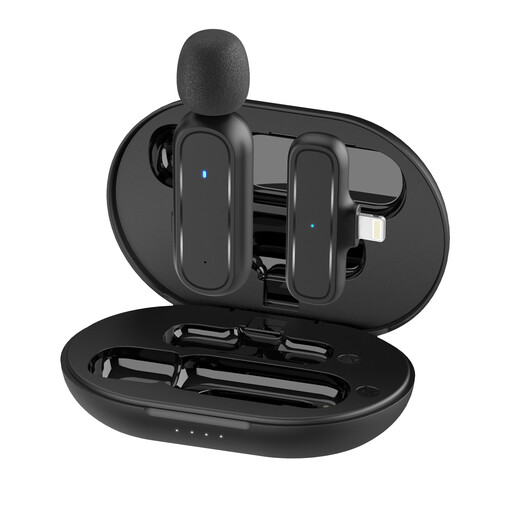
Moman MC1(A) Wireless Lavalier (1TX + 1RX, Lightning)
A wireless option for an iPhone or iPad with a compatible Lightning connection, giving you more freedom to move.
The product title and description list one transmitter, one receiver and a Lightning connection. Check that this connection is suitable for your specific device.
View at Joybuy
 No image available
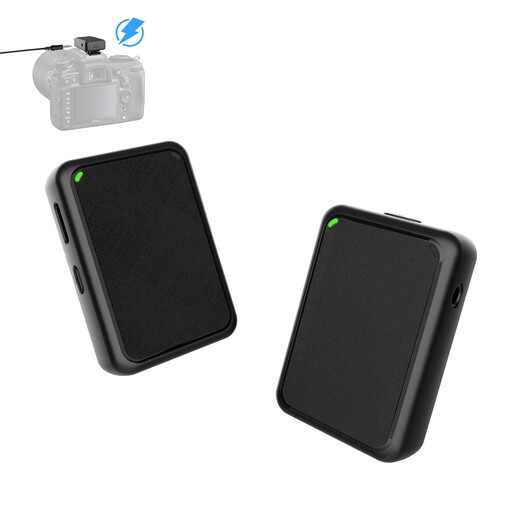
Moman MB1(M) Wireless Lavalier for Camera (1TX + 1RX)
A wireless option if you want to move around while recording and have a compatible camera.
The product description lists a camera connection with a 3.5 mm cable, a TRS adapter, a transmitter and receiver, and a furry windscreen. Check your camera’s microphone input.
View at Joybuy
Frequently asked questions
Can a lavalier microphone remove echo in a room?
No, a lavalier microphone won’t remove room reverberation. Shure distinguishes direct speech from room reflections and points out that a microphone can’t improve a room’s acoustics. Clip the microphone close to your body and listen to a test recording made where you plan to record.
Where should I clip the microphone to avoid clothing and breathing noise?
Clip the lavalier so that your clothing and the cable won’t rub against the capsule when you move. Shure describes positioning lavalier microphones on the upper chest and notes that contact noise may occur. Listen to the quiet pauses in a test recording, too.
How can I check whether a lavalier microphone will work with my smartphone?
Check the microphone input on your specific smartphone and make sure the connection and adapter wiring are compatible. RØDE describes the smartLav+ as having a TRRS connection; depending on the device, the Shure MVL may require a CTIA-compatible recording set-up. A 3.5 mm plug that fits the socket doesn’t, by itself, confirm compatibility.
Can I use any wireless microphone in Germany without checking anything else?
There’s no blanket guarantee that every frequency band or set can be used. In its general assignment Vfg. 37/2026 dated 15 April 2026, the Bundesnetzagentur lists permitted frequency bands and the technical and operational conditions that apply to each. Check the frequency technology of the specific wireless model and the relevant conditions for its use.


