What should you look for when buying?
First, check the signal path to your recording device, then consider how you’ll attach the microphone and how much freedom to move you need. A compatible wired model keeps the setup simple, while wireless is worth considering if you genuinely need to move around or use several microphone positions.
| What you need |
What to check before buying |
Who is this most important for? |
| Speech recordings that are easy to assess |
Microphone position, clip and cable routing; make a test recording with sibilants, plosives and movement. |
If you want to compare individual sounds repeatedly, keeping the microphone in the same position is important. Around 36% of consumers prioritise speech recordings that are easy to assess. |
| Connecting to a device you already own |
Check the device port, input type and power requirements; test the adapter and recording app with a sample file. |
If you want to record with your existing phone or computer, the complete signal path matters more than the shape of the plug alone. Around 29% of consumers put device compatibility first. |
| Freedom to move and a secure fit |
Check the cable length or wireless receiver, as well as the clip and cable position with your clothing. |
If you stand up or move around while practising, the microphone should stay securely in place. Around 21% of consumers prioritise freedom of movement and a secure fit. |
| Ease of use |
Factor in any battery or charging requirements, as well as the accessories you’ll actually use. |
If you want to record short practice sessions without extra preparation, a simple setup matters. Around 14% of consumers pay particular attention to accessories and day-to-day running requirements. |
Joybuy products for speech recording
This selection includes wired lavalier microphones and wireless microphone systems with different device connections. Check that each model’s receiver or microphone input is compatible with your device. For wireless systems, you should also check the requirements for the specific version in Germany.
 No image available
DJI Mic Mini 2S (2 TX + 1 RX + Charging Case)
May suit practice sessions where you need to move around or record two speakers, provided the receiver is compatible with your recording device.
- 2 TX and 1 RX
- Charging case
- Onboard recording on the transmitters, according to the product description
View at Joybuy
 No image available
SYNCO S8 lavalier microphone
Worth considering for wired speech recording if the connection and adapter are compatible with your device.
- 3.5 mm connection
- Adapter kit, clip and windscreen, according to the product description
- Check that your input is compatible and that your recording app recognises the microphone.
View at Joybuy
 No image available
Moman M1CXT Wireless Lavalier Microphone, USB-C, 2TX+1RX
May suit two microphone positions with a compatible USB-C device.
- 2 TX and 1 RX
- USB-C receiver
- Two omnidirectional microphones, according to the product description
- Check the specific wireless version and its requirements for use in Germany.
View at Joybuy
 No image available
SYNCO P1XT USB-C Wireless Microphone
May suit speech recording with a compatible USB-C device, provided the connection requirements are met.
- USB-C receiver
- OTG functionality is required for the Android phones listed
- Check the specific wireless version and its requirements for use in Germany.
View at Joybuy
 No image available
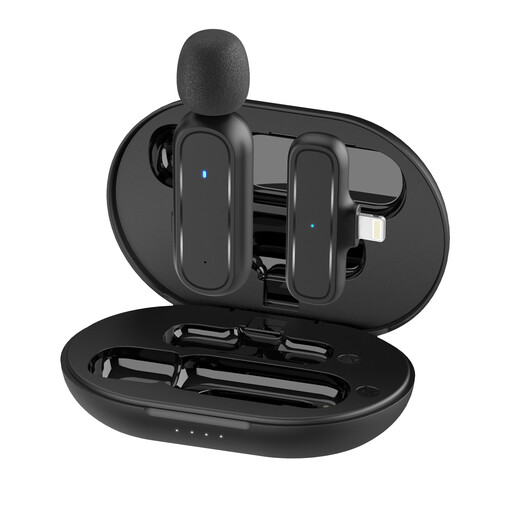
Moman MC1(A) Lightning Wireless Lavalier Microphone, 1 TX + 1 RX
May suit recording with an iPhone or iPad if your device has the Lightning connection it’s designed for.
- Lightning version
- 1 TX and 1 RX
- Charging case, according to the product description
- Check the specific wireless version and its requirements for use in Germany.
View at Joybuy
Frequently asked questions
Where should I clip the microphone for speech practice?
Start by clipping it somewhere visible on a stable edge of your clothing, keeping the capsule and cable as clear of friction as possible. RØDE recommends creating a loop in the cable to reduce strain on its lavalier; listen to a test recording with your practice sounds and normal movements.
Can I connect a Lavalier GO directly to my smartphone or computer?
Not just because it has a 3.5 mm socket: RØDE specifies a TRS microphone input with plug-in power for the Lavalier GO. Check that your specific device and adapter meet these requirements, then test a recording. Other models, for example, use USB or mobile 3.5 mm connections.
What should I consider for operation and cancellation rights?
Audio-Technica specifies an LR44 battery for the ATR3350x; the Wireless PRO also involves charging and, if necessary, transferring locally stored files. In general, consumers buying at a distance in Germany have a right of withdrawal under §§ 312g and 355 BGB. The withdrawal period is 14 days, although statutory exceptions and the terms of the specific purchase should be taken into account. The Federal Ministry of Justice and the Federal Office of Justice list these provisions on the “Gesetze im Internet” portal.
Can I record someone else’s pronunciation?
Recording another person’s non-public speech without authorisation may be a criminal offence under § 201 StGB. Get their permission before making such a recording, and check whether you’re allowed to share the file too. The provision applies to another person’s speech.
Do I always need an individual frequency assignment for a wireless lavalier in Germany?
There isn’t a single answer that applies to every wireless system. The Federal Network Agency publishes general assignments covering specified frequency bands and conditions of use; check the relevant notice for the specific wireless version. Use under a general assignment is not protected from interference.


