If you record your language lessons on your own from a fixed spot, a wired lavalier microphone with the right connector is a sensible place to start. If you move around while explaining something or want to record two people, a wireless set may suit your workflow better. The key things to check are the complete signal path to your recording device, exactly what’s included in the set, and how the microphone performs in a test recording with your clothes.
Which setup is right for you?
Recording alone at your desk
If you record most of your lessons in the same place, the right connector and a stable microphone position are essential. Sennheiser lists the XS Lav USB-C for compatible USB-C devices, while RØDE and Shure specify different connection requirements for the Lavalier GO and MVL.
Teachers on the move
If you stand up or move around while explaining something, a wireless set can replace the cable between you and your recording device. Check the receiver connection and charging requirements. DJI also offers the Mic Mini in versions with one or two transmitters.
Lessons with two speakers
If you want to record both the teacher and the learner, the set needs to include enough transmitters for both voices. DJI specifically describes one Mic Mini version as having two transmitters and one receiver; the connection to your recording device must also be suitable.
What should you look for when buying?
When recording language lessons in a home studio, your priorities will depend on whether you stay at your desk, move around or record two people. Information from RØDE, Shure, Sennheiser and DJI shows why it’s worth considering the connection, attachment and what’s included in the set together before you buy.
| What you need |
What to check before buying |
Who it matters most to |
| Clear speech |
Check the clip and where you’ll attach it. Make a test recording with the clothing you plan to wear and your usual movements. |
When I record a lesson, I want speech to stay clear and my clothes not to rub against the microphone. Around 40% of consumers would put recording speech without distracting noise first. |
| The right connection |
Check the input, any power supply or adapter needed, and whether the recording app recognises the microphone. |
I want to record directly with the phone or computer I already have, without having to guess how to connect everything. For around 30% of consumers, finding the right connection would be their main consideration. |
| Freedom to move |
Check the cable length or wireless setup, receiver connection and charging requirements against your planned workflow. |
If I stand up or move around the room while explaining something, I don’t want a cable to get in the way. Around 20% of consumers would put freedom of movement first. |
| Two voices |
Check the exact set version, number of transmitters, receiver and signal path to your recording device. |
If I want to record both the teacher and the learner, I need a suitable microphone connection for both. Around 10% of consumers would prioritise recording two voices. |
Common buying mistakes
-
All 3.5 mm lavalier microphones are interchangeable
A plug of the same size doesn’t guarantee a compatible signal path. RØDE specifies a TRS input with plug-in power for the Lavalier GO; Shure lists a TRRS connection for the MVL, for compatible mobile devices or with a suitable CTIA adapter.
Check the connector, power supply and recording device as one complete chain, including the recording app you use.
-
The product family name tells you what’s included in a wireless set
DJI offers the Mic Mini with either one or two transmitters. If you’re recording a lesson with two speakers, it’s important to check the exact set name.
Before buying, check the specific version, the transmitters included and whether the receiver connection works with your recording device.
-
An omnidirectional pickup pattern means background noise disappears
An omnidirectional pickup pattern doesn’t mean that clothing noise or room sounds will be filtered out. RØDE warns that clothes rubbing against the microphone can be audible.
Attach the microphone so that your clothes don’t rub against it, then listen back to a test recording using your actual speaking style and movements. If the microphone is poorly positioned, you may need to make more test recordings or record the lesson again.
Brands to consider
RØDE
The Lavalier GO is a wired option for compatible microphone inputs; the smartLav+ uses a different connection.
- RØDE lists an omnidirectional pickup pattern, clip and pop shield for the Lavalier GO.
- Its TRS connection with plug-in power isn’t the same as a TRRS input on every smartphone.
Sennheiser
The XS Lav USB-C is designed for compatible USB-C mobile devices and computers; the ME 2 uses a connection with a suitable bodypack transmitter.
- Sennheiser lists a 2 m cable, clip and wind shield for the XS Lav USB-C.
- USB-C doesn’t automatically mean compatibility with every device; the ME 2 won’t connect directly to a computer just because of its connector name.
Shure
The MVL is designed for compatible smartphones or tablets with a 3.5 mm TRRS connection, or with a suitable CTIA adapter.
- Shure lists a clip, wind shield and omnidirectional pickup pattern for the MVL.
- Connecting to a mobile device depends on the available input or a suitable adapter.
DJI
The Mic Mini is a wireless microphone system with versions for different speaking situations.
- DJI specifically offers sets with either one or two transmitters.
- The set contents and receiver connection need to suit your recording device. Battery life figures given by DJI apply to the stated test conditions.
Joybuy products for language lessons
This selection includes wired lavalier microphones and wireless sets, including versions with two transmitters. Before buying, check that the connection works with your recording device.
 No image available
DJI Mic Mini 2S (2 TX + 1 RX + Charging Case)
If you’re recording a lesson with two speakers, the version with two transmitters is worth considering. Check that the receiver works with your recording device.
The product title lists two transmitters, one receiver and a charging case. The product description lists cameras, smartphones and PCs as compatible device types.
View at Joybuy
 No image available
SYNCO S8 Lavalier Microphone for Smartphone & PC Laptop Camera
This wired model may suit lessons recorded mainly from a fixed spot, as long as it connects to your recording device.
The product description lists a 3.5 mm connection, an adapter set, a clip and a wind shield. Check that it works with the recording equipment you use.
View at Joybuy
 No image available
Moman M1CXT Wireless Lavalier Microphone, USB-C, 2TX+1RX
If you’re recording two speakers, the two-transmitter version named in the title is the one to consider.
The title lists USB-C, two transmitters and one receiver. Recording requires a compatible USB-C device, so check the exact signal path.
View at Joybuy
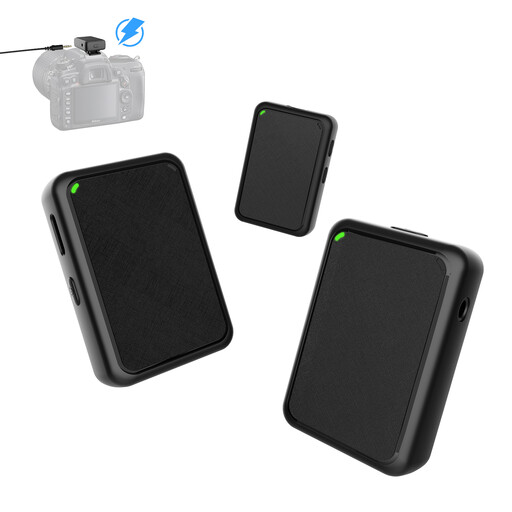 No image available
Moman MB1X(M) Wireless Lavalier Microphone (2TX&1RX)
If you’re recording two speakers, the set version listed in the title with two transmitters is the one to consider.
The product description lists a 3.5 mm cable for connecting to a camera and a wind shield for each transmitter. Check that this connection works with your recording equipment.
View at Joybuy
 No image available
Verbex K9-Black Wireless Mini Microphone, Type-C
This model may suit wireless recording, provided your recording device is compatible with the Type-C connection listed.
The product description lists a battery life of 3–6 hours. Check that this suits your recording time and charging routine.
View at Joybuy
Frequently asked questions
Can I connect any lavalier microphone directly to my phone or computer?
No. The connector and signal path required vary by model. RØDE specifies a compatible TRS microphone input with plug-in power for the Lavalier GO; Shure lists a suitable TRRS connection or CTIA adapter for the MVL; and Sennheiser specifies a USB-C connection for the XS Lav USB-C. Also check that your device and recording app recognise the microphone.
What should I check when choosing a wireless set for language lessons?
Check the exact set version, receiver connection and charging requirements. DJI offers the Mic Mini with one or two transmitters. Any stated battery life applies to the specified test conditions and isn’t a guarantee for every lesson.
How should I attach the microphone to stop clothing noise?
As a general starting point, RØDE recommends attaching the microphone to your chest, close to your mouth, and warns against clothes rubbing against it. Listen back to a test recording made using your usual speaking style and movements.
Can I record someone else’s voice during a private language lesson without their permission?
No. Under Section 201(1) of the German Criminal Code (StGB), it is a criminal offence to record another person’s private spoken words on an audio recording without authorisation; this is noted by the Federal Ministry of Justice and the Federal Office of Justice. Make sure you have permission to record before holding a lesson together. The legal basis for any further processing of personal data must be considered separately.


