Which microphone is right for you?

Readers who stay in one place

If you read from one spot and can run a cable to your recording device, pay particular attention to choosing the right connector and finding a clear position on your clothing. RØDE gives around 20–30 cm from the mouth as a general guide for microphone placement.

Readers who like to move around

If you gesture or change position, a wireless microphone can eliminate the cable running to your recording device. DJI describes the Mic Mini setup as having one transmitter and one receiver for a single speaker. Check the connection and battery levels before your reading.

Readers using a smartphone they already own

If you want to keep using your smartphone, the microphone, connector and any required adapter all need to be compatible. Shure describes the MVL as suitable for compatible mobile devices with a TRRS connection or a suitable CTIA adapter.

What should you look for when choosing?

Wired lavalier microphone

A good fit if: You usually stay in one place to read and can run a cable to your recording device. Audio-Technica describes the ATR3350x as suitable for compatible camera and recorder inputs; Shure’s MVL is designed for compatible mobile TRRS connections.

Bear in mind: The plug size alone isn’t enough: the wiring and requirements of your specific recording device must also be compatible.

Wireless microphone with transmitter and receiver

A good fit if: You move around while reading and can connect the receiver to your recording device. DJI describes a Mic Mini setup with one transmitter and one receiver for a single person.

Bear in mind: The transmitter and receiver need power and a working connection. DJI’s stated range applies to an open, interference-free environment, so it doesn’t reflect conditions in a booth.

What matters What to check before buying Who is this important to?
Voice and dynamics Test the microphone position and pop shield during quiet and loud passages; check the recording level on the device you’re using. For a dramatic reading, I want to capture quiet and emphatic passages clearly, without rustling clothes or breath sounds getting in the way. Around 36% of consumers put voice clarity and dynamics first.
Device compatibility Check the device model, microphone input, plug wiring and power requirements; factor in a suitable adapter if needed. If I want to keep using my existing recording device, I need to know that the microphone and connection will work together. Around 29% of consumers say device compatibility is their main concern.
Moving without unwanted noise Test your clothing and gestures in a practice recording; for wireless models, check the connection and what’s included with the setup you choose. When I gesture, I want to be able to move without a cable or clothing rubbing against the microphone. Around 21% of consumers prioritise freedom of movement and a secure, quiet fit.
Recording throughout the session For the specific setup, check the battery or batteries, connection and recording indicator; play back a short test recording. For a longer reading, I want to be able to check in advance that the connection is working and recording is under way. Around 14% of consumers mainly want to be able to monitor the session reliably.

Common pitfalls when choosing

  • Focusing only on “3.5 mm”

    A plug may fit into a socket even if its wiring and the recording device’s requirements aren’t compatible. Shure describes the MVL as suitable for compatible mobile TRRS connections; Audio-Technica specifies a different connection for the ATR3350x.

    Before buying, check the microphone variant, the input on your specific device, the plug wiring and whether a power supply is needed.

  • Assuming wireless means interference-free recording

    Wireless setups still need the transmitter and receiver to be powered and connected correctly. DJI’s stated maximum range was measured in an open, interference-free environment.

    Make a test recording in the booth and check both battery levels and the entire recording chain. Choose wireless mainly if you need the extra freedom to move around.

  • Overlooking clothing rustle

    A wireless microphone can still pick up audible noise if clothing rubs against it. RØDE notes that contact with clothing can be a source of noise.

    Test the microphone with the outfit you plan to wear and the gestures you’ll actually make, then listen back to the test recording.

An overview of the key brands

RØDE

The Lavalier II is a wired model with a locking 3.5 mm TRS plug, for use with a recording device that supports this connection.

  • RØDE lists a compact clip and an included pop shield.
  • A locking plug doesn’t mean the microphone is compatible with every 3.5 mm input. Sound claims are made by the manufacturer and don’t constitute an independent comparison.

Shure

The MVL is described as suitable for compatible mobile recording devices with a 3.5 mm TRRS connection or a suitable CTIA adapter.

  • Shure lists a clip and a windscreen.
  • Shure says the electrical properties of TRRS connections can vary. A matching plug size alone doesn’t confirm compatibility.

Audio-Technica

The ATR3350x is described as suitable for a wired setup with compatible camera and recorder inputs.

  • According to Audio-Technica’s German product page, the listed accessories include a 3 m cable, clip, foam windscreen and LR44 battery.
  • The dual-mono plug and battery need to suit your planned setup; this doesn’t say anything about sound quality compared with other models.

DJI

The Mic Mini is a wireless option. DJI describes a setup with one transmitter and one receiver for a single speaker.

  • DJI provides details of possible connection options and battery life under the stated test conditions.
  • Wireless setups require compatible connections, pairing and charged components. The range quoted for an open, interference-free environment isn’t a figure for use in a booth.

Deity

The 3.5 mm version of the W.Lav Pro is described as suitable for compatible wireless transmitters with a locking connection.

  • For this version, Deity lists a 1.8 m cable, a clip and a foam windscreen.
  • The connection type doesn’t establish direct compatibility with smartphones or a sound advantage over other brands.

Lavalier microphones at Joybuy

This selection includes wired and wireless lavalier microphones for compatible smartphone, computer and mobile device connections. Before buying, check that the connection and recording setup will work with your specific device.

SYNCO S8 lavalier microphone

SYNCO S8 lavalier microphone

May suit a recording device with a compatible 3.5 mm connection; check that the plug wiring and device are compatible.

The product title lists smartphones, PCs, laptops and cameras as suitable devices.

View at Joybuy
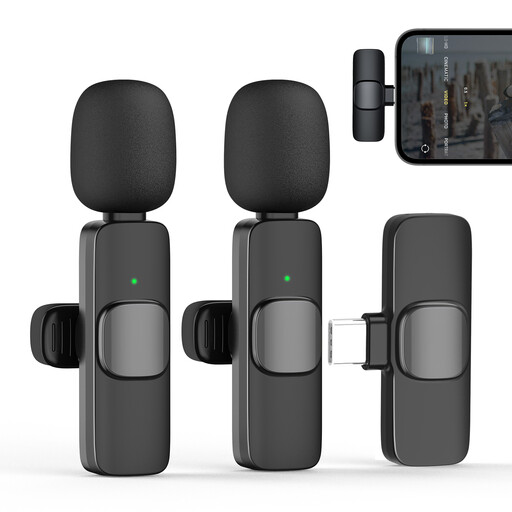
Moman CP1X(C) wireless lavalier microphone, Type-C

Moman CP1X(C), Type-C, 2.4GHz, 1TX&1RX

For one reader using a compatible Type-C device, when freedom to move without a cable to the recording device matters.

The product title describes a wireless 2.4 GHz setup with one transmitter and one receiver. According to the title, the receiver is designed for Type-C devices.

View at Joybuy

Moman MC1(C) wireless lavalier microphone for USB-C phones

Moman MC1(C), USB-C, 2.4 GHz, 1TX&1RX

An option for one reader using a compatible USB-C phone, if a cable to the recording device would get in the way.

The product title describes a wireless 2.4 GHz setup with one transmitter and one receiver for USB-C phones.

View at Joybuy
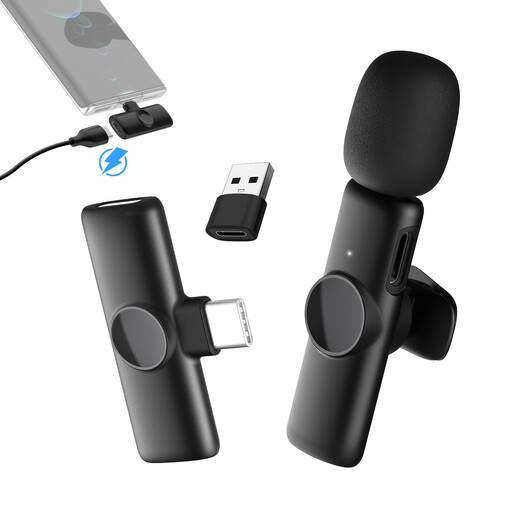
Moman MS1(C) wireless lavalier microphone for USB-C phones

Moman MS1(C), USB-C, 1TX&1RX

For one reader who wants to move around and is using a compatible USB-C device.

The product title describes this as a wireless lavalier microphone with one transmitter and one receiver for USB-C phones.

View at Joybuy
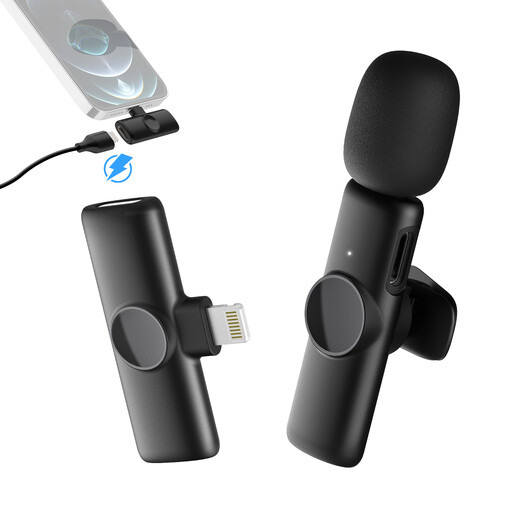
Moman MS1(A) wireless lavalier microphone with Lightning connection

Moman MS1(A), Lightning, 1TX and 1RX

An option for one reader using a compatible iPhone or iPad, when more freedom to move is useful.

The product title lists a Lightning connection and a wireless setup with one transmitter and one receiver.

View at Joybuy

Frequently asked questions

Where should I attach the microphone for a reading?

Attach it so the capsule is unobstructed and clothing doesn’t rub against it. RØDE gives around 20–30 cm from the mouth as a general guide. Check the position with your clothing and a recording of both loud and quiet sentences.

Will a 3.5 mm socket work with every lavalier microphone?

No. The plug wiring and the recording device’s requirements must also be compatible. Shure describes the MVL as suitable for compatible mobile TRRS devices or a suitable CTIA adapter; for the ATR3350x, Audio-Technica specifies a dual-mono plug for compatible camera and recorder inputs. Matching plug sizes don’t replace checking compatibility with your device.

What should I check before a longer recording?

Check the connection and listen back to a short test recording. For the ATR3350x, check the switch and LR44 battery; with the DJI Mic Mini, you should also check the transmitter, receiver and their charge levels. Stated battery life applies under the relevant test conditions.

Can I record other people in the booth in Germany?

Section 201 of the German Criminal Code (StGB) covers the unauthorised recording of another person’s non-public spoken words. The Federal Ministry of Justice and the Federal Office of Justice list the provision on “Laws on the Internet”. Get consent from anyone else speaking before recording, and check the specific legal position if in doubt.

Can I publish a reading of someone else’s text online afterwards?

Not simply because you recorded your own voice. Section 19a of the German Copyright Act (UrhG) concerns making a work available to the public. Whether you can publish a particular text depends, among other things, on the rights to it and any applicable legal exceptions. The Federal Ministry of Justice and the Federal Office of Justice list the provision on “Laws on the Internet”.