What to look for when choosing one
First, check that the microphone works with your input and recording app. Then consider how securely it clips to your clothing without unwanted noise, how well you can control the recording level, and which file format your phone system accepts.
| What matters |
What to check before buying |
Who it matters most to |
| Clear speech |
Check the clip and cable routing; your clothing shouldn’t rub against the capsule. RØDE notes that this can cause audible rustling. If the recording is clipping, the Audacity manual recommends lowering the recording level and recording again. |
When I record a short announcement, I want to be able to listen back to my voice without avoidable rustling. Around 36% of consumers say clarity and a low-noise recording are their top priorities. |
| The right device connection |
Check the device model, input, connector wiring and power requirements, and confirm that your recording app uses the external input. RØDE, Shure and Sennheiser describe different TRS, TRRS and USB-C connections. |
If I want to keep using my existing smartphone, computer or recorder, the connection needs to work with the microphone. Around 29% of consumers put device compatibility first. |
| A file that works with your phone system |
Check the instructions for your specific phone system before recording. For the FRITZ!Box 7682, FRITZ! specifies a maximum duration of 60 seconds and certain WAV and MP3 formats. These requirements don’t necessarily apply to other systems. |
If I want to upload the announcement to my phone system, I need a file that meets its requirements. Around 21% of consumers prioritise an easy way to import the finished announcement. |
| Freedom of movement |
First, work out how far you need to be from the recording device and how much cable you’ll need. Sennheiser gives the XS Lav USB-C a 2-m cable, while Deity lists 5 m for the V.Lav. For wireless models, also check the receiver connection and the frequency requirements for the specific set. |
If I need to stand further away from my device or move around while speaking, a cable running all the way to it may get in the way. Around 14% of consumers prioritise freedom of movement. |
Joybuy products for voice recordings
The following Joybuy options include a wired lavalier with a 3.5 mm connection and wireless sets with USB-C or Lightning receivers. The right choice depends on your recording device’s connection and whether you genuinely need room to move.
 No image available
SYNCO S8 lavalier microphone
For recording speech from a fixed position, provided the 3.5 mm connection matches your recording device’s microphone input.
Described as a lavalier microphone with a 3.5 mm connection for smartphones, PCs, laptops and cameras. Check that it’s compatible with your own device.
The product description lists a clip and windscreen.
View at Joybuy
 No image available
Moman M1CXT wireless lavalier microphone, USB-C, 2TX+1RX
For recording with a compatible USB-C device when you need two lavalier transmitters.
The product name specifies USB-C and a 2TX+1RX configuration.
Before use, check the frequency details for this specific set against the regulations in force in Germany. In April 2026, the Federal Network Agency published the general frequency allocation under Vfg. 37/2026.
View at Joybuy
 No image available
Moman M1CT wireless lavalier microphone, USB-C, 1TX+1RX
For one speaker recording with a compatible USB-C device.
The product name specifies USB-C and a 1TX+1RX configuration.
Before use, check the frequency details for this specific set against the regulations in force in Germany. In April 2026, the Federal Network Agency published the general frequency allocation under Vfg. 37/2026.
View at Joybuy
 No image available
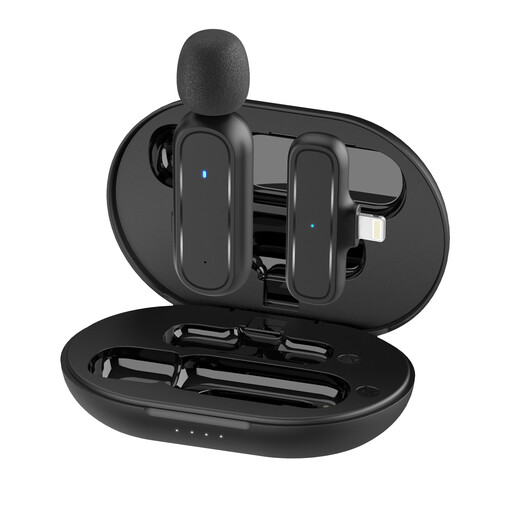
Moman MC1(A) Lightning wireless lavalier microphone, 1TX+1RX
For voice recordings with a compatible iPhone or iPad featuring a Lightning connection.
The product name specifies a Lightning receiver and a 1TX+1RX configuration.
Before use, check the frequency details for this specific set against the regulations in force in Germany. In April 2026, the Federal Network Agency published the general frequency allocation under Vfg. 37/2026.
View at Joybuy
 No image available
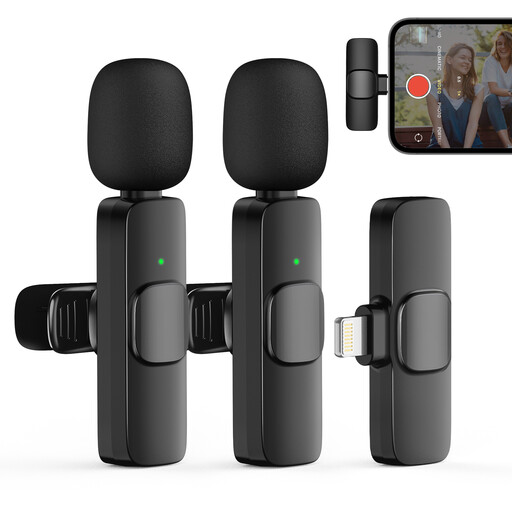
Moman CP1XA wireless lavalier microphone for iPhone, 2TX&1RX
For recording with a compatible iPhone or iPad when you need two transmitters.
The product name specifies a 2TX&1RX configuration; the description lists a noise-reduction feature.
Before use, check the frequency details for this specific set against the regulations in force in Germany. In April 2026, the Federal Network Agency published the general frequency allocation under Vfg. 37/2026.
View at Joybuy
Frequently asked questions
How can I check the microphone position before recording?
Record a short test take wearing the outfit you plan to use, then listen for rustling. As a general starting point, RØDE recommends positioning the microphone on your upper body around 20–30 cm from your mouth and warns against contact with clothing that rubs against it. This won’t guarantee the same sound in every room.
What can I do if loud words sound distorted?
Check the test recording for clipping. If it’s clipping, lower the recording level and record again. The Audacity manual describes this approach for its recording workflow.
Which file format does my phone announcement need?
It depends on your specific phone system. For the FRITZ!Box 7682, FRITZ! specifies a maximum duration of 60 seconds, and either WAV at 8000 Hz and 16 bit, with mono recommended, or MP3 at a fixed bit rate of 128 kbit/s and 44.1 kHz in stereo. These model-specific requirements are not a general telephony standard.
Can I use any wireless lavalier microphone in Germany?
It depends on the frequency range and the conditions that apply to the specific device. In April 2026, the Federal Network Agency published the general frequency allocation under Vfg. 37/2026. Check the selected set’s frequency details against the applicable requirements.
Are there extra music costs for a phone announcement?
For music from the GEMA repertoire used in telecommunications for commercial purposes, the W-TEL tariff, listed as applying from 1 January 2026, also covers phone announcements and answering machines. Whether you need to obtain rights for the specific music and use, and what the costs will be, depends on the relevant rights and circumstances. This music tariff does not provide a basis for an announcement consisting solely of your own speech.


