
Lieferung heute & morgen

Qualitätsgarantie

Willkommens-Angebote freischalten: KOSTENLOSE Lieferung | Bis zu 80 % RABATT | Kostenlose 30-Tage-JoyPlus-Testphase
App herunterladen
An LCD writing tablet for children can enable drawing, early writing practice and short notes without paper or felt-tip pens. For children aged 3 to 8, it is also a handy activity toy for the car, restaurant or waiting room. However, models differ significantly in screen size, erase function, battery cover and intended use.
Anyone who focuses only on a colourful design or a large screen size can easily overlook important details. The following criteria help parents, grandparents and other family members choose a suitable reusable writing tablet.
A digital drawing board with a pressure-sensitive LCD surface displays lines and doodles, but generally does not store them permanently. The erase function removes the entire contents. Anyone expecting learning apps, videos, cameras or internet access will need a proper children’s tablet instead.
An Android device such as the TABWEE K8 or an ALLDOCUBE Kido offers different functions, but requires power, charging and careful configuration of access restrictions. An LCD drawing tablet for children, on the other hand, generally works without ongoing app or Wi-Fi use.
A 15-inch model provides more space for drawings, but may take up more room in a small rucksack. For use on the go, weight, casing thickness and external dimensions are crucial. A compact 8.5-inch model is easier to store, while a 10- or 12-inch drawing board gives children more space for letters, pictures or games to play together.
Many LCD tablets use a replaceable coin-cell battery. The battery compartment must be closed as specified by the product information, and the retaining screw must be secured correctly. Swallowed coin cells can cause serious injuries. Models with small parts are not suitable for children under 3, even if the tablet itself is advertised for older toddlers.
The stated recommended age of 3 to 8 years is therefore only a starting point. The child’s maturity, their ability to handle small parts and adult supervision are also important considerations.
The following sizes are practical for a drawing tablet for ages 3–8:
The LCD models considered here weigh approximately between 165 and 260 grams, depending on the version. These figures refer to the product itself and not necessarily to the packaging or accessories.
One-button erasing is considerably more convenient in everyday use than removing paper or cleaning a board. It is important to check whether the device also has a lock switch. This prevents a picture from being erased accidentally. On some versions, the switch must be set to “Unlock” before the contents can be erased.
According to the product information, the CHEERFUN models are made from ABS plastic. The same information also states that they are free from BPA, lead and formaldehyde, and comply with EU REACH requirements and toy safety testing. Such details should be checked in the relevant product description and instructions. Rounded edges can make everyday handling more comfortable, but they do not replace age-appropriate supervision.
You should also look for:
The following selection groups models according to typical usage scenarios. The focus is on comprehensible product data rather than blanket claims about quality.
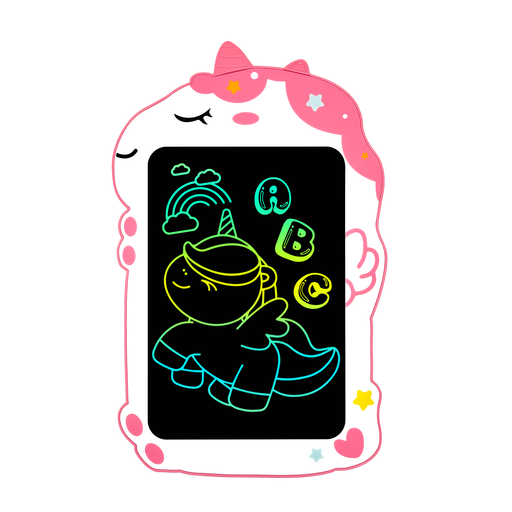
Why this product suits this profile: Measuring 8.5 inches, weighing around 201 grams and just 0.6 centimetres thick, this model is suitable for first drawing attempts and carrying in a rucksack.
Its compact size reduces the risk of buying a tablet that is impractically large for use on the go. Erasing is done at the touch of a button.
Low weight, slim casing and a reusable LCD surface.
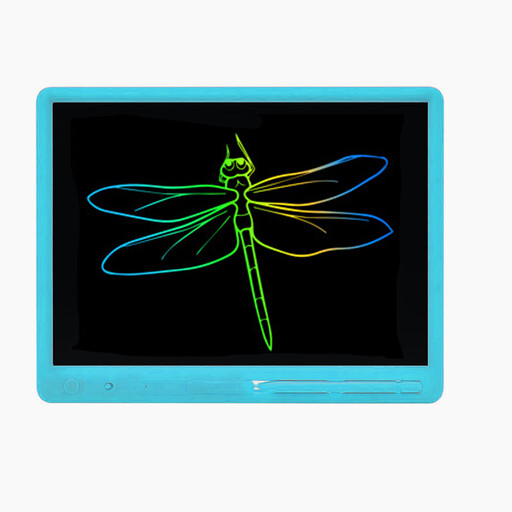
Why this product suits this profile: The 15-inch surface offers plenty of room for drawings, learning activities or family notes. The stated weight is 260 grams.
The large drawing surface addresses the common limitation of smaller tablets when creating large pictures.
15-inch LCD surface, rounded edges and one-button erasing according to the product description.
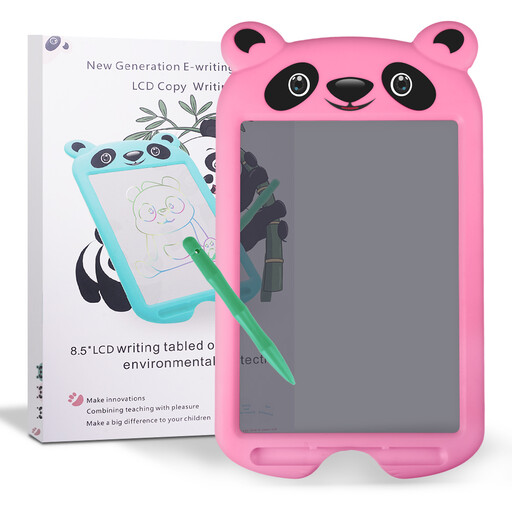
Why this product suits this profile: This version is designed for tracing and writing practice, making it a good choice for families who want to use a doodle board for children regularly.
Its clear purpose helps prevent a standard LCD board from being mistaken for a learning system designed for tracing.
10-inch surface, low weight of 200 grams and repeatable erasing.
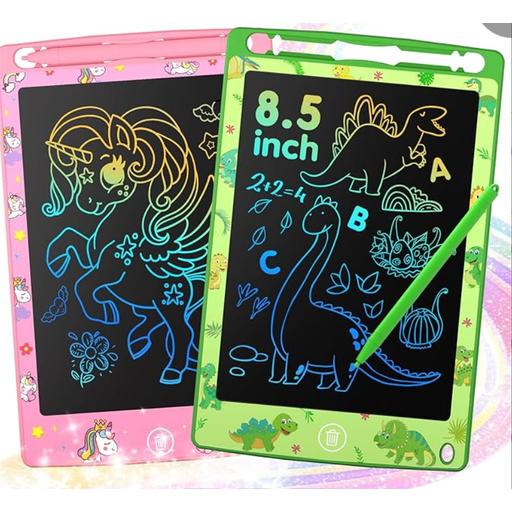
Why this product suits this profile: Two tablets in pink and green allow siblings to draw at the same time during playdates or while travelling.
The set means that several children do not have to share a single tablet and accidentally erase each other’s pictures.
Two devices, 8.5-inch surfaces and a combined total weight of around 220 grams according to the product information.
We have put together a complete, regularly updated list of products that fully meet these strict selection criteria and the safety regulations applicable in the EU.
An LCD writing tablet for children is suitable for short, creative activities without using paper or needing regular charging. However, it will usually not offer storage, apps or internet functions.
A proper children’s tablet is more suitable when learning software, audio, cameras or videos are required. Parents should then actively manage screen time, Wi-Fi access, app permissions and the battery charge. The alilo Kids Learning Tablet belongs to another category altogether: it works with learning cards and audio, but does not have a conventional screen.
Pressure is applied to the LCD surface using a stylus or a suitable blunt object. This creates visible lines. The entire image is removed using the erase or function button. For precise operating instructions, particularly regarding the position of the lock switch, refer to the manual.
Battery life depends on the model, battery and usage. Some product information states that the included or integrated battery lasts approximately twelve months. Before buying, check whether the coin cell can be replaced and which type of battery is required. Batteries must be stored out of the reach of young children.
For children within the recommended age range, it can be a suitable birthday present for children or Christmas present for children, provided that the screen size and operation are right for the child. Lightweight 8.5- or 10-inch models are practical for travelling. A larger surface may be more suitable for regular drawing and writing practice at home. The key considerations remain the age rating, battery cover and the actual range of functions.