
Lieferung heute & morgen

Qualitätsgarantie

Willkommens-Angebote freischalten: KOSTENLOSE Lieferung | Bis zu 80 % RABATT | Kostenlose 30-Tage-JoyPlus-Testphase
App herunterladen
As a Joybuy Product Recommendation Officer, I see countless products every day. My job is to help you make an informed decision based on facts, not marketing hype. If you're looking for a clean, creative, and screen-free activity for children, an LCD writing tablet for kids is an excellent choice.
This digital notepad offers a reusable surface for drawing and writing without wasting paper or leaving ink stains. It's a modern take on the classic magic slate, ideal for use at home and as a travel toy in the car. In this guide, we'll provide objective criteria for making your selection and present a few recommended models.
To find the right model for a child, several functional aspects should be considered. These criteria will help you objectively compare the features of different products.
The size of the screen affects both the user experience and the device's portability.
For toys used by children aged 3 to 8, safety is a critical factor. Look for products made from durable ABS plastic, which is considered non-toxic and long-lasting. Rounded edges minimise the risk of injury. An important detail is the battery compartment: it should be securely closed and ideally fastened with a small screw to prevent children from accessing the button cell battery.
A good drawing pad for kids should be intuitive to use. Most models feature a central erase button that completely clears the screen with a single press. An additional lock function on the back is practical, as it prevents artwork from being accidentally erased. Some tablets offer a multi-colour writing experience, while others are monochrome (usually greenish). As a reusable drawing pad, all versions conserve resources and prevent waste.
Based on the criteria above, we have compiled a selection of products that cater to different needs.

Why It Stands Out: With its 12-inch screen, this tablet provides an especially large drawing area. Despite its size, it remains light and easy to handle at just 0.2 kg.
Advantages:
Who It's For? This model is a great choice for children who need a larger canvas for their creativity. It's an excellent educational toy for home use or for activities where travel isn't the main focus.
See Details for the 12-Inch Model

Why It Stands Out: This doodle board combines a colourful screen with a unicorn design that's popular with kids. At 8.5 inches and weighing only 106 grams, it is extremely portable.
Advantages:
Who It's For? Perfect for young unicorn fans and as a constant companion on trips. Its compact size makes it an easy-to-manage toy for the car, the plane, or the doctor's waiting room.
See Details for the Unicorn Model
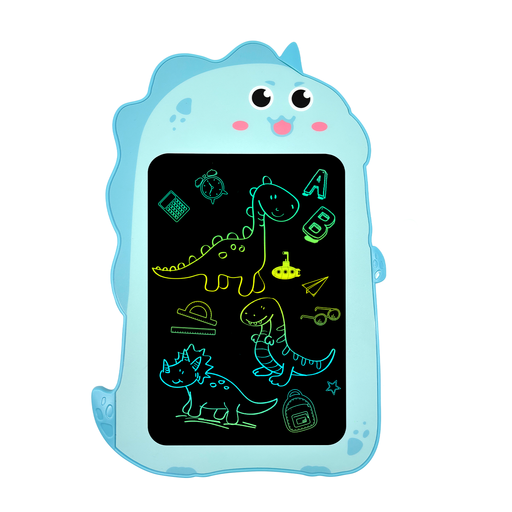
Why It Stands Out: The cool dinosaur design makes this 8.5-inch tablet an eye-catcher. The erase button is cleverly integrated into the dinosaur's body. Special attention is paid to safety, as indicated by the included warning about the button cell battery.
Advantages:
Who It's For? This model is an excellent choice for dinosaur-loving kids. It serves as a durable electronic notepad and on-the-go toy, making it a perfect gift for birthdays or Christmas.
See Details for the Dino Model
The models presented here provide a good overview of the available features and designs. However, if you haven't found the right product for your needs, there are many other variations available. From different sizes and various animal themes to models with additional learning functions—the selection is vast.
Browse our broader product category to find more alternatives.
Discover More in Kids' Stationery
1. How does an LCD writing tablet work? An LCD writing tablet uses a pressure-sensitive Liquid Crystal Display. When you apply pressure to the surface with the included stylus, the crystals realign, revealing the dark layer underneath. The tablet only consumes power when the content is cleared via the erase button, which sends an electrical pulse to reset the crystals to their original state.
2. Are LCD writing tablets harmful to children's eyes? Unlike tablets, smartphones, or computer monitors, LCD writing tablets do not emit their own light and have no backlight. They reflect ambient light, much like traditional paper. Therefore, they cause no glare or blue light exposure, which makes them safe for the eyes.