
Lieferung heute & morgen

Qualitätsgarantie

Willkommens-Angebote freischalten: KOSTENLOSE Lieferung | Bis zu 80 % RABATT | Kostenlose 30-Tage-JoyPlus-Testphase
App herunterladen
An LCD writing tablet for children can complement paper, pens and digital entertainment in everyday life. It is suitable for drawing, early writing practice or keeping children occupied while travelling. However, models vary considerably in size, controls, power supply and safety features.
Anyone who focuses only on a colourful design or the largest possible screen area may overlook important details. The following advice will help parents, grandparents and other family members make an informed choice between a suitable children’s drawing tablet, LCD drawing tablet or screen-free writing tablet for children.
A 10-inch LCD tablet offers more space for letters, patterns and drawings. For smaller children’s hands, however, a larger model may be more difficult to carry or awkward to use on a lap. Before buying, compare the external dimensions and weight with the intended place of use.
For use on the go, in the car or in a restaurant, a more compact reusable drawing tablet may be more practical. At home, children often benefit from a larger surface when tracing pictures.
An LCD writing tablet displays lines on a pressure-sensitive surface, but normally does not offer apps, internet functions or video playback. It is therefore not a tablet in the traditional sense, but rather a screen-free drawing tablet designed as a creative toy without a screen.
A learning board with audio functions follows a different concept. It can play learning cards and support language or logic exercises, but it does not replace a simple drawing tablet. If you only want your child to write and erase, there is no need to pay for functions that will not be used in everyday life.
Many LCD tablets can be erased at the press of a button. Some models also feature a lock switch to prevent a drawing from being removed accidentally. The type of battery is also important: a built-in rechargeable battery requires very different maintenance from a coin cell.
For products with a coin cell, parents must check the battery compartment. According to the product information for the respective models, small parts and coin cells can pose a serious swallowing hazard. The age recommendation of 3 years and over should therefore be followed, and the battery compartment should remain closed and secured.
For children aged between 3 and 8, the following details are particularly useful:
Material information does not replace adult supervision. Particularly with younger children, the stylus, battery compartment and any small parts should be checked regularly.
A good writing tablet for toddlers should work without complicated setup. Important features include:
With a tracing tablet for children, the size of the drawing area is also important. For practising shapes and letters, the 10-inch model with the panda design may be more suitable than a smaller tablet.
When used normally for writing, LCD tablets generally need neither ink nor paper. This reduces the need for consumables, but it does not mean that every model is completely maintenance-free. The surface should be cleaned with a soft, dry cloth. Liquid cleaners, water and abrasive materials can damage electronic components or the printed surface.
According to the product information, some models are moisture-resistant. This does not mean that they can be held under water or cleaned with wet cloths. For the longest possible service life, store the tablet in a dry place away from direct sunlight.
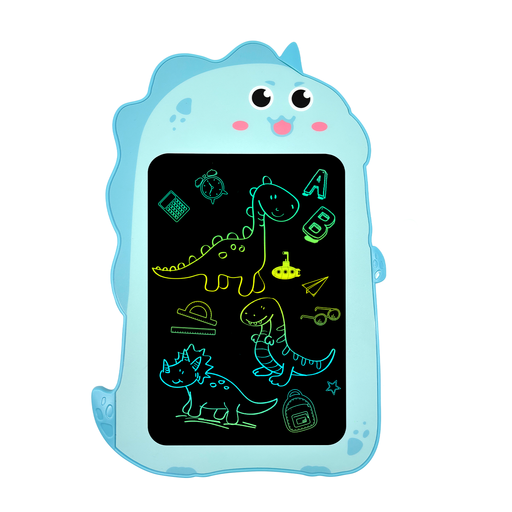
Why this product suits the profile: The 8.5-inch surface and weight of around 0.201 kg are ideal for first drawings, short notes and carrying in a rucksack.
The compact dimensions of 27.2 × 16.8 × 0.6 cm make it clear that portability is more important here than an especially large drawing surface.
Low weight, erase button and lock switch according to the product description; check the coin-cell compartment and follow the safety instructions.
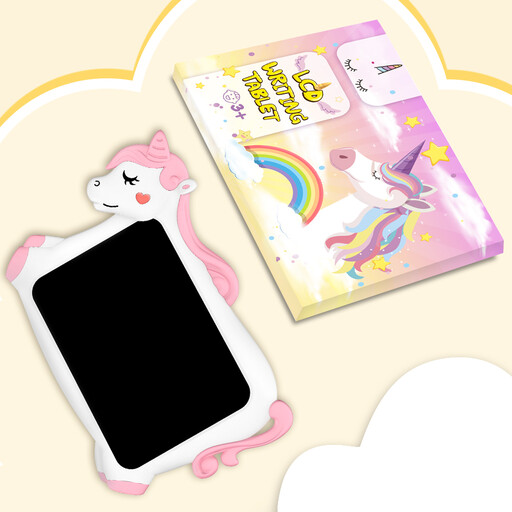
Why this product suits the profile: The 10-inch surface provides room for larger drawings and writing exercises, while the stated weight is around 0.202 kg.
The product details specify the dimensions, weight, material and one-button erasing, so the choice is not based on the design alone.
10-inch writing surface, rounded edges and, according to the manufacturer’s information, ABS plastic free from BPA, lead and formaldehyde.
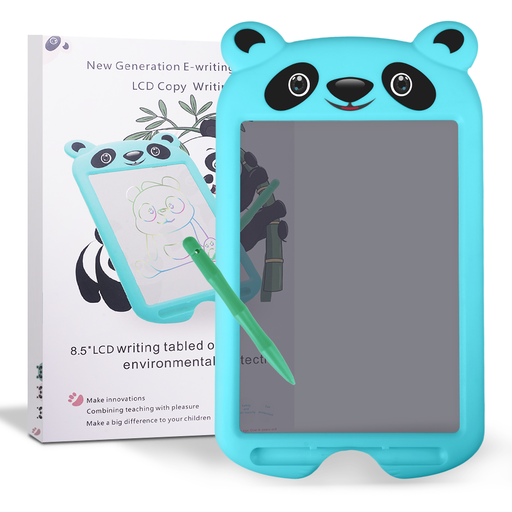
Why this product suits the profile: According to its description, this tablet is designed for tracing and learning activities and offers a 10-inch surface for this purpose.
The intended use, “Tracing”, is clearly stated. This makes it easier to choose the model specifically for shapes, lines and first letters.
According to the product information: 0.2 kg weight, rounded edges, one-button erasing and moisture-resistant material.
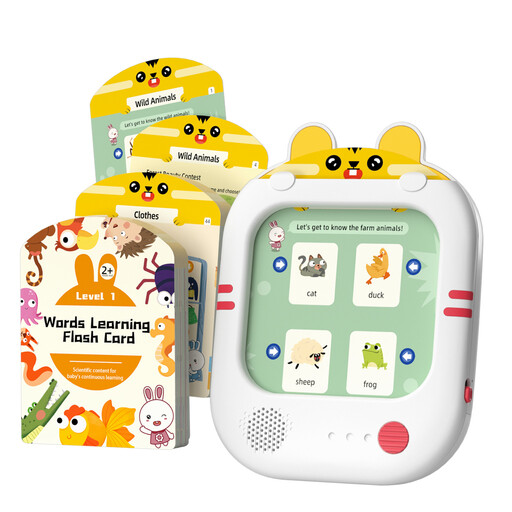
Why this product suits the profile: According to the product description, this screen-free educational toy is designed for children aged 3 to 5 and combines card-based content with audio output.
It is clearly described as a learning system with 47 double-sided cards, rather than a traditional LCD drawing tablet. This makes it easier to choose based on the actual intended use.
47 double-sided cards, over 180 words and more than 180 logic games according to the product information, plus USB-C charging with up to 6 hours of battery life.
We have put together a complete, regularly updated list of products that fully meet these strict selection criteria and the safety regulations applicable in the EU.
According to the product descriptions, many of the models mentioned are intended for children aged 3 and over. Depending on the design, younger children may face risks from small parts or coin cells. Check the specific age recommendation, warnings and battery compartment before buying. Depending on their development, children aged 3 to 8 may benefit from either a simple children’s drawing tablet or a model with tracing templates.
Service life depends on the casing, surface, battery and how the tablet is used. A tablet that does not require paper or ink refills uses very few consumables during operation. Coin cells can be replaced later; rechargeable models require care when using the charging port. Store the tablet in a dry place, do not clean it with liquids and avoid exposing it to unnecessary, excessive pressure.
No. An LCD drawing tablet of this type normally has no apps, internet connection or video function. It is designed for drawing, writing and erasing on an electronic writing surface. A learning board with audio functions, on the other hand, is a separate screen-free educational toy. The right choice therefore depends on whether creative freehand practice or structured learning cards is the main priority.