Filming stitching details at a cramped table
When you’re filming a small area of stitching, your camera, hands and light all need to fit into a limited space. So first, check how the panel can be mounted and positioned.


For close-ups of individual leather stitches at a small table, a compact, adjustable panel is a sensible starting point, provided its mount and battery life suit your setup. If you want to show your hands and a larger area of leather in the same shot, a larger panel with diffusion may be a better fit. You can position it to one side, but it will need more space and may require an additional power source or mounting equipment. Only compare lux figures taken at the same distance, and check for flicker using the camera settings you actually plan to use.
When you’re filming a small area of stitching, your camera, hands and light all need to fit into a limited space. So first, check how the panel can be mounted and positioned.
With a wider shot, your hands and tools may cast shadows across the stitching. Positioning the light to one side and, if needed, using a light modifier can help you tailor the setup to your work area.
If you clear your table after filming or move to a different location, power supply, battery life and the mount for each option are important factors to consider.
First, check where you can place or mount the light without getting in the way of your hands or camera. Then consider how it renders the leather and thread, test for flicker, and make sure the power supply suits the length of your filming sessions.
| What matters | What to check before buying | Who will find this most important? |
|---|---|---|
| Keeping the stitching visible despite shadows from your hands | Check for a diffuser or softbox, and make sure the mount can be positioned and set up in the space available at your workstation. | If my hands cast a shadow over the stitching, I want to position the light to one side and test a short sewing sequence. Around 26 % of consumers say shadows on the stitching are their top concern. |
| Keeping your work area clear | Check the panel dimensions, mount, thread or adapter, and cable routing against your own table. | If the panel or stand might obstruct my sewing or camera angle, I look for a way to mount it off the work surface. Around 26 % of consumers put space requirements first. |
| Leather and thread colours | Check the Bi-Colour range and colour-rendering figures for the exact model. Film the leather and thread with a fixed camera white balance to see how they look. | If I need the leather and thread to look distinct in my video, I want to check their colours under the lighting I plan to use. Colour rendering is the main concern for around 21 % of consumers. |
| Flicker in video | Record a test video using your planned frame rate, shutter speed and brightness setting. | For consumers who want to avoid banding with their specific camera and lighting combination, testing with the actual settings is essential. Around 16 % put this concern first. |
| Filming time and power | Check the battery life, compatible power sources and accessories for the exact version on offer. | If I’m filming without a permanent mains connection or planning longer shoots, the power supply needs to suit my workflow. Around 11 % of consumers prioritise portable power. |
Sony suggests 1/50 s or 1/100 s as possible shutter speeds for reducing flicker when using a 50 Hz power supply. Whether this helps depends on your camera and filming conditions, so record a test video with your own setup.
A lux figure depends on the distance at which it was measured. NEEWER gives a figure for the NL-116AI at 0.5 m and one for the NL660 at 1 m, so you can’t use these to make a reliable comparison for your table.
Check the measuring distance, colour temperature and light modifier used, then assess the lighting across the actual area of stitching.
Ulanzi sells the VL49, VL49 RGB and VL49 Pro as different versions. Similar short names don’t mean they have the same colour controls, battery or light output.
Before buying, check the full model name and features of the specific version on offer.
According to NEEWER, NP-F batteries aren’t included with the NL660; whether the NL-116AI comes with a mini tripod depends on the version you choose. You may therefore need to buy a compatible battery or suitable mount separately.
Check the power source, battery life, charging method and mount for the exact version you’re planning to buy.
The NL-116AI is a compact Bi-Colour panel for tight setups, while the larger NL660 is described as coming with a diffuser and power adapter.
The P60x Bi-Colour panel is worth considering for a permanent setup if you plan to shape the light with a softbox and grid.
The VL49 RGB is a small battery-powered panel that could work well as a moveable fill light.
The universal version of the P200 Beauty Panel has a flat lighting surface and mounting threads on the sides.
The LEDP260C is a larger Bi-Colour panel designed for use with a separate light stand.
The selection ranges from portable LED camera lights to a 30-inch folding light. If you have a small sewing table, pay particular attention to whether each light’s size and mounting options will work with your setup.
 No image available
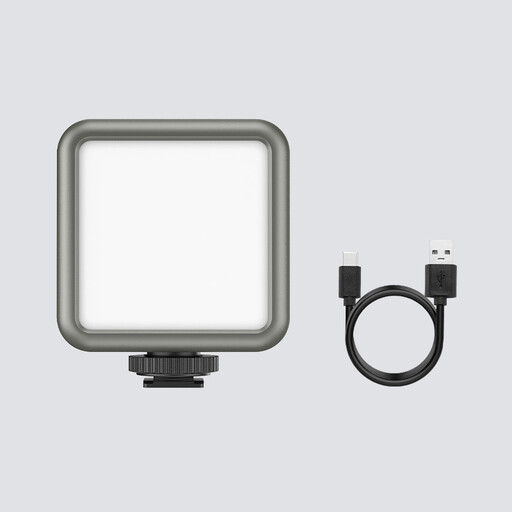
This compact light could suit you if you want to position your lighting wherever you need it, then put it away after filming.
According to the product name: 2500–9500 K, 2000-mAh battery and magnets on the back.
 No image available
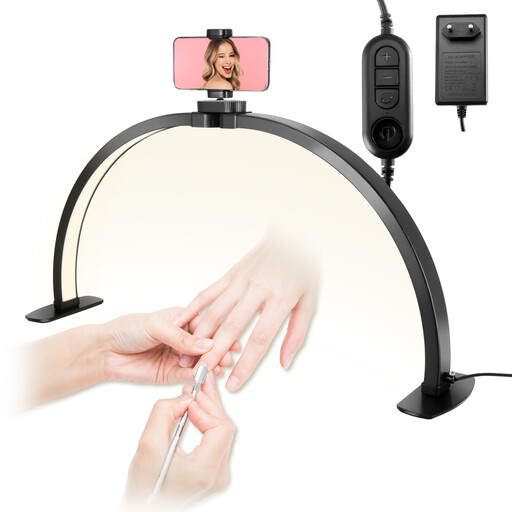
Its stated uses include crafts and tabletop filming, so it could be a good fit if you want to use the smartphone holder and have enough space to set it up.
The light is listed as 30 inches, so it could take up a lot of room on a small sewing table. The listed features include three colour temperatures between 3000 and 6000 K, and a rotating smartphone holder.
 No image available
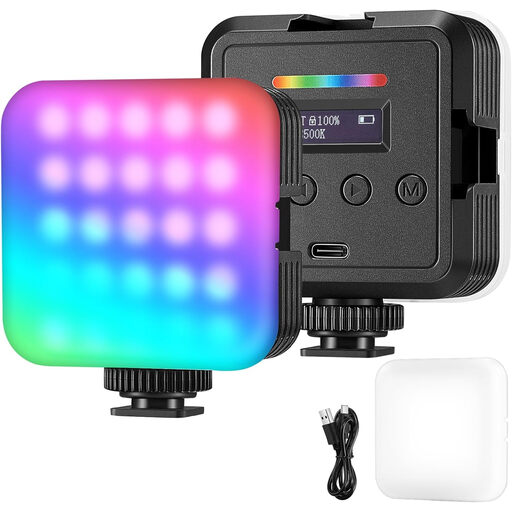
This portable photo and video light could suit you if you want to choose between different lighting modes for your recordings.
The description lists battery or USB power, adjustable brightness, and RGB, white and warm light modes.
Start by placing the panel to one side, outside your work area, then film a few stitches with both hands. A swivel mount and, if needed, a diffuser give you options for adjusting the angle and shadows. Whether the setup works will depend on your table and camera position.
First, check the shutter speed and record another video. For a 50 Hz power supply, Sony suggests shutter speeds such as 1/50 s or 1/100 s to help reduce flicker. The options available and how well they work depend on your camera and filming conditions.
No, it depends on the model and version on offer. NEEWER sells the NL-116AI with or without a mini tripod. A power adapter is listed for the NL660, but NP-F batteries aren’t included. Check what comes with the exact version you’re buying.
When you buy from a trader, you’re protected by statutory legal guarantees. The European Union states that these generally apply for at least two years from the date you receive the goods. This is separate from the 14-day right to cancel most online purchases, which starts from delivery. Different conditions and exceptions apply to each.
No. Where the relevant EU rules require CE marking, the manufacturer uses it to declare that the product complies with those rules. It isn’t an independent quality mark, and it doesn’t prove that the light will be flicker-free with every camera setting.