For a growing archive that will mostly stay in one place, a desktop HDD with enough capacity could be a good fit; for frequent transfers and changing work locations, consider a portable SSD. Work out how much storage you actually need and check that the connection and cable are compatible with your computer. Germany’s Federal Office for Information Security recommends keeping a separate, recoverable backup: a single drive is no substitute for a backup. If recordings include identifiable people, you’ll also need to clarify responsibilities, the legal basis for processing and access controls.
Who should consider this choice?
People managing large lecture archives
If you keep recordings and unedited camera files from several courses, work out how much storage you use now and how quickly you expect it to grow. You should also plan a separate, recoverable backup. Germany’s Federal Office for Information Security notes that the lifespan of storage media cannot be predicted precisely.
Video editors on the move
If you regularly transfer raw footage between the recording location and your computer, consider the drive, host connection and cable together. Manufacturers’ stated maximum transfer speeds only apply under the connection conditions they specify.
People managing confidential recordings
If recordings include identifiable people, access and file handling should be part of your selection and usage plans. Germany’s Federal Commissioner for Data Protection and Freedom of Information and the Data Protection Conference treat images and audio as potential personal data.
What should you look for when buying?
| Requirement |
What to check before buying |
Who it matters most to |
| Space for raw files and archive growth |
Compare your folder sizes and expected growth with the capacity of the specific model. |
If I want to store raw files, finished recordings and material for upcoming semesters together, the specific model needs to suit my current archive and its expected growth. Around 28% of consumers put archive space first. |
| Recoverability |
Plan a separate copy and test that you can restore files from it. |
A large drive isn’t enough for me if it’s the only copy. I want to keep a separate backup and test that I can restore the files. Around 22% of consumers prioritise archive recoverability. |
| Speed when transferring large files |
Compare the drive, host connection and cable; don’t assume maximum quoted speeds are guaranteed copy speeds. |
If I regularly transfer large camera folders, I want to know whether my computer supports the connection I need. Around 22% of consumers put transfer speed first. |
| Using the drive with multiple devices |
Check the connections, supplied cables or adapters, and file system requirements. |
I want to use the same archive on several work devices and check that the connection and file system are compatible before switching devices. This flexibility is the main priority for around 17% of consumers. |
| Access controls for recordings of people |
If people are identifiable, clarify responsibilities and whether processing is permitted; check what encryption is actually provided and how keys are stored. |
If people can be identified in my recordings, I want to control access and clarify the rules that apply to the specific recording. Around 11% of consumers prioritise access controls. |
Common misconceptions
-
A large archive drive automatically provides a complete backup
A drive failure, accidental deletion or loss of the drive can affect even a large archive. Germany’s Federal Office for Information Security stresses that a backup must be recoverable.
Before calculating capacity for a single drive, decide how you’ll make and restore a separate copy.
A separate copy requires extra storage and the time to carry out regular restore tests.
-
A USB-C connector guarantees the quoted maximum speed
For SSDs with USB 3.2 Gen 2x2, the advertised peak speed also depends on the supported host and cable. Kingston notes that Macs won’t reach the advertised Gen 2x2 speed with the XS2000.
Compare the USB standards supported by the drive, computer and cable before choosing a drive based on its quoted maximum speed.
-
You can compare desktop HDDs and portable SSDs by terabytes alone
A desktop HDD may suit a large archive kept in one place, while a portable SSD is better suited to frequent transfers and changing work locations. Their different designs mean they’re intended for different ways of working.
First decide where and how often you’ll use the raw files, then compare the capacities of specific models.
A desktop HDD needs a suitable place to sit and a power connection; depending on the drive, you may need to reformat it for macOS.
-
A drive password automatically means your data is encrypted
Germany’s Federal Office for Information Security notes that a hard drive password doesn’t necessarily encrypt the data stored on the drive.
If your recordings need to be protected, check that the drive actually provides encryption and keep any recovery key you need somewhere safe.
Key brands at a glance
Western Digital
The WD Elements Desktop range includes desktop HDDs for local archives. Check the capacity and suitability of the specific model.
- Western Digital lists models in the range with capacities of up to 26 TB and USB 3.2 Gen 1.
- According to the specification sheet, reformatting is required for use with macOS. This doesn’t automatically make an archive HDD an additional backup.
Seagate
Expansion Desktop is an HDD range designed to add storage to a computer kept in one place.
- Seagate’s EMEA specification sheet lists an 8 TB model.
- The desktop range requires a power supply. Seagate notes that Rescue services aren’t available in every country, so check what’s included with the specific model.
Samsung
The portable SSD T9 is an option for frequent transfers of large files, provided your computer and connection support the interface you need.
- Samsung Germany lists sequential speeds of up to 2.000 MB/s for the German 1 TB version of the T9.
- According to Samsung, these maximum speeds require a compatible host, suitable cables and UASP mode to be enabled. They aren’t a measurement of performance on your computer.
Kingston
The XS1000 and XS2000 are different portable SSD ranges: the XS1000 uses USB 3.2 Gen 2, while the XS2000 uses USB 3.2 Gen 2x2.
- Kingston lists models of up to 2 TB for the XS1000, along with an adapter for USB-C hosts. According to the specification sheet, the XS2000 range also includes a 4 TB model.
- Kingston notes that the XS2000 won’t reach its advertised Gen 2x2 speed when used with Macs.
Joybuy product selection
This selection includes desktop WD Elements HDDs for a growing archive, as well as portable SSDs for accessing and transferring large files.
 No image available
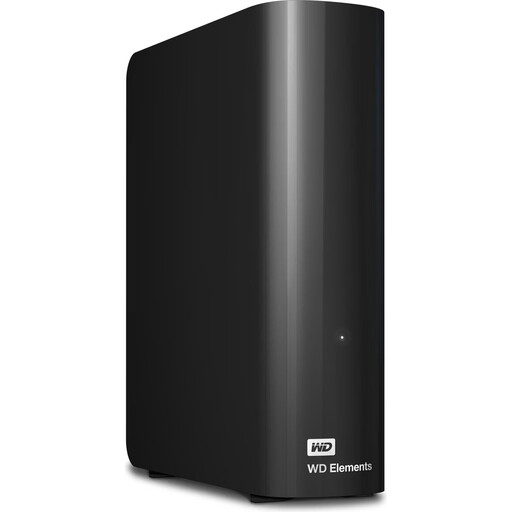
WD Elements Desktop, 24 TB
For a large archive kept in one place, provided the capacity suits your current files and expected growth.
24 TB; USB 3.2 Gen 1; 3.5 inches; external power adapter.
View on Joybuy
 No image available
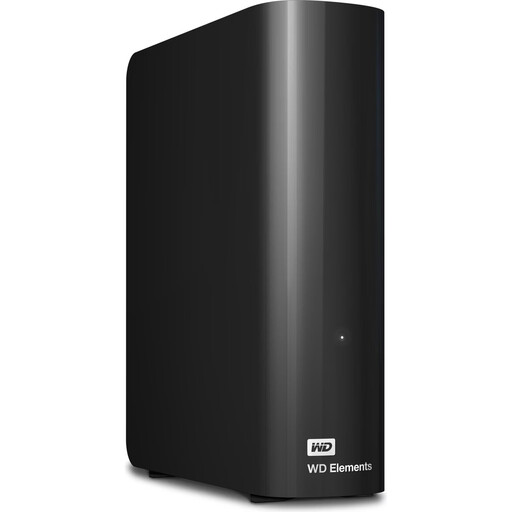
WD Elements Desktop, 10 TB, NTFS
For a growing archive kept in one place, provided 10 TB is enough for your actual storage needs.
10 TB; USB 3.2 Gen 1; 3.5 inches; NTFS; power adapter. The product description states that reformatting is required for use with macOS; back up any existing files first.
View on Joybuy
 No image available
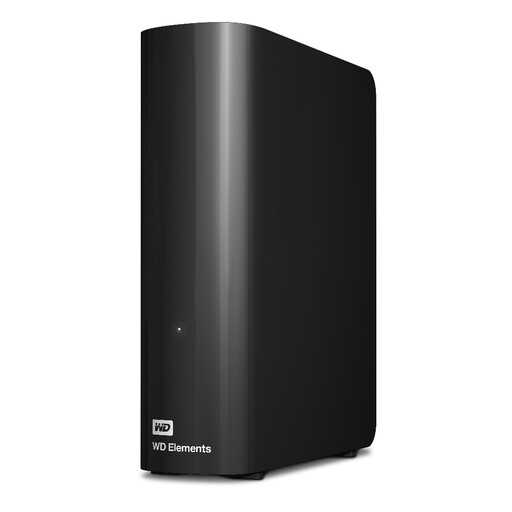
WD Elements Desktop, 20 TB
A desktop archive option, provided the capacity suits your existing files and planned growth.
20 TB; desktop hard drive.
View on Joybuy
 No image available
Samsung Portable SSD T7, 4 TB, Titanium Grey
For large files on the go or frequent transfers, if a portable SSD suits the way you work.
4 TB; USB Type-C 3.2 Gen 2; Titanium Grey.
View on Joybuy
 No image available
Samsung MU-PG2T0B, 2 TB
For frequent transfers and camera or project files, provided 2 TB is enough for your storage needs.
2 TB; USB Type-C 3.2 Gen 2 (3.1 Gen 2). Check the connections supported by the drive, computer and cable before expecting a particular transfer speed.
View on Joybuy
Frequently asked questions
Is a single external hard drive enough for a long-term archive?
Not if it would be the only copy of important recordings. Germany’s Federal Office for Information Security recommends regular backups and notes that the lifespan of storage media can’t be reliably predicted. You should also test whether you can restore files.
What should I check before using the drive with a Windows PC and a Mac?
Check the file system and compatibility before transferring files or reformatting a drive. Western Digital states that WD Elements Desktop needs to be reformatted for macOS. Back up any existing data before reformatting.
Will an SSD rated at up to 2.000 MB/s reach its maximum speed with any USB-C connection?
No. To reach the T9’s quoted maximum sequential speed, Samsung requires a compatible host, suitable cables and UASP mode to be enabled. Kingston also notes that the XS2000 won’t reach its advertised Gen 2x2 speed when used with Macs. Check your specific devices and connection cables.
What else should I plan for with desktop HDDs and backups?
Make sure you have a suitable place for a desktop HDD and the power supply it needs. A separate backup also requires additional storage, and you should test that you can restore files from it. Seagate notes that Rescue services aren’t available in every country, so check what’s included with the specific offer.
Can I simply archive any lecture recording that includes identifiable people?
Storing files on your own hard drive doesn’t automatically mean you’re allowed to keep them. Processing personal data requires an appropriate legal basis. Consent is one possible legal basis, but it isn’t the only one. For each recording, clarify who is responsible and which university and data protection rules apply.


