
Lieferung heute & morgen

Qualitätsgarantie

Willkommens-Angebote freischalten: KOSTENLOSE Lieferung | Bis zu 80 % RABATT | Kostenlose 30-Tage-JoyPlus-Testphase
App herunterladen
An LED gaming desk is often the centrepiece of a modern setup. It promises not only an immersive atmosphere but also enhanced organisation and functionality. However, the market is flooded with models whose glossy exteriors often conceal fundamental flaws. Before you invest, it's crucial to understand the common pitfalls that can quickly turn a supposed upgrade into a costly mistake.
As your Joybuy Product Recommendation Officer, I'm here to help you distinguish marketing hype from genuine quality features. This guide focuses on the objective criteria that define a great gaming desk and shows you how to spot and avoid common defects.
Many buyers focus on the RGB lighting and overlook critical weaknesses that only become apparent after a few months.
To avoid these pitfalls, you should carefully examine three core areas. These objective parameters determine the durability, safety, and utility of your new desk.
Stability is the most important, yet often neglected, criterion. Look for the following features:
A multifunctional desk should simplify daily life, not complicate it.
The shape of the desk must suit your space and your needs.
Here are some models selected based on objective features for specific needs.
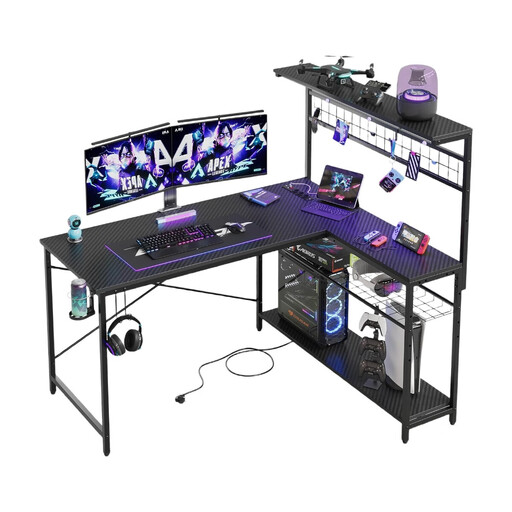
Why This Fits Their Persona: Ideal for users who need a combined work and gaming space in smaller rooms or apartments. The L-shape makes optimal use of corners, while the reversible design offers maximum flexibility in room layout.
The carbon steel frame and 4-tier shelves directly address the problem of unstable and impractical constructions. The storage is vertically integrated, which enhances stability and keeps the surface clear.
Reversible L-shaped design for flexible corner placement; integrated power strip and USB ports for convenient device charging.
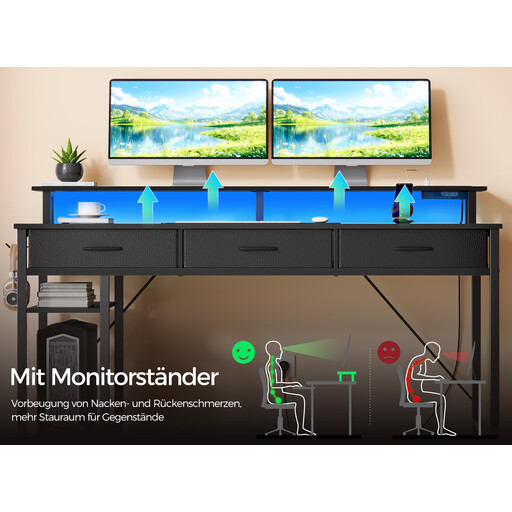
Why This Fits Their Persona: Perfect for streamers and home office users who require maximum organisation. The combination of drawers, storage compartments, and a monitor riser allows for a clean, cable-free setup.
The integrated charging station is designed for peripherals and is safely positioned. The fabric drawers, with a specified load capacity of 3.6 kg each, offer practical yet lightweight storage without compromising the desk's stability.
Comprehensive storage with 3 drawers and 2 side shelves; ergonomic monitor riser for better posture.
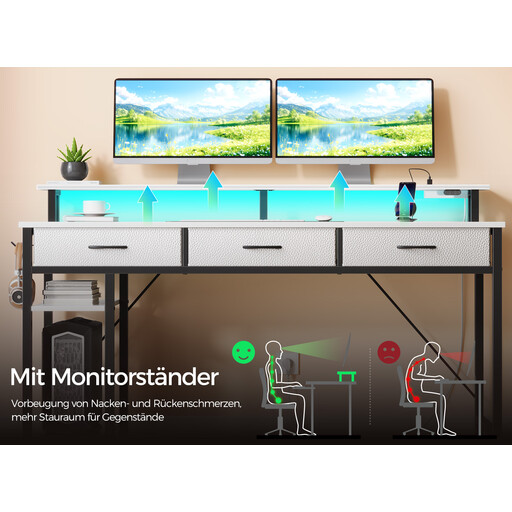
Why This Fits Their Persona: Designed for gamers who want to create a highly customisable and atmospheric environment. The app-controlled lighting with music sync takes the gaming experience to a new level.
The RGB strip is mounted under the monitor riser. This indirect lighting creates a pleasant atmosphere without shining directly on the screen or causing glare—a key advantage over poorly placed LEDs.
Smart RGB lighting with app control, 60,000 colour options, and a music sync mode for maximum immersion.
We have compiled a complete, up-to-date list of products that fully meet these strict selection criteria and all relevant safety regulations.
The load capacity varies depending on the model, material, and construction. A solid desk with a steel frame can typically support between 80 and 120 kg. Always check the manufacturer's specified maximum load capacity in the product specifications and distribute the weight evenly across the desktop.
Yes, provided they have a CE marking, which confirms compliance with EU safety standards. These integrated power strips are designed for low-power devices like monitors, PCs, laptops, and chargers. Avoid connecting high-wattage appliances (e.g., space heaters) to prevent overload.
Yes, this is an excellent and flexible option. With retrofit LED strips like the Yeelight Obsid RGBIC Light Strip or the Yeelight LED Lightstrip Pro, you can transform any desk into an atmospheric setup. This gives you full control over the placement and type of lighting, allowing you to choose a stable, functional desk without built-in LEDs and upgrade it to your liking.