Students dealing with shadows on camera
If light from the side or changing light leaves your face unevenly lit on calls, repositioning your light could help. Zoom notes that daylight can affect how the camera captures a room.


First, find a spot for soft light in front of your face, then check the result in your webcam preview. A brighter light on its own won’t necessarily compensate for poorly directed light. If desk space is limited, a diffused monitor light could be a good option; a separately positioned panel gives you more flexibility to adjust the light around a window to the side. With either option, check the mounting, power supply and adjustability.
If light from the side or changing light leaves your face unevenly lit on calls, repositioning your light could help. Zoom notes that daylight can affect how the camera captures a room.
If there’s hardly any room on your desk for a separate stand, a monitor mount could be a space-saving solution. Logitech describes the Litra Glow as a monitor light that provides soft, wide illumination; NEEWER lists a removable diffuser for the PL81 PRO.
If you don’t always work at the same desk, a suitable mount and practical power supply are important. Ulanzi gives a battery life for the VL49 that varies according to brightness level.
A good fit if: desk space is limited and you can attach the light to your screen.
Things to consider: The position is more dependent on your monitor, so check that the mount fits and doesn’t obstruct the camera.
A good fit if: you need to adjust the direction of the light independently of your screen, for example when light comes from a window at the side.
Things to consider: You’ll need a suitable desk edge or space to place it; on some models, maximum brightness also depends on the power supply.
A good fit if: you can use the light at different workspaces and have a suitable way to mount it.
Things to consider: Battery life depends on brightness, so check that it will last for your calls.
| Priority | What to check when buying | Who is this especially important to? |
|---|---|---|
| Shadows and harsh edges | Diffuser and direction of the light; check your face in the webcam preview from your usual seating position. | If I want my face to be lit more evenly when light comes from the side or changes, I pay particular attention to how the light is directed. Around 36% of consumers make reducing shadows their main priority. |
| Mounting and space needed | Check that it fits your monitor or desk edge, and that the webcam has a clear view and there’s room for the cable. | If my desk is small, I want to use a light without having to fit in an extra stand. Around 29% of consumers prioritise saving space. |
| Adapting to daylight and room lighting | Check whether brightness and colour temperature can be adjusted separately; view the camera image in different ambient lighting. | If the light in my room changes throughout the day, I want to be able to adjust the lighting to suit it. Around 21% of consumers make this their main priority. |
| Power supply and portability | Check the connection and power source required; if it runs on a battery, consider how long it lasts at the brightness you need. | If I make calls in different places, I don’t want to rely on having a socket in the same spot every time. Around 14% of consumers prioritise portable power. |
The brightness figure alone won’t tell you how evenly your face will appear lit from your usual seat. The direction of the light, distance and reflections all affect the camera image; Zoom also notes the influence of daylight.
Try different positions and assess the result in your webcam preview.
Elgato lists differences between the Key Light Air and Key Light Air MK.2, including their power supplies and mounts. Similar names don’t necessarily mean the versions or their features are the same.
On the specific product page, compare the full model name, mounting and power supply.
Ulanzi states that the VL49 lasts for up to 120 minutes at maximum brightness and up to 300 minutes at minimum brightness.
Plan for the length of your calls based on the battery life at the brightness you’re likely to use.
The Litra Glow, variant 946-000002, is a compact monitor light for webcam use.
The Key Light Air MK.2 is a desk panel that can be positioned separately.
The PL81 PRO is a compact bi-colour streaming light for video calls.
The VL49 is a small battery-powered panel for use on the go, provided you have a suitable mount.
The Joybuy picks below focus on monitor-mounted light bars for desks with limited space. For each model, check in your webcam preview whether the light reaches your face as well.
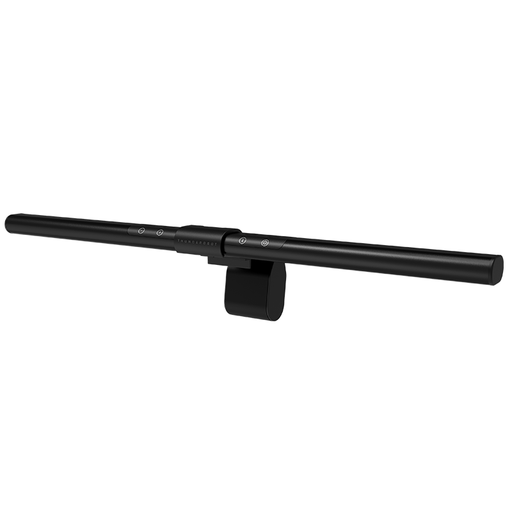 No image available
Mounting it on your monitor can free up desk space; check how the light is directed in the camera image.
Product details list USB power, six colour temperatures and ten brightness levels.
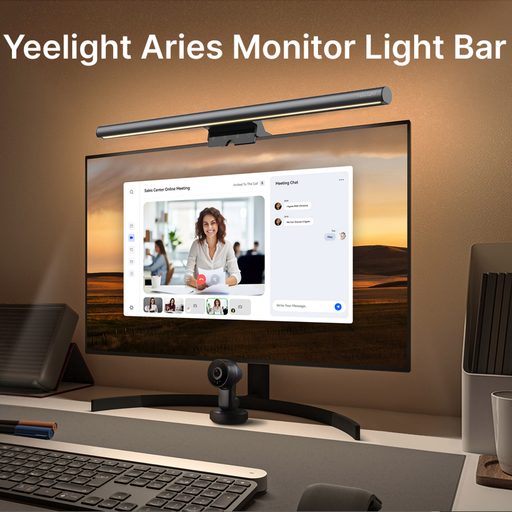 No image available
If you’d rather have a light on your screen than a separate stand, this monitor light bar could be an option for a small desk.
Product details list stepless dimming and an adjustable colour temperature.
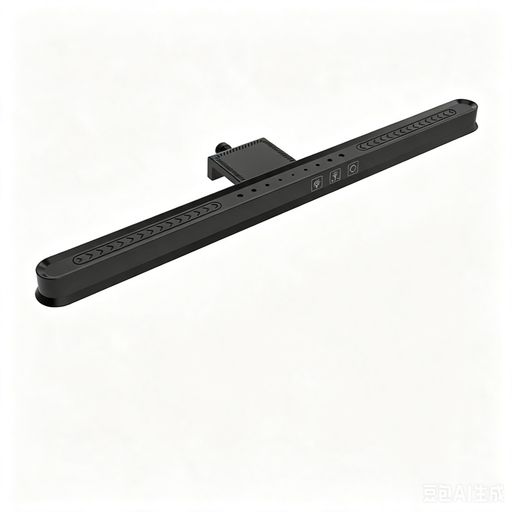 No image available
The hanging monitor mount can save desk space; according to the product description, its asymmetric light is directed at the desk surface rather than straight at your face.
Features listed include three colour temperatures, stepless brightness control and a length of 36 cm.
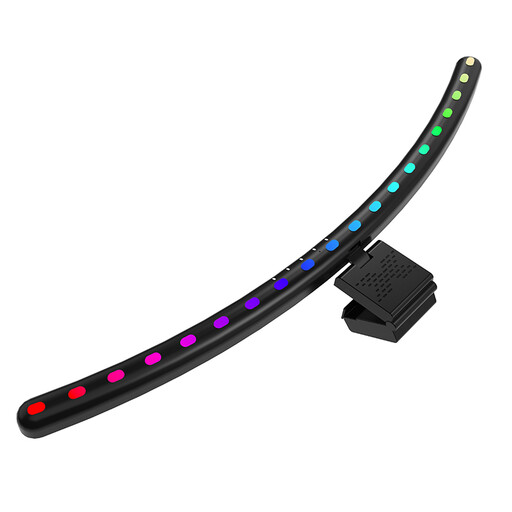 No image available
According to the product details, this hanging light is designed for large curved screens; its asymmetric light is directed at the desk rather than straight at your face.
Features listed include three colour temperatures, stepless brightness control and USB-C power.
Direct soft light towards the darker side of your face to brighten it in the webcam preview, and adjust strong side or backlighting if needed. Zoom notes that daylight and reflective surfaces can affect how the camera captures an image; lighting levels for conference rooms aren’t a general minimum requirement for a student’s room.
Not necessarily. For the Elgato Key Light Air MK.2, Elgato says maximum brightness depends on the power supplied; to achieve the full stated brightness, it specifies a PD-compatible power source of at least 30 W. This is a model-specific requirement, not a rule for all panels.
If you buy from a business seller in the EU, you’re generally entitled to a minimum two-year legal guarantee from the seller for faulty goods. This is separate from the right to cancel an online purchase, which generally lasts 14 days from delivery. The European Union explains the minimum legal guarantee period, while the consumer advice centre describes the cancellation period.
For products that must carry a CE marking under the relevant harmonised EU rules, the manufacturer uses it to declare that the product complies; CE isn’t a general, independent quality test. For electrical and electronic products, the German Federal Network Agency checks matters including labelling, manufacturer details and required information in German. Check the specific product to see which rules apply to it.
Don’t put it in your household waste. The German Environment Agency lists recycling centres and suitable retailer take-back points as options for disposing of electrical waste; if possible, remove any batteries that can be taken out and dispose of them separately.