Drawing teachers filming from above
You film the paper and your drawing hand from above. The key is making sure the light and camera cover the whole work surface without casting distracting shadows.


Choose a mounting option that lets the light reach the whole sheet without getting in the way of your camera or drawing hand. A desk clamp saves floor space; a larger panel is more flexible to position, but needs room and a suitable mount. Check the lighting, image banding and sound with your camera in a test recording. Manufacturer claims about colour rendering are no substitute for setting the right white balance or carrying out this test.
You film the paper and your drawing hand from above. The key is making sure the light and camera cover the whole work surface without casting distracting shadows.
You need to clear some space after filming, so you’re weighing up a desk clamp, a separate tripod or a small rechargeable light.
You want to show the paper’s whiteness and pen colours clearly at each stage, so you’re looking for adjustable white light and consistent camera white balance.
First, decide on your framing and where to position the light. You can then judge more easily which mounting option, light controls and power supply will work in your shared room.
| What matters | What to check before buying | Who is this important to? |
|---|---|---|
| Lighting the paper and your hand | Check whether the light’s position, angle and diffuser cover the whole drawing area. Assess shadows in the camera view while moving your hand. | If I want to show the paper and my hand from above, I need the whole work surface to be lit. Around 29% of consumers put this first. |
| Saving space with the mount | Check the desk thickness, clamp opening, mounting height and cable route. Elgato says the clamp for the Key Light Air MK.2 fits desks up to 6 cm thick; NEEWER offers the NL660 with or without a stand, depending on the variant. | If I need to clear my desk again after filming, I need a secure mount that fits the desk. Space-saving mounting is a priority for around 23% of consumers. |
| Showing colours consistently | Check the white-light adjustment range and test your footage with a fixed camera white balance. NEEWER lists 3200–5600 K and CRI 96+ for the NL660; Ulanzi lists 3200–6500 K and CRI 95+ for the VIJIM VL120 Bi-Color (manufacturer specifications). | If I’m showing colour references step by step, I want to be able to compare the whiteness of the paper and the pen colours in my footage. Around 18% of consumers prioritise consistent colour reproduction. |
| Recording picture and sound without distractions | Record a test with your camera and planned brightness, then check for image banding and noise. Sony describes flicker and banding with LED lighting; NEEWER says the NL660 has fan-free cooling. | If I’m filming in a shared bedroom, I don’t want visible light bands or distracting noise from the light in my video. An uninterrupted recording is the main concern for around 18% of consumers. |
| Choosing the right power supply and accessories | Check the power requirements and what’s included with the specific variant. NEEWER lists a power adapter for the NL660, but says an NP-F battery isn’t included; the light output of Elgato’s Key Light Air MK.2 depends on its USB-C power supply. | If my drawing lesson runs long or I need to put the light away afterwards, I want to know in advance how it’s powered and which accessories are included. Around 12% of consumers prioritise this. |
These figures don’t tell you directly whether the light will reach your paper evenly. Elgato gives lumen figures that depend on the power source; Aputure’s lux figure for the amaran P60x applies at a specific distance and colour temperature.
Compare technical specifications only when they’re based on the same measurement conditions, and check the drawing area in your planned setup with a test recording.
NEEWER’s NL660 listings differ in whether a stand is included. Elgato specifies a desk thickness limit for the Key Light Air MK.2 clamp.
Before buying, check that the exact variant, desk, mounting height and camera position all work together.
A compact light isn’t guaranteed to illuminate the entire drawing area from your planned distance. Your hand, the light’s position and the framing can all affect the result.
Test your planned framing and check whether your hand casts a shadow over important lines. You may need a different setup or an additional light to cover the whole area.
The NL660 Bi-Color is a larger, dimmable panel for setups where the light can be positioned independently.
The Key Light Air MK.2 is designed for desk setups where a desk clamp may be preferable to a floor stand.
The P260C Pro is a Bi-Color panel for setups that need a choice of power and control options.
The P60x is a Bi-Color panel with model-specific power and illuminance specifications.
The VIJIM VL120 Bi-Color is a small rechargeable video light for setups that are often changed or put away.
This selection includes lights for filming at a desk, from a foldable desk light to small rechargeable and clamp lights. For compact models, make a test recording to check whether the light and mount cover your whole sheet.
 No image available
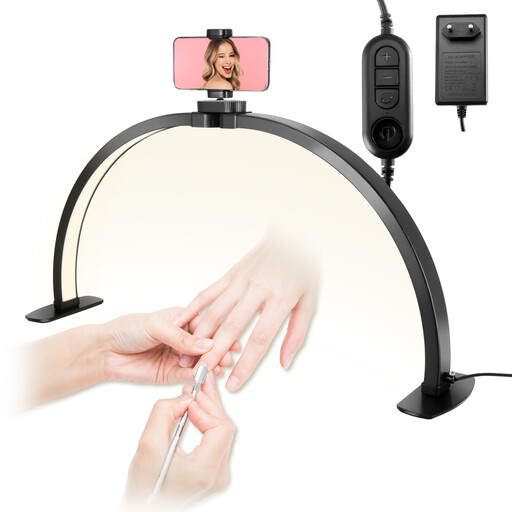
The foldable design and phone holder make this a good fit for desk filming; check in the camera view that the light reaches the whole sheet.
According to the product description: three colour temperatures from 3000–6000 K and ten brightness levels.
 No image available
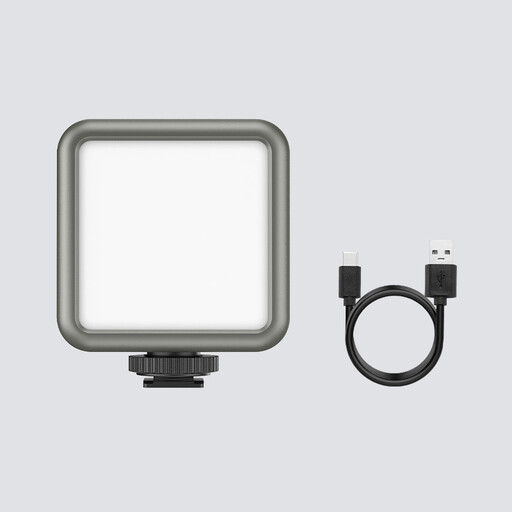
This compact rechargeable video light may suit you if you often put your setup away; check whether its beam covers your sheet.
According to the product specifications: 2000-mAh battery, RGB and adjustable colour temperature from 2500–9500 K. Magnets on the back are also listed.
 No image available
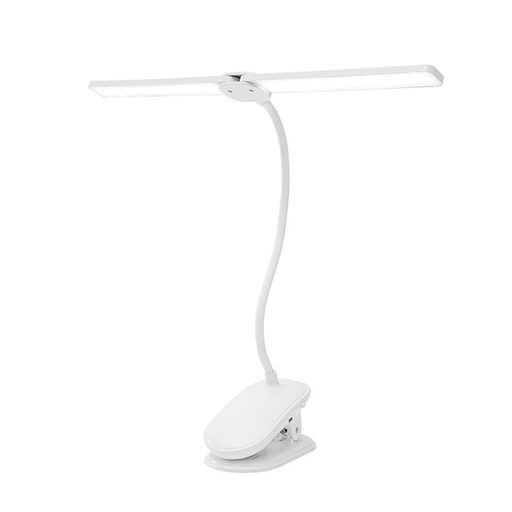
The clamp can keep the floor clear, provided it fits your desk edge and works with your camera angle.
According to the product description: two light heads, flexible necks, three colour temperatures and a rechargeable battery. The clamp is designed for surfaces up to 5 cm thick.
 No image available
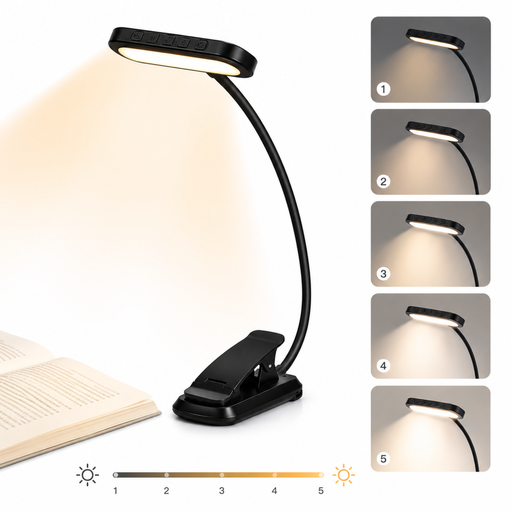
The flexible neck and clamp let you direct the light across your desk; test whether the light covers enough of the area for your overhead view.
According to the product title: three light colours, five brightness levels, 1000-mAh battery and USB-C.
 No image available
The clamp and adjustable lamp neck may work well for directing light across your desk; check beforehand that the position works in the camera view.
According to the product specifications: 2.5 W, 160 lm, 4000 K, three brightness levels and a built-in 1200-mAh battery.
Aim the light at the whole sheet and check in the camera view whether your hand casts a shadow over important lines. Try different positions at the planned distance and assess the diffuser in a test recording, rather than choosing based on a brightness figure alone.
Record a short test clip using the camera and brightness you plan to use. Sony describes flicker and banding with LED lighting, and mentions shutter or anti-flicker functions to help reduce them, depending on the camera model. This doesn’t guarantee that every panel and camera combination will be free of these issues.
It depends on the model and variant you choose. NEEWER lists a power adapter included with the NL660, an NP-F battery not included, and variants with or without a stand. The light output of the Elgato Key Light Air MK.2 depends on having a USB-C power source with sufficient output.
No. Verbraucherzentrale explains that your statutory rights for faulty goods are claims against the seller; a guarantee is an additional voluntary service. The terms and conditions of the guarantee set out what applies.
Don’t put old electrical equipment in your household rubbish. The Umweltbundesamt also advises against disposing of it with packaging waste, bulky waste or scrap metal.