What should you look for when buying?
First, check the light’s angle and how it can be mounted on your desk. Then use a test recording to assess the colour, camera settings and power supply.
| What you need |
What to check before buying |
Who is this important to? |
| See creases even when hands cast shadows |
Test from above with both hands and light and dark paper; compare the light angle and diffuser. |
When I show folding steps from above, hands and creases need to stay visible despite any shadows. Around 33% of consumers prioritise being able to see the creases. |
| Mount the light without taking up desk space |
Check the available desk edge, clamp position, mounting height and framing. Elgato lists a desk clamp for one version of the Key Light Air MK.2; the NEEWER NL480 kit includes stands. |
At a small desk, I want to be able to set up the paper and camera without a stand getting in the way. Around 27% of consumers prioritise space and mounting options. |
| Capture paper colours consistently |
Compare the specific model’s colour temperature with test sheets under your planned room lighting; keep the white balance constant. |
When I’m using coloured paper, I want to be able to judge the colour differences in the video rather than relying on a product specification alone. Around 20% of consumers prioritise how paper colours appear. |
| Avoid flicker and banding |
Film using your intended frame rate, shutter speed and dimming level, then check the video for banding. Sony notes that flickering light sources can cause banding. |
If I want to use a recording straight away, I need to spot any visible banding before filming. Around 13% of consumers prioritise a recording without interference. |
| Plan the power supply and setup |
Check what’s included with the exact version, along with its power adapter or battery and the mount you’ll need. NEEWER lists power adapters, but no batteries, for the NL480 two-light kit. |
When I put everything away after filming, I want to avoid having to gather lots of separate accessories. Around 7% of consumers prioritise the power supply and a complete setup. |
Joybuy products for compact video shoots
The following Joybuy products include compact fill lights and portable video lights. Several are ring lights, a light wand or a camera light rather than standalone LED panels.
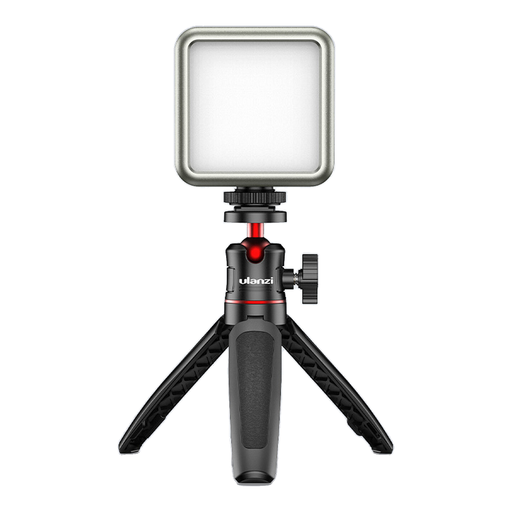 Image unavailable
ULANZI VL49 LED video light, 2000 mAh
This compact light is described as suitable for macro and product photography; check whether it illuminates the area you want in your own setup.
The title lists dimmable brightness, 2500K–9500K and a magnet on the back.
View at Joybuy
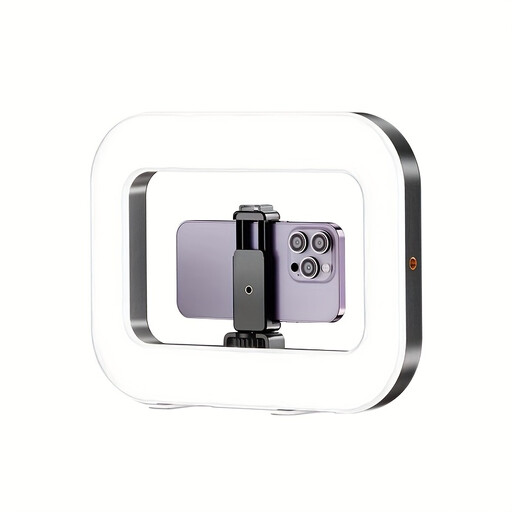 Image unavailable
Yoever smartphone LED ring light with built-in battery
This ring light is described as suitable for smartphone videos and live streams, rather than as an LED panel for an entire sheet of origami.
The product description lists a built-in battery, a 1/4-inch screw thread, and adjustable colour temperature and brightness.
View at Joybuy
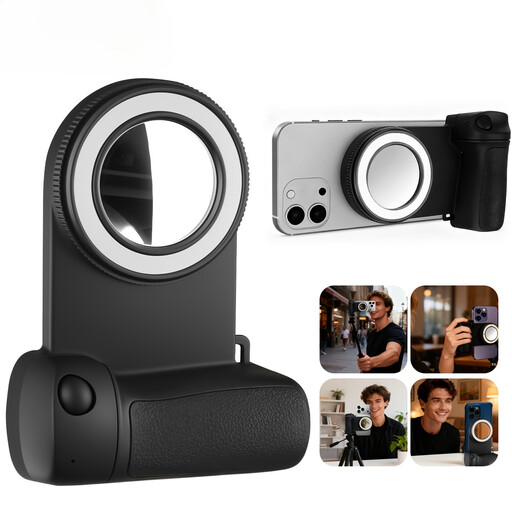 Image unavailable
Yoever Magnetic Phone Fill Light with camera grip
This round fill light with a grip is described as suitable for smartphone photography and video recording; it isn’t a standalone LED panel.
The product description lists a 750-mAh battery, three colour temperatures, adjustable brightness and a rotating mount. Your smartphone or case must support magnetic mounting.
View at Joybuy
 Image unavailable
Ulanzi VL119 handheld video light, 10 W
The title describes a handheld light wand rather than a panel; check whether this design suits your fixed overhead setup.
The title lists 360 Lux at 0.5 m, a 3300-mAh battery and 2500K–9000K. The product description says to use it in a dry environment and keep the ventilation openings clear.
View at Joybuy
 Image unavailable
Ulanzi LM18 mini light for action cameras, 500 mAh
This compact light is described for use with certain action cameras and isn’t presented as a desk panel.
The title lists a magnetic quick-release mount and compatibility with DJI OSMO Action 3/4/5/5 Pro. The product description warns against moisture and looking directly into the LED beam for extended periods.
View at Joybuy
Frequently asked questions
Is a small panel enough to light an entire sheet of origami?
You can’t tell from the size of the casing alone. From your intended camera position, check whether the corners, your hands and the creases are all sufficiently lit at the same time; SmallRig describes the P96 as a mini panel.
How can I check for distracting banding after setting everything up?
Record a short video using your intended camera, exposure and lighting settings, then check it for banding. Sony notes that flickering light sources can cause banding, and that suitable shutter settings depend on the recording system and mains frequency.
What should I check about mounting and power?
Compare the contents of the exact version with your planned setup. According to NEEWER, the NL480 two-light kit includes stands and power adapters, but no batteries; the mount for the Elgato Key Light Air MK.2 varies by version.
How can I assess the colours of origami paper in a video?
Film test sheets under your planned room lighting and keep the white balance constant so you can compare the results. Colour temperature or CRI figures alone won’t show you how the paper colours will look in your video.
When is CE marking required?
According to Your Europe, it’s only required for products covered by relevant harmonised EU rules. CE marking is the manufacturer’s declaration that the product meets the applicable requirements; it isn’t an independent assessment of video quality. Check the information that applies to the specific product.


