What should you look for when buying?
For calligraphy videos, a test shot using your usual writing movement is more useful than relying on brightness or CRI figures alone.
| What matters when buying |
What to check |
Who should consider this? |
| Hand shadows |
Check the diffuser and side-on positioning; film yourself using your usual writing movement. |
When I film from above, I don’t want my hand to cover the stroke as I’m writing it. Around 36% of consumers are mainly concerned with avoiding hand shadows. |
| Desk space |
Check the footprint or whether it will fit your desk edge, as well as the mounting height. |
When there’s little room for paper, camera and hand, I need a mount that keeps the writing area clear. Around 29% of consumers are primarily concerned with the space available. |
| Colour consistency |
Check that the white light is adjustable and keep the camera’s white balance consistent. |
If I want paper and inks to look comparable across several clips, I need to keep the lighting and camera settings the same. Around 21% of consumers prioritise consistent colours. |
| Power supply |
Check the power adapter and cable, and whether batteries are needed for the exact variant. |
If I move between my desk and other filming locations, the power supply needs to suit both setups. Around 14% of consumers place particular importance on flexible power options. |
Joybuy products for this topic
The Joybuy picks below are compact camera and video lights for adjustable lighting. They’re not automatically a substitute for a larger panel, so check whether the light covers your whole writing area.
 No image available
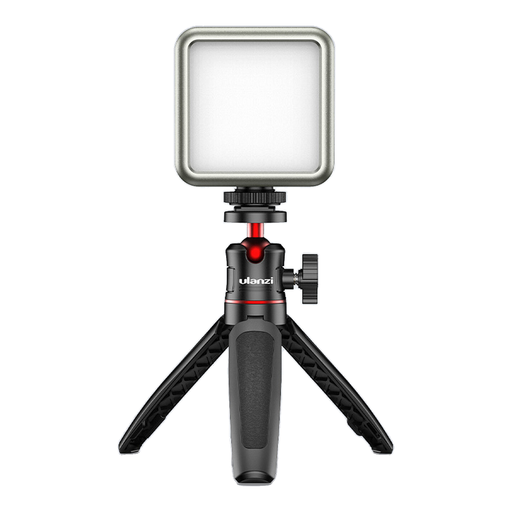
ULANZI VL49 LED video light, 2.000 mAh, 2.500–9.500 K
Could be worth considering as a compact light source for video recording; check how shadows fall as you write.
The product title lists a 2.000-mAh battery and a colour temperature range of 2.500–9.500 K.
Before buying, check the required labelling and information for the German market.
View at Joybuy
 No image available
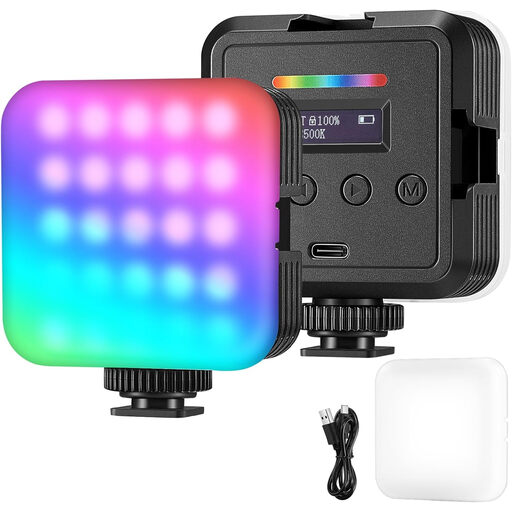
RGB LED camera light for photography, video and streaming
Could be worth considering for photography, video and streaming; check in the frame whether the light covers your writing area.
The product title describes it as an RGB LED camera light.
Before buying, check the required labelling and information for the German market.
View at Joybuy
 No image available
MOMAN PC8 RGB camera light
This portable video light could suit a flexible filming setup; check whether you can adjust the light angle to suit your writing surface.
The product title describes it as an RGB camera light.
Before buying, check the required labelling and information for the German market.
View at Joybuy
Frequently asked questions
How should I position the light for an overhead shot?
Start with diffused light from the side and film a few genuine writing strokes. If your hand’s shadow falls across the stroke you’re working on, change the side, height or distance. Two diffused light sources on opposite sides can be a useful starting point, but there’s no single rule.
How can I prevent bands or flicker in my video?
Check a clip using the camera and dimmer settings you’ll actually use. Panasonic notes that LED lighting can cause banding or flicker; using a suitable fixed shutter speed or an available anti-flicker function may help. The settings available will depend on your camera.
Do I need an additional power adapter or battery?
It depends on the specific variant. NEEWER lists a mains adapter for the NL660 but doesn’t include NP-F batteries; Elgato specifies USB-C power for the Key Light Air MK.2, with maximum light output dependent on the input power. Check the contents and power requirements for the model you choose.
What labelling should an LED light have for the German market?
For electrical and electronic equipment placed on the market, the German Federal Network Agency lists requirements including correct CE marking, product identification and manufacturer or importer details. A German-language instruction manual is also required for non-commercial users. The European Commission notes that the manufacturer is responsible for the declaration of conformity. Check the information for the specific device and variant you choose.
Is one panel enough for shadow-free calligraphy videos?
The best way to find out is to record yourself making your usual writing movements. If your hand covers the strokes, try a different position at the side or add diffusion. A second light source is another option, but it takes up extra space.


