Layout videographers
If you’re filming longer stretches of track, consider whether the light can be spread across the frame and prevent dark areas around the edges.


Choose your lighting based on whether you want to illuminate a small work area or longer sections of your model railway layout. For close-ups, a compact panel that’s easy to position may be enough, while lighting distribution and potential shadows become crucial over a larger area. Also check that the colour temperature is adjustable, test the light with your camera, and confirm the mount, power supply and details for the specific German product version before buying.
If you’re filming longer stretches of track, consider whether the light can be spread across the frame and prevent dark areas around the edges.
For close-ups of paintwork, wiring and small components, an adjustable colour temperature and careful positioning are important.
If you’re planning repeatable shots, your light, camera shutter, mount and power supply should all suit your setup.
First, check how much of the frame needs to be lit evenly. Then compare the colour temperature, how the light behaves on video and how practical it is to mount in your workspace.
| What matters to you | What to look for | Who should pay particular attention? |
|---|---|---|
| Coverage and shadows | Check the area covered in the frame, the diffuser and how the light can be positioned in your planned setup. Only compare lux ratings when the distance and measurement conditions are the same. | If you’re filming longer sections of your layout, you’ll want enough light to reach the edges and recesses too. Around 36% of consumers put area coverage first. |
| Colour control | Compare the adjustable white-light range and the CRI or TLCI specifications for the exact model; keep the white balance consistent for comparable shots. | If the ambient light changes or you’re filming paintwork, you’ll want to be able to manage colour casts more easily. Around 29% of consumers prioritise control over how model colours appear. |
| Flicker on video | Record a test clip using your planned frame rate, shutter speed and dimming level; if you see bands, check your camera settings. | If you want to record videos without distracting bands, your light needs to work well with your camera and chosen settings. Around 21% of consumers prioritise this. |
| Mounting and power | Check your desk thickness or tripod mount, the available height and cable routing. Also compare what’s included and the power supply needed for the specific version. | For a secure setup at your existing workspace, the mount and power supply need to suit your desk and recording time. Around 14% of consumers make this their top priority. |
These figures don’t necessarily describe the same light distribution, or prove that an entire layout will be lit evenly.
Only compare lux readings alongside the distance and measurement settings, and check the distribution across the area you plan to film.
Bands can appear when a light source and camera settings interact.
Test the intended dimming level with your frame rate and shutter speed. If your camera supports it, adjusting the shutter speed may help; the right setting depends on your setup.
What’s included and which accessories are supplied can vary between versions of the same light range. NP-F batteries for the NEEWER RGB660 PRO II are sold separately and aren’t included.
Check the exact version and what’s in the box, including any mounts, power adapters or batteries you’ll need.
The amaran P60x is a bi-colour panel. The manufacturer lists a softbox and grid as part of the stated package contents.
The Godox P260C Pro is a larger bi-colour panel with a diffuser and several power options.
The NEEWER RGB660 PRO II combines adjustable white light with RGB for precise splashes of colour.
The Elgato Key Light Air MK.2 is designed for compact workspaces, with a desk clamp and USB-C power.
The following Joybuy picks are LED video lights with adjustable colour temperatures or features for targeted close-ups. Check your planned setup to see whether they’ll provide enough light for a larger section of your layout.
 No image available
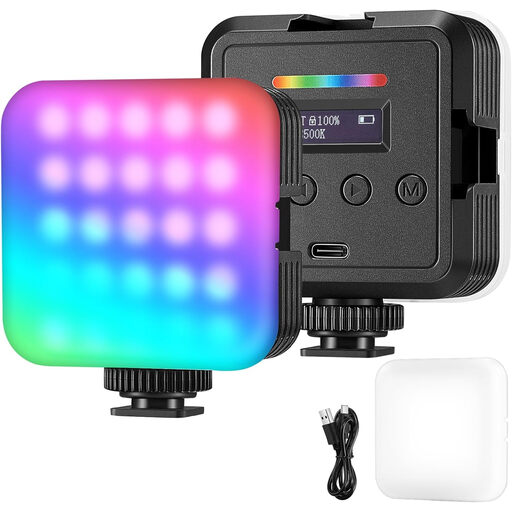
For photography and video recording with adjustable colour: according to the product description, you can adjust RGB, white and warm-light modes, brightness and colour temperature.
Powered by a built-in battery or USB.
 No image available
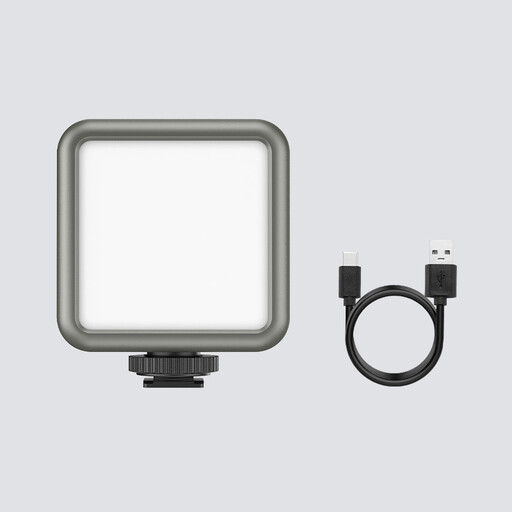
The product title lists macro photography as a suitable use; the light supports RGB and is dimmable.
The title specifies a colour temperature range of 2,500–9,500 K, a 2,000 mAh battery and magnets on the back.
Not necessarily. What matters is whether the edges and recesses receive enough light from the camera’s position. Check the light distribution across the area you plan to film rather than relying on a single brightness rating to judge coverage.
Test the light at the intended dimming level and with your camera settings. For suitable camera models, Sony recommends adjusting the shutter speed, among other things; the setting that works depends on the light source, mains frequency and camera.
It depends on the model and version. The manufacturer lists a power adapter as part of the stated package contents for the amaran P60x; NEEWER says NP-F batteries for the RGB660 PRO II aren’t included. Elgato specifies that the Key Light Air MK.2 needs sufficient USB-C input power for maximum brightness. Compare the package contents with your planned mounting and power setup.
Check the relevant EU requirements, manufacturer information and declaration of conformity for the specific product version. The German Federal Network Agency lists CE marking and accurate manufacturer information among the points to check; a CE mark alone isn’t an independent quality mark.
No. According to the European Commission, electrical equipment bearing the relevant marking must be collected separately. Whether a retailer is required to take it back depends on the legal requirements in Germany; the Stiftung ear explains the conditions for distributors.