For filming an origami tutorial on a small desk, a dimmable panel that you can position to one side is a sensible starting point if you want the whole folding area and your hands in shot. Canon Europe recommends using a key light and a weaker fill light on the opposite side to reduce shadows. However, the best way to check is to record a test with your actual set-up. A mini panel is better suited to supplementary lighting than as a proven replacement for a larger light source. Also check how paper colours look on camera and watch out for banding.
Which light is right for you?
Origami teachers filming from above
If you film the paper and both hands from above, check the camera image to see whether the fold lines remain visible while you handle the paper. The position of the key and fill lights affects the shadows; Canon Europe recommends using a key light and a weaker light on the opposite side.
Filming at a small desk
If you need to put away your camera and lights after filming, compare the panel dimensions, mounting options and power supply for the specific version. The models mentioned differ in how much space their set-up takes up.
Filming with different paper colours
If you show different paper colours or film in changing light from a window, an adjustable white-light range can help you get the look right. Still, check the colours using your camera and the white balance you intend to use.
What should you look for when buying?
First, check the shadows in the camera image, then make sure you have room for the light and its mount. Next, match the light colour, recording settings and power supply to the tutorial you plan to film.
| Priority |
What to check |
Important for |
| Keeping fold lines visible despite hand shadows |
Test the positioning and dimming with both hands over light and dark sheets of paper. You can also check whether a diffuser works for your set-up. |
If I want to keep the fold lines visible while handling the paper, I check the shadows in a test recording. Around 26% of consumers put shadow control first. |
| Space for the light and camera |
Check the panel dimensions, tilt angle, mounting options and cable route against your desk. See whether a stand or mount is included with the version on offer. |
If I need to set up my camera and light in a small room and put them away afterwards, the overall space they take up matters to me. Around 21% of consumers prioritise space and set-up. |
| Assessing paper colours |
Check the colour temperature range of the exact version and test your paper colours using the white balance you plan to use. For example, Godox lists 3300–5600 K for the LEDP260C; this figure does not apply to the P260C Pro. |
If I want different paper colours to look as true to life as possible in my video, I check them with my camera rather than relying on an adjustment range alone. Around 21% of consumers prioritise paper colours. |
| Banding in the camera image |
Record a short test using the frame rate, shutter speed and dimming levels you plan to use. Sony notes that adjusting the shutter speed can reduce flicker effects. |
If I want to record longer origami steps without visible bands, I test the actual light with my camera settings. Around 16% of consumers prioritise flicker-free recording. |
| Power supply for filming |
Check the socket, power adapter, compatible battery type and what’s included with the specific version. Godox lists a power adapter for the LEDP260C; NP-F970 batteries are sold separately. |
If I’m filming a longer tutorial, I want to know whether the cables or batteries will work with my set-up. Around 16% of consumers prioritise the power supply. |
Common buying mistakes
-
Comparing lux figures for different panels without checking the test conditions
Manufacturers’ figures are based on specific distances and settings. They don’t automatically show how brightly or evenly a light modifier will illuminate your folding area.
Only compare figures measured at the same distance and in similar set-ups. Then assess the whole folding area in a test recording.
-
Expecting a mini panel to light your whole desk
The compact design and the manufacturer’s figure of 150 lux at 1 m for the SmallRig P96 don’t prove that it will illuminate an entire folding area.
Decide on your framing first and test the panel at your actual workspace before relying on it as your only light source.
Depending on your set-up, you may also need another light or a suitable mount.
-
Assuming a battery or stand is included from the model name
What’s included varies by model and version on offer. NP-F970 batteries for the Godox LEDP260C are sold separately; the NEEWER NL660 is available with or without a stand.
Before buying, check what’s included with the specific version and make sure its connections are suitable for your planned set-up.
For battery-powered use, you may need to buy batteries and a charger separately. Any mount must also suit your set-up.
Key brands at a glance
Godox
Godox describes the LEDP260C as a bi-colour panel for video and product photography.
- Godox lists a colour temperature of 3300–5600 K and a power adapter included with the LEDP260C.
- NP-F970 batteries are sold separately. Details for the other model, the P260C Pro, such as USB-C, do not apply to the LEDP260C.
NEEWER
NEEWER describes the NL660 as a larger bi-colour panel with an adjustable yoke.
- For the single-light version, NEEWER lists a white diffuser and power adapter.
- The NL660 is available with or without a stand; the manufacturer says NP-F batteries are not included.
amaran
amaran describes the P60x as a bi-colour panel supplied with a softbox, which requires a suitably spacious set-up.
- The manufacturer lists a colour temperature of 3200–6500 K and a 45° beam angle.
- These figures don’t show how evenly the softbox will illuminate your own origami area. You’ll also need space for the light modifier and mount.
Rollei
Rollei describes the LUMIS LED Panel Bi-Color as a larger option for a permanent set-up, measuring 35 × 24 cm.
- Rollei lists a colour temperature of 3200–5600 K and mains power.
- According to the manufacturer, NP-F750/770 batteries for battery-powered use must be bought separately. Check how the light looks with your own set-up.
SmallRig
SmallRig describes the P96 as a compact, battery-powered bi-colour panel for portable fill light.
- SmallRig lists dimensions of 72 × 89 × 31.6 mm and a cold shoe mount.
- The manufacturer’s figure of 150 lux at 1 m doesn’t confirm that it comes with a suitable desk mount or can illuminate an entire folding area.
Joybuy products
The Joybuy products below include compact RGB video lights and a COB video light. Check that the size, mount and direction of the light are suitable for your entire folding area.
 No image available
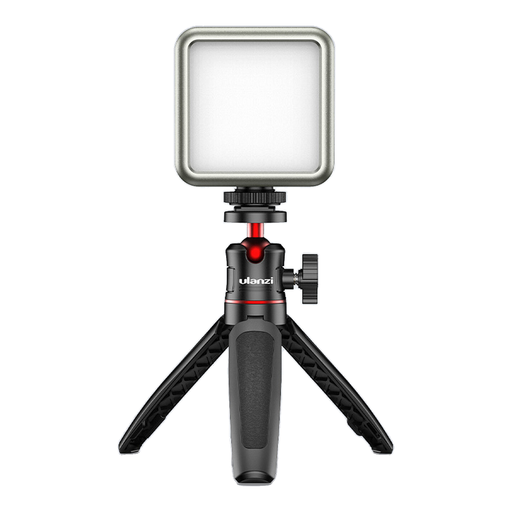
ULANZI VL49 LED video light
Its compact size and built-in battery suit a portable set-up; check whether the light is powerful enough for your entire folding area.
The product title lists RGB, a 2,000 mAh battery, dimming and a colour temperature range of 2,500 K to 9,500 K.
View at Joybuy
 No image available
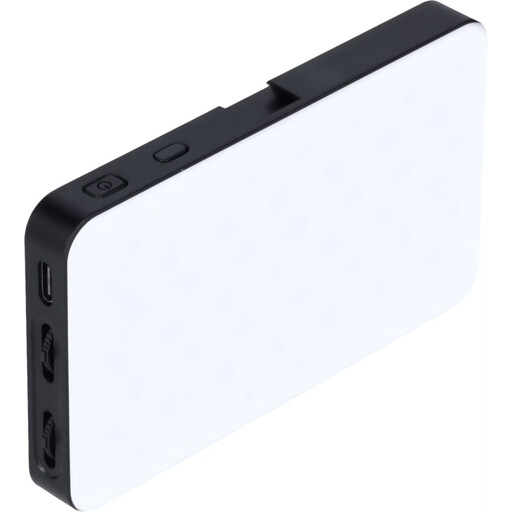
Rollei LUX Compact RGB LED Light 8W
Its compact dimensions may be useful for a desk set-up with limited storage space; test how the light covers your entire folding area.
The product description lists RGB, bi-colour from 2,500 K to 9,000 K, brightness adjustment from 0–100%, dimensions of 11.5 × 6.8 × 1.6 cm and a weight of 125 g.
View at Joybuy
 No image available
COLBOR 200W COB video light
According to the product name, this is a COB studio light, not an LED panel. Take its different form into account when planning your desk set-up.
The product title lists bi-colour from 2,700 K to 7,000 K, a built-in power supply and a Bowens mount.
View at Joybuy
Frequently asked questions
How should I position the lights for an overhead origami video?
Start with a key light to one side of the folding area and check the image with both hands in shot. Canon Europe describes using a weaker fill light on the opposite side as one way to reduce shadows; you don’t necessarily need to buy two panels.
How can I prevent banding in my video?
Start by testing the light and dimming level you’ll actually use. Sony explains that changing the shutter speed can reduce flicker or banding effects. For a 50 Hz mains frequency, the manufacturer suggests 1/50 s or 1/100 s as possible settings, depending on the camera and scene.
Does the LED panel come with a stand and battery?
It depends on the model and version on offer. NEEWER sells the NL660 with or without a stand and says that NP-F batteries are not included. Godox lists a power adapter for the LEDP260C; NP-F970 batteries are sold separately. Check what’s included with the specific version.
What should I look for to ensure product safety in Germany?
Check that the product has the correct CE marking, that the manufacturer’s details and product identification are provided, and that a German-language manual with the required warnings is included. The German Federal Network Agency lists these as checks for electrical lighting products. According to the European Commission, the applicable rules must be determined for each product.
How should I dispose of an old LED panel?
In Germany, old electrical equipment must not go in household waste. It should be taken to a separate collection point, such as a recycling centre or an appropriate take-back point. The German Environment Agency explains how to dispose of electrical equipment separately.


