Which type of light is right for you?

Photographing painted sculptures

If you want to show colours and surface details consistently across several shots, check the colour temperature and white balance on your subject. Canon Europe explains how the light falling on a subject affects the reproduction of white.

Photographing glossy sculptures

With glazed, metallic or polished areas, the position of the light matters, so reflections don’t obscure the shape. Broncolor demonstrates with glossy objects why adding more light sources alone won’t necessarily solve reflection problems.

Photographing at a small table

If you often set up and pack away your equipment, the panel, mounting system and power supply need to suit the space you have available. Nanlite and SmallRig’s guides describe different mounting and power options for their respective models.

What should you look for when buying?

First decide whether consistent colours, control over reflections or a compact setup matters most to you. Then check your test shot to see whether the sculpture retains its shape and the background looks evenly lit.

Buying priority What to check Who it matters most to
Reproducing colours consistently Check the adjustable white-light range and the colour-rendering specification for the specific model; take a reference shot using a fixed white balance. If I want to show painted pieces with comparable colours across several shots, I check the colour temperature and white balance on the subject. Around 37% of consumers put consistent colour first.
Controlling shape and reflections Check how easily the light can be positioned and whether suitable diffusion or flags are available; take a test shot from the final camera angle. With glossy or polished areas, I want to reduce reflections without losing recesses and contours. Around 27% of consumers prioritise control over shape and reflections.
Lighting a white background Assess the sculpture and background separately in the same test shot; check the light position and any potential shadows. If I want the background to look evenly white in the image, I assess it separately from the lighting on the subject. Around 18% of consumers put this first.
Planning for space and power Check the dimensions of the complete setup, mounting point, socket and contents of the specific version. At a small table, I need a mounting system and power supply that fit my setup. Around 18% of consumers prioritise a compact footprint and easy setup.

Common misconceptions

  • A white set automatically gives you a white background in the photo

    Lighting a sculpture appropriately doesn’t automatically make the background look evenly white in the photo. Canon Europe and Broncolor describe setups where the subject and background are lit separately.

    Assess both in the same test shot, but check the subject and background as separate areas.

    Separate background lighting may require extra space and additional light shaping.

  • A high CRI rating guarantees accurate colour in photos

    Your camera captures the light falling on the sculpture. Canon Europe explains that an unsuitable white balance can make a surface that is actually white appear discoloured.

    Compare shots taken with a fixed white balance and check how the materials of your sculpture look in the final image.

  • A panel deal automatically includes everything you need for the setup

    According to the manufacturer, NP-F batteries aren’t included with the NEEWER NL660; a tripod is included only with the tripod version.

    Before buying, check that the specific version includes the mounting system and power supply you need, and matches the accessories you already have.

Relevant brands and model details

Godox

The P260C Pro is an adjustable bi-colour panel for a portable photography setup. It’s a different model from the LEDP260C.

  • For the P260C Pro, Godox specifies 2800–6500 K, an average CRI/TLCI of at least 98, a diffuser, and DC, battery and USB-C power options.
  • Claims about softer shadows and accurate colour reproduction are the manufacturer’s descriptions, not the result of an independent test with sculptures.

amaran

The P60x is a bi-colour panel for a setup with enough room for light modifiers and mounting.

  • According to amaran, the P60x package includes a softbox and grid. At 5600 K, the manufacturer specifies 5070 lux at 1 m under the stated measurement conditions.
  • This measurement doesn’t show how a particular sculpture will be lit in your own setup; what’s included can vary between retailers.

Nanlite

The PavoSlim 60B is a slim bi-colour panel with light modifiers for controlled setups.

  • The manual specifies 2700–6500 K and lists a softbox, diffuser and honeycomb grid. It also describes several power options.
  • For the PavoSlim 60B, Nanlite requires a dry, well-ventilated location with the ventilation openings kept clear.

NEEWER

The NL660 is a larger bi-colour panel with an adjustable mount; a tripod is included only with the version you choose.

  • NEEWER specifies 3200–5600 K, a CRI of at least 96, a diffuser and a mains adapter.
  • According to the manufacturer, NP-F batteries aren’t included. A tripod comes only with the tripod version; the colour-rendering rating is a manufacturer’s specification.

SmallRig

The P96 3286 is a small battery-powered panel for close-up details or use as an extra light.

  • SmallRig specifies 2700–6500 K, a cold shoe mount and 150 lux at 1 m.
  • This single measurement doesn’t show whether the whole subject and background will be sufficiently lit at your planned distance.

Joybuy products for close-up setups

This selection features compact LED lights for close-ups and product photography, ideal when you need a flexible setup at a small table.
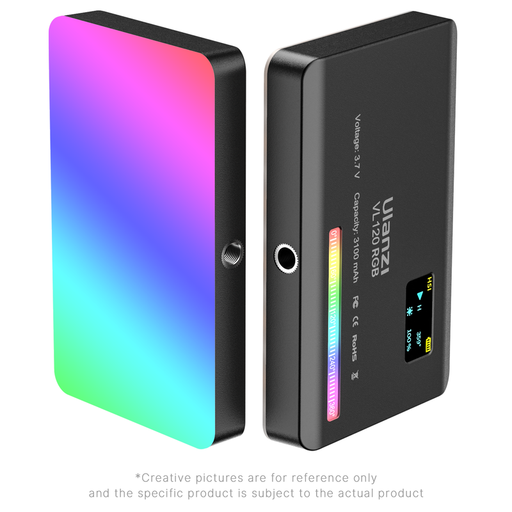
Ulanzi VL120RGB light, black

Ulanzi VL120RGB, black

A compact light for macro and product photography when you want to position the light close to your subject.

View at Joybuy
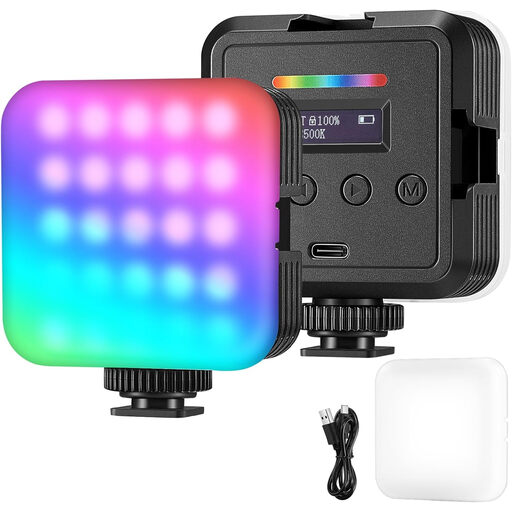
Portable RGB LED video light for photography and video

RGB LED video light for photography and video

For a flexible product photography setup: according to the product description, it can run on its built-in battery or via USB.

View at Joybuy

Frequently asked questions

Do I need a light tent for small sculptures?

Not necessarily. Canon Europe describes a light tent as one way to take product photos with minimal shadows. If showing the sculpture’s shape is important, check whether directional light makes the gradations and shadows you want more visible.

How should I photograph a glossy sculpture?

First, change the position and shape of the light, then check the reflections from the camera angle. Broncolor explains with a glossy product why adding more lights won’t necessarily help; test your lighting setup on your own subject.

How can I get a white background without losing the sculpture’s shape?

Assess the background and sculpture separately in the same test shot. Canon Europe and Broncolor describe lighting the subject and background separately as one option; check that the directional light still shows the contours and recesses.

Is a high CRI rating enough for accurate colour in photos?

No, it’s no substitute for testing with your camera. Canon Europe points out that white balance and the light falling on a subject affect colour reproduction, so compare shots taken with a fixed white balance.

Does an LED panel always include a tripod and batteries?

No, what’s included depends on the specific model and version. According to the manufacturer, NP-F batteries aren’t included with the NEEWER NL660, and a tripod comes only with the tripod version. Check that the version on offer suits your planned setup.