What should you look for when buying?
First decide what matters most at your webcam setup. You can then compare lighting, mounting options and power supply more easily.
Compact clip-on or monitor panel
A good fit if: desk space is limited and you can position the light close to the screen.
The trade-off: Mounting it on the screen saves space, but gives you less freedom to position it to the side.
Panel with a desk stand or clamp
A good fit if: you want to place the light independently of the webcam and position it opposite a window.
The trade-off: A stand needs enough desk space, while a clamp needs a suitable desk edge.
| What you need |
What to check before buying |
Who is it most relevant to? |
| Brighten facial shadows |
Diffuser, dimming options and positioning close to or slightly to the side of the webcam. |
If I want to reduce shadows on my face without lighting the whole room, I look at how the light is diffused and where I can position it. Around 36% of consumers say reducing shadows is their top priority. |
| Keep the light on your own space |
Tilt, adjustment range and direction in relation to the other person. |
If I share a bedroom, I want to light my face without shining unnecessary light on the other person. Around 29% of consumers put consideration for the other person first. |
| Mounting in a confined workspace |
Screen or desk-edge dimensions, available space and the webcam’s field of view. |
If my desk is short on space, the mount needs to fit my screen or desk edge. Around 21% of consumers prioritise space-saving mounting. |
| Power for calls |
Connection, power adapter, cable length and, for rechargeable lights, the stated battery life. |
If I want to use the light for longer calls or in different places, I check which power options will work for me. Around 14% of consumers say flexible power is their top priority. |
Joybuy products for a space-saving webcam setup
This selection includes compact clip-on lights and a small camera or tripod light for a space-saving webcam workspace.
 No image available
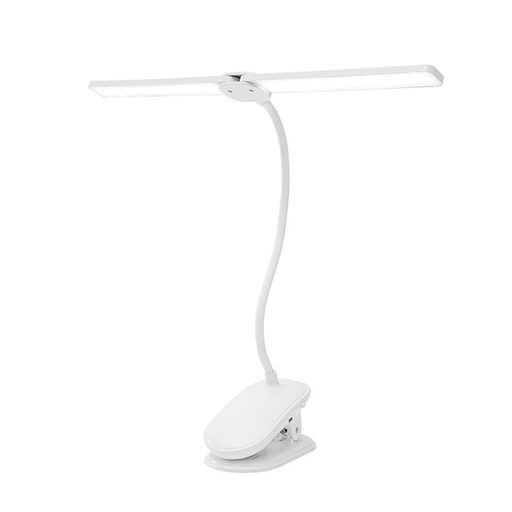
Dual-head LED clip-on light with flexible neck
Suitable if you want to attach and position the light close to your webcam setup.
Two adjustable light heads, flexible neck, three colour temperatures and dimmable brightness.
Rechargeable battery and USB-C charging; clamp fits surfaces up to 5 cm thick.
View at Joybuy
 No image available
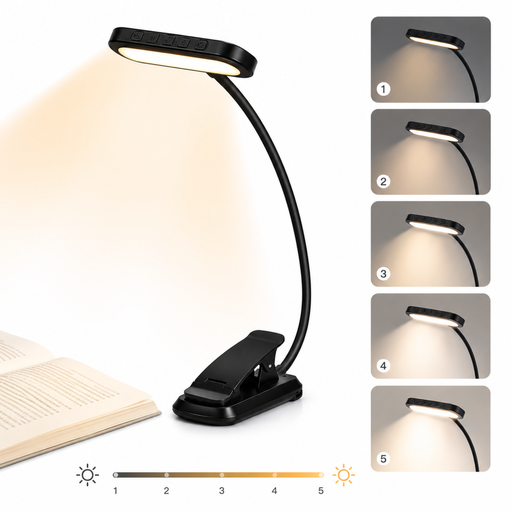
LED clip-on light with 24 LEDs and 1000-mAh battery
A good fit if you’re looking for a clip-on light that can be positioned near your screen.
Five brightness levels and three light colours.
USB-C; the clip swivels through 315° and the neck rotates through 360°.
View at Joybuy
 No image available
Aigostar rechargeable LED clip-on light
An option if you want to position a cordless clip-on light on your desk or an edge.
160 lm, 4000 K, 2,5 W and three brightness levels.
Rechargeable battery and adjustable neck; stated battery life is up to 30 hours, depending on the brightness level.
View at Joybuy
 No image available
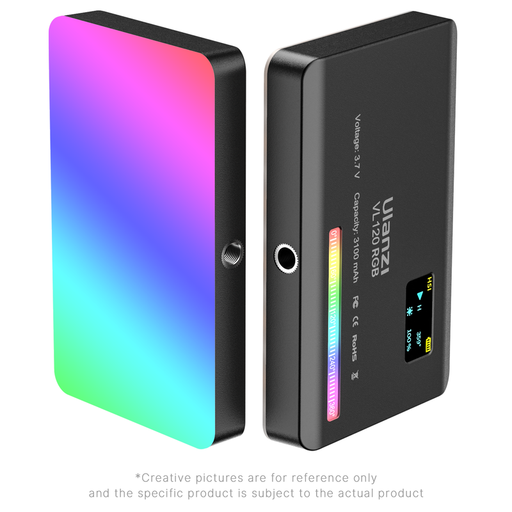
Ulanzi VL120RGB, black
Suitable if you want to attach a compact light close to a camera or tripod.
RGB, adjustable colour temperature and brightness, plus a cold shoe mount.
Rechargeable battery and silicone diffuser; do not use in damp or wet conditions, and do not look directly at the LED panel when it is at full brightness.
View at Joybuy
 No image available
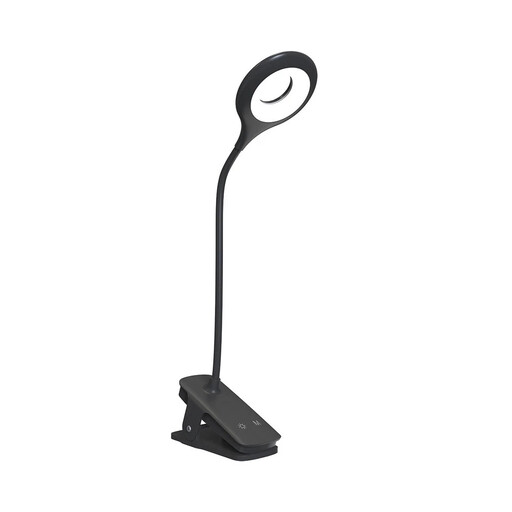
Mini Wozinsky cordless LED clip-on light
A good fit if you want to attach a clip-on light to your desk and use it without a cable.
Five brightness levels, five mixed-light modes and adjustable colour temperature from 3000–6500 K.
USB-C charging; stated battery life is 4 to 32 hours, depending on the mode.
View at Joybuy
Frequently asked questions
Where should I position the panel if light only comes in from one side of the window?
Try using the panel on the side opposite the window as a lower-level fill light. Check the image from your webcam and reduce the brightness until the shadows are less noticeable, without making your face look flat. TechSmith describes fill lighting as a way to reduce shadows created by the main light.
What should I check before mounting a light with a desk clamp or clip?
Compare the manufacturer’s stated clamp width with the actual edge of your screen or desk, and check that the light will not block your webcam or screen. Clips, stands and clamps vary between models.
What safety and labelling information is important for an LED light in Germany?
For products subject to labelling requirements, the Federal Network Agency lists, among other things, correct CE marking, product identification, manufacturer details and German instructions with any required warnings. Also check the relevant product documentation. The CE mark alone does not tell you whether the lighting will be comfortable in a shared room.
What are my options if a product is faulty or I change my mind after buying online in Germany?
Your statutory rights when a product is faulty are against the seller and are separate from any voluntary guarantee. According to the consumer advice centre, online purchases generally come with a right to cancel, usually within 14 days of receiving the goods. Check the terms of your specific purchase, and remember that cancellation and claims for faulty goods are different matters.
Where should I take an old LED panel?
Electrical waste should be taken to an authorised collection point, such as a local council recycling centre. The Federal Ministry for the Environment notes that retailers’ take-back obligations depend, among other things, on the retailer’s size and, when returning an item without buying a new one, the appliance’s dimensions.


