Start by choosing an operating system that supports the development tools you plan to use. Then compare the RAM, SSD, display and ports on the specific configuration. A local database doesn’t automatically mean you need a particularly powerful laptop; make sure you also have a separate backup, and check your school’s requirements before handling real pupil data.
Which approach is right for you?
Developers using multiple tools
If you’re developing the lesson planner with an editor, browser and other tools, your operating system should suit the environment you’ll actually use. Microsoft documents support for Visual Studio Code on Windows, macOS and certain versions of Linux; check the requirements for your other tools too.
Planners using local files
If you want to store application data locally, a file-based database such as SQLite may be suitable. You’ll still need a separate backup: Germany’s Federal Office for Information Security recommends backing up data regularly to help prevent data loss.
Teachers working with real school data
If you want to process pupils’ personal data rather than test data, choosing a laptop is only part of the picture. Check with the relevant school which devices and safeguards are required for your particular use.
What should you look for when buying?
Windows laptop
A good fit if: Your development tools require Windows, or you’re looking for a specific Windows configuration with a German keyboard layout.
Consider: Specifications and ports vary by model and configuration; models in the same product range don’t necessarily have the same specification.
MacBook with macOS
A good fit if: Your planned development tools and existing devices work with macOS and the ports on the specific configuration.
Consider: Check that every tool and accessory you need is compatible before committing to macOS.
| What you need |
What to check when buying |
Who should consider this? |
| A suitable development environment |
Which operating systems your planned tools support, as well as the RAM and SSD in the specific configuration. |
If you want to use an editor, browser and other tools together, the system should suit your workflow. Around 33% of consumers put the development environment first. |
| Local data and recovery |
Enough space for your project and files, plus a separate backup option that you can restore from in practice. |
If you plan to keep project and application data on your laptop, you’ll also need to know how to restore it if the device fails. Around 25% of consumers prioritise local backup and recovery. |
| Working in different locations |
Screen size and resolution, keyboard layout, the ports you need and the specific device configuration. |
If you want to take your laptop between different workplaces, its display and ports should suit your day-to-day needs. Around 25% of consumers prioritise portability. |
| Protecting real school data |
Before using real personal data, check whether the device is approved for this school-related use and what requirements apply. |
If you want to process real pupil data, you’ll first need to understand your school’s requirements for devices and safeguards. Around 17% of consumers prioritise being permitted to process this type of data. |
Common misconceptions
-
The code editor’s requirements cover the whole project
Visual Studio Code’s RAM recommendation applies to the editor, not necessarily to all the development tools you’ll be using at the same time.
First decide which operating system and tools you actually want to use, then compare the available configurations.
-
Local storage is already a backup
If your device fails or is lost, data stored locally could be affected too.
Set up a backup separate from your laptop, and test that you can restore your data from it.
-
Security features mean a device is approved for school data
A device feature highlighted in its marketing doesn’t tell you whether processing real pupil data on a personal device is permitted in your particular school context.
Check the requirements with the relevant school before transferring any such data; until then, you can use test data for development and testing.
Brands to consider
Lenovo
The ThinkPad E14 Gen 7 is a documented 14-inch Windows option; the specific configuration has the part number 21T00022GE.
- For the 21T00022GE, Lenovo lists 16 GB SODIMM RAM, a 512 GB SSD, a matt WUXGA display and a German keyboard.
- These specifications apply to the configuration listed and won’t necessarily be the same on other variants.
HP
The ProBook 4 G1a 14 is a Windows option for a development workflow with locally stored files; the variant considered here is CB4M5EA#ABD.
- For this variant, HP lists 16 GB RAM, a 1 TB SSD, Windows 11 Pro, HDMI, USB-A and two USB-C ports.
- Claims about productivity and security benefits come from the manufacturer and are not independent test results.
Apple
The 13-inch MacBook Air M5 is a macOS option, provided the development tools you need work with the operating system.
- For the 13-inch base configuration, Apple lists 16 GB of unified memory, a 512 GB SSD and two Thunderbolt 4 ports.
- Check that your existing peripherals are compatible with the ports; the stated battery life isn’t a measurement for this development workflow.
Dell
The Dell Pro 14 is a configurable Windows business range; the model considered here is designated PC14250.
- The range gives you another way to choose a Windows configuration with the features you need.
- Dell notes that images may differ from the actual product depending on the configuration selected. Check the specifications of the specific variant.
Joybuy products for development work
This selection includes Windows laptops and a MacBook for development work with locally stored project files.
 No image available
Acer TravelMate TMP216-41-TCO, Ryzen 3 PRO 7335U, 16 GB, 512 GB SSD
A Windows configuration for development tools and local project files.
Windows 11 Pro Education, 16 GB DDR5, 512 GB SSD and a 16-inch WUXGA IPS display.
Includes USB4, USB-A, HDMI and RJ-45; the stated weight is 1.80 kg.
Joybuy
 No image available
Dell Pro 14 Essential PV14255 Copilot+ PC, Ryzen AI 7 350, 16 GB, 1 TB SSD
A 14-inch Windows model with SSD storage for locally saved projects.
Windows 11 Pro, 16 GB RAM and a 1 TB SSD.
The matt FHD+ IPS display is complemented by USB-A, USB-C and HDMI.
Joybuy
 No image available
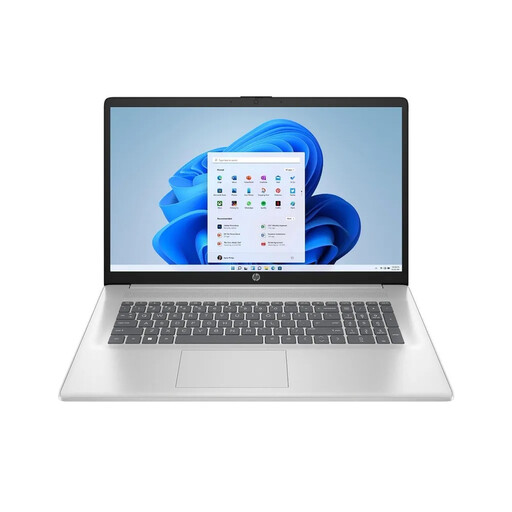
HP Laptop 17-cp3770ng, Ryzen 7 7730U, 16 GB, 512 GB SSD
A Windows model with a larger display if you prefer more screen space.
Windows 11 Home, 16 GB RAM, 512 GB SSD and a 17.3-inch Full HD display.
The stated weight is 2.07 kg, so bear this in mind if you’ll be carrying the laptop around often.
Joybuy
 No image available
HONOR Magicbook X16 AMD 2025, R5 6600H, 16 GB, 512 GB, German keyboard
A German-keyboard configuration for development work and local files.
The product name lists an AMD R5 6600H, 16 GB RAM and a 512 GB SSD.
The product description states that the display measures 16 inches.
Joybuy
 No image available
Apple 13-inch MacBook Air M5, 16 GB, 1 TB SSD, German QWERTZ layout
A macOS option for local development work, provided your required tools are supported.
The configuration lists 16 GB of memory, a 1 TB SSD and a 13.6-inch display.
It has two Thunderbolt 4 ports. A power adapter isn’t included and must be purchased separately.
Joybuy
Frequently asked questions
Do I need a database server for a locally stored lesson planner?
Not necessarily: according to its project documentation, SQLite is a serverless database that works with a file. Whether it’s right for your application depends on its requirements.
How can I back up my data if my device fails?
As well as keeping your working copy, make regular backups and test that you can restore them. Germany’s Federal Office for Information Security lists external storage media as one option. How often you back up should reflect how often your data changes.
Can I store real pupil data locally on a laptop I’ve bought privately?
This depends on your school’s requirements and the relevant German federal state. The Federal Commissioner for Data Protection and Freedom of Information explains that the GDPR is supplemented in Germany by federal and state law; an example template from Rhineland-Palatinate’s State Commissioner for Data Protection and Freedom of Information sets out conditions for teachers using personal devices. Check the specific use with the relevant authority before you proceed.
Is a manufacturer’s warranty the same as your statutory rights?
No. The Verbraucherzentrale distinguishes between a voluntary warranty and your statutory rights against the seller. Check the warranty terms separately from your statutory rights.


