Buying priorities and what to check
Start with your window layout and available desk space. These will help determine whether the resolution, aspect ratio and screen size suit the way you work. USB-C docking is a separate connectivity consideration; it doesn’t replace data storage or backups.
| Priority |
What to check before buying |
Who prioritises it? |
| Room for code and preview |
Compare your window layout and text size on the screen size you’re considering; take desk space and resolution into account. |
If I want to see code, a preview and reference materials at the same time, I’ll first check whether my windows fit side by side at my usual text size. Around 36% of consumers put space for code and previews first. |
| Adjustable positioning |
Check the height adjustment and stand depth against your workspace and preferred screen position. |
For longer sessions, I want to be able to adjust the screen position to suit my workspace. Around 29% of consumers prioritise an adjustable setup. |
| Laptop docking |
Check USB-C video support, the charging capacity you need and the connections required for your peripherals. |
If I regularly connect my laptop at my desk, I want to know whether video, charging and the connections I need will actually work. Around 21% of consumers put laptop docking first. |
| Fit on your desk |
Measure the width and depth, including the stand. If you’re using a mount, check the VESA specification for the exact model. |
With limited desk space, I want to leave enough room for the monitor without taking up more of my work surface than necessary. Around 14% of consumers prioritise a space-saving setup. |
Joybuy products
The Joybuy selection for this type of setup ranges from portable secondary displays to individual 27- and 40-inch monitors. Choose based on your window layout, desk space and laptop connections.
 No image available
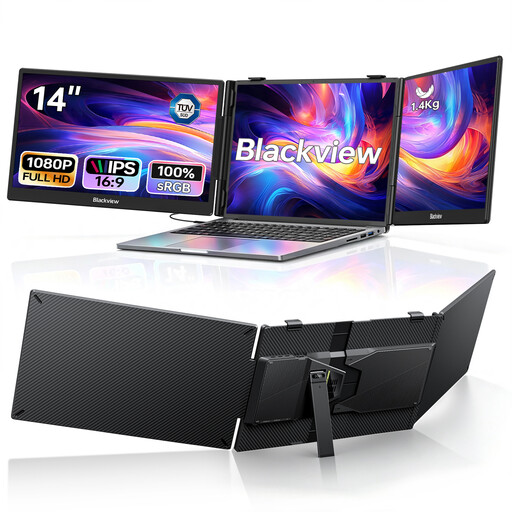
Blackview DCM5 Dual Portable Monitor, 2 × 14-inch FHD
An option if you’d like to arrange your code and preview on separate secondary displays.
The product title lists two 14-inch 1080p IPS displays, USB-C and 100 W PD. Each panel is 14 inches, offering less space per screen than a large single monitor.
View at Joybuy
 No image available
INNOCN 40C1U, 40-inch, 5K ultrawide
An option if you want to arrange several windows on one wide screen and have enough desk space.
The product title lists 5120 × 2160 pixels, IPS, 100 Hz, a 21:9 aspect ratio and USB-C PD 65 W. The 40-inch screen will need plenty of desk space.
View at Joybuy
 No image available
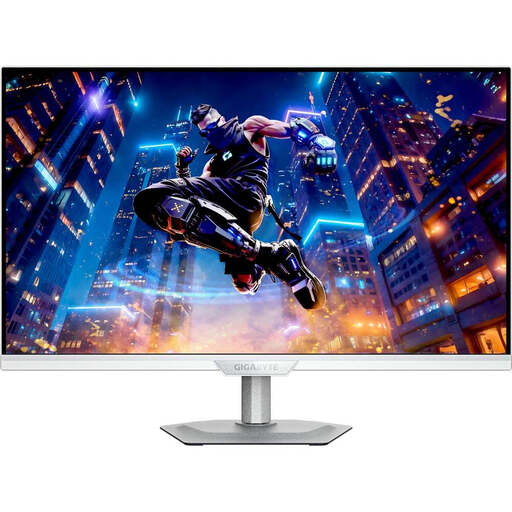
GIGABYTE M27UP ICE, 27-inch, 4K UHD IPS
An option if you’re considering a 27-inch 4K monitor for text and multiple windows.
The product title lists 3840 × 2160 pixels, IPS and 144 Hz. Check that your preferred text scaling suits the way you work.
View at Joybuy
 No image available
Dell P2425HE, 24-inch FHD IPS USB-C, 3Y Warranty
An option if a 24-inch FHD screen suits your window layout and you need USB-C for your laptop setup.
The product title lists FHD, IPS and USB-C. At 24 inches with FHD resolution, this model offers less screen space and resolution than a 27-inch QHD monitor such as the Dell P2725DE.
View at Joybuy
 No image available
Dell Pro Plus P2725DE, 27-inch QHD
An option if you want to arrange code and a preview on a 27-inch QHD screen and connect a compatible laptop.
Dell lists 2560 × 1440 pixels, a 100 Hz refresh rate and a USB-C hub with up to 90 W Power Delivery for the P2725DE. Check your laptop’s video and charging capabilities.
View at Joybuy
Frequently asked questions
Does a monitor store my lesson planner data locally?
No. The monitor specifications covered here relate to the display and its connections, not where your project files are stored. Choose a location in the application you use or on your computer, and regularly back up important files to an external device. The German Federal Office for Information Security recommends considering how you’ll restore data when making backups.
Is one USB-C cable enough for video, peripherals and charging?
Only if your laptop, monitor port and cable support the features you need. Dell lists up to 90 W USB-C power delivery for the P2725DE, while HP lists 100 W Power Delivery for the 527pu. Compare these model specifications with your laptop’s port and charging requirements before planning a one-cable setup.
What should I bear in mind when setting up and cleaning my monitor?
Adjust the monitor’s height and position to suit your workspace, and watch out for distracting reflections. Follow the cleaning instructions from the manufacturer of your specific model. The ASR A6 from the Federal Institute for Occupational Safety and Health applies only within its stated occupational scope.
Does storing data locally automatically make a lesson planner compliant with data protection rules?
No. If the planner processes personal data, relevant considerations include using the data only for its intended purpose, limiting collection to what is necessary, and protecting it against loss and unauthorised access. The Federal Commissioner for Data Protection and Freedom of Information outlines these principles. Whether a specific use in a school is permitted cannot be determined simply by choosing a monitor or storing data locally.
What are my rights when buying a monitor online?
According to the Verbraucherzentrale, online consumer contracts generally come with a 14-day right to cancel; when the period starts and whether any exceptions apply depend on the circumstances. If a product is faulty, your statutory rights against the seller are separate from any voluntary guarantee.


