If you’re drawing on a suitable office computer and want to clear the space quickly afterwards, a compact graphics tablet without a screen is a natural place to start. For corrections directly beneath the pen tip, consider a connected pen display; if you don’t have a suitable office computer, a standalone tablet may be a better fit. Also check the ports, pen and accessories included in the specific package, as well as whether you can export a print-ready file.
Which type suits which user?
Lettering at a compact shared desk
If you use an existing computer and want to put your drawing surface away quickly after work, compare the device dimensions and connection type – not just the active area. Wacom lists the Intuos Pro Small PTK470K0B as measuring 215 × 163 mm overall; XPPen lists USB-C and Bluetooth 5.0 for the Deco mini7W V2.
Making corrections directly on the display
If you want to edit letter outlines right beneath the pen tip and have room for an additional screen, consider a connected pen display. Huion lists a 13.3-inch display with 1920 × 1080 pixels for the Kamvas 13 (Gen 3).
Drawing without an office computer
If you want to create your design on a standalone device, make sure the pen, drawing app and file export work for your card project. Samsung lists the S Pen as included with the Galaxy Tab S10 FE offers researched; Apple lists two compatible Apple Pencil models for the 11-inch iPad (A16).
What to look for when buying
Graphics tablet without a screen
A good fit if: You have a suitable computer and monitor, and want to put the drawing surface away after work.
The trade-off: You draw on the tablet while looking at a different screen; the driver, software and connections need to work with your computer.
Connected pen display
A good fit if: You want to see your strokes directly on the image as you draw and have room to set up an additional screen.
The trade-off: It isn’t a standalone drawing computer. With the Huion Kamvas 13 (Gen 3), your computer needs to provide the required USB data and DisplayPort functions.
Standalone tablet
A good fit if: You want to create your design without relying on a connected office computer.
The trade-off: Check the exact pen compatibility and whether your chosen app can export the file you need for printing.
| Priority |
What to check before buying |
Who it matters to |
| Space requirements and easy storage |
Overall dimensions and connection type; distinguish between the active drawing area and the device dimensions. |
If I need to clear the shared desk quickly after lettering, a compact setup matters. Around 34% of consumers put saving space first. |
| Control over fine letter strokes |
Graphics tablet or pen display; with a display, also check that you have room for it and that your computer supports the right video output. |
If I want to correct outlines directly beneath the pen tip, seeing them on the display as I draw matters to me. Around 25% of consumers prioritise this direct control over their strokes. |
| Working without an office computer |
Check that the device is standalone, and confirm pen generation compatibility and what’s included in the box. |
If I want to design the card without the office computer, the device, pen and drawing app all need to work together. Around 25% of consumers put working independently of a computer first. |
| Print-ready greeting card |
Confirm the finished size, file format and requirements of your chosen printing method before exporting. |
If I want to produce my design as a physical greeting card, getting the right print file is essential. Around 16% of consumers prioritise the printed result. |
Common misconceptions
-
A pen display is a standalone drawing computer
The Huion Kamvas 13 (Gen 3) connects to a computer. For the USB-C connection described, the port must support data transfer and video output. Huion says a stand isn’t included in the standard package.
If you want to work without a computer, compare standalone tablets rather than just connected pen displays.
-
The pen and cable are always included
The Wacom One S variant CTC4110WLW3B is sold without a pen or connection cable. What’s included may differ for other variants.
Before buying, check the full variant code and the specific items listed in the box.
-
Screen colours automatically match the printed result
A screen setting alone doesn’t determine how a greeting card will look on paper. Image details, document format and colour profile are all part of the print workflow.
Set the finished size and ask your chosen printing service about its file format and colour profile requirements before exporting.
Key brands to consider
Wacom
Graphics tablets for working with an existing screen; the specific package variant matters.
- For the Intuos Pro Small PTK470K0B, Wacom lists USB and Bluetooth connection options, as well as overall dimensions of 215 × 163 mm.
- The Wacom One Small CTC4110WLW3B variant is sold without a pen or connection cable. These details don’t necessarily apply to other packages.
Huion
Kamvas pen displays let you draw directly on a connected screen.
- Huion lists a 13.3-inch display with 1920 × 1080 pixels for the Kamvas 13 (Gen 3), with a PW600L pen included.
- According to Huion, the standard package includes neither a stand nor the full-featured USB-C-to-USB-C cable described. For this connection, your computer must support the required data and DisplayPort functions. The manufacturer’s colour gamut claims aren’t independent confirmation of print suitability.
XPPen
The Deco mini7W V2 is a graphics tablet without a screen; Artist models are a separate range of pen displays.
- XPPen lists Bluetooth 5.0, USB-C and eight customisable buttons for the Deco mini7W V2.
- As a pen display, the Artist Pro 16 (Gen 2) needs a suitable setup with extra screen space. Advertised pen features don’t in themselves guarantee an advantage for every greeting card.
Samsung
The Galaxy Tab S10 FE is a standalone tablet for a workflow that doesn’t rely on a connected office computer.
- The German Samsung Store lists the S Pen as included with the Tab S10 FE offers researched.
- A charging adapter isn’t listed there. Separately, check whether a drawing app can export the print file you need.
Apple
The 11-inch iPad (A16) is a standalone option if a suitable iPad app works for your card project.
- Apple lists the Apple Pencil (USB-C) and Apple Pencil (1st generation) as compatible with the iPad (A16).
- No Pencil is listed as included. Check the exact Pencil generation rather than assuming compatibility across the brand.
Joybuy product selection
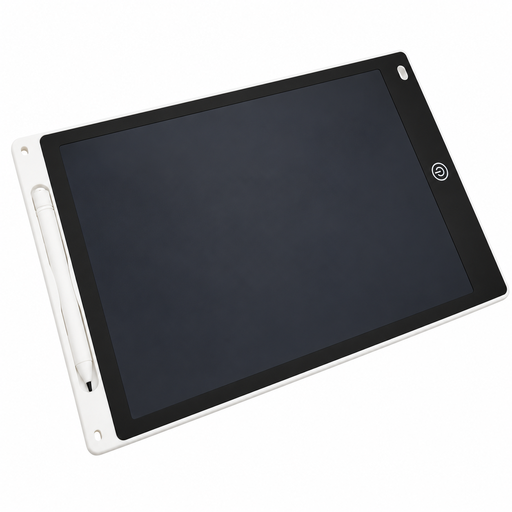
The Joybuy selection below includes a reusable LCD writing and drawing tablet for lettering practice and drafts. Separately, check whether your planned workflow lets you export a print-ready file.
 No image available
12-inch LCD drawing tablet with pen and erase function
According to the description, the reusable drawing surface is designed for drawing, handwriting practice and letter practice.
The description lists a 230 × 165 mm writing area, an included pen, an erase button and a lock to prevent accidental erasing.
According to the description, the erase button clears the entire image; the tablet is presented as a reusable writing and drawing surface.
View at Joybuy
Frequently asked questions
Is a USB-C port on my office computer enough for a pen display?
Not necessarily. For the USB-C-to-USB-C connection Huion describes for the Kamvas 13 (Gen 3), the port must support the specified data standard and DisplayPort video output, among other things. Huion also notes that a power supply is required and that the cable must be bought separately. Check your computer’s port and the specific package variant before buying.
How can I avoid blurry lettering on a printed card?
Set up your file for the intended finished size from the start, rather than greatly enlarging a small raster image when it’s time to print. Adobe explains that enlarging an image beyond its original pixel dimensions can make it blurry or reveal visible pixels. The specific file requirements of your printing service will determine what you need for your order.
What should I check about the pen and accessories before buying?
Compare what’s included with the exact variant. Wacom sells the One S variant CTC4110WLW3B without a pen or cable; Huion lists a PW600L as included with the Kamvas 13 (Gen 3), but no stand in the standard package. Also check that your computer supports the required connections.
What rights apply when buying online in Germany?
For a standard online purchase from a trader, you generally have a 14-day withdrawal period from delivery; statutory exceptions and rules on return costs apply. Your Europe, the European Union’s information portal, also distinguishes the statutory legal guarantee for faulty goods from a voluntary commercial guarantee, and states that the legal guarantee must last for at least two years.


