
Lieferung heute & morgen

Qualitätsgarantie

Willkommens-Angebote freischalten: KOSTENLOSE Lieferung | Bis zu 80 % RABATT | Kostenlose 30-Tage-JoyPlus-Testphase
App herunterladen
By the Joybuy Product Recommendation Officer, 14 July 2026
Long loading times, limited storage space, or a system struggling to keep up with modern applications—these are challenges familiar to many PC users and gamers. Upgrading your storage with a Lexar M.2 NVMe SSD can be an effective solution. However, the range of options is vast, and the technical specifications can seem complex at first glance.
This article serves as your guide. I, the Joybuy Product Recommendation Officer, will introduce various Lexar models and explain their key differences. This will empower you to make an informed decision perfectly tailored to your requirements—whether for gaming, professional applications, or a console storage upgrade.
Before we dive into specific models, here are some fundamental criteria to guide your selection.
The PCIe (Peripheral Component Interconnect Express) interface determines the maximum transfer speed of your SSD.
The storage capacity you need depends directly on your usage habits.
Two metrics are particularly relevant:
Here is a selection of Lexar SSDs suitable for different use cases and budgets.
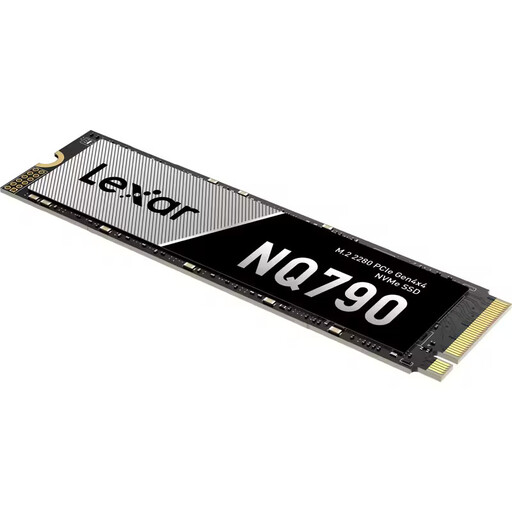
What Makes It Stand Out: The Lexar NQ790 is a high-performance NVMe Gen4 SSD that combines high speeds with a generous 2TB capacity. With read speeds of up to 7,000 MB/s and write speeds of up to 6,000 MB/s (manufacturer's specification), it is designed to drastically reduce loading times in demanding applications and games. Technologies like HMB (Host Memory Buffer) and SLC Caching help to optimise performance.
Advantages:
Who Is It For? This model is an excellent choice for PC gamers and content creators looking for a fast SSD for PC systems with PCIe 4.0. Thanks to its high performance and capacity, it is also a suitable foundation for a PS5 SSD expansion (a separate heatsink is required for installation in the console).
View the Lexar NQ790 2TB on Joybuy.de
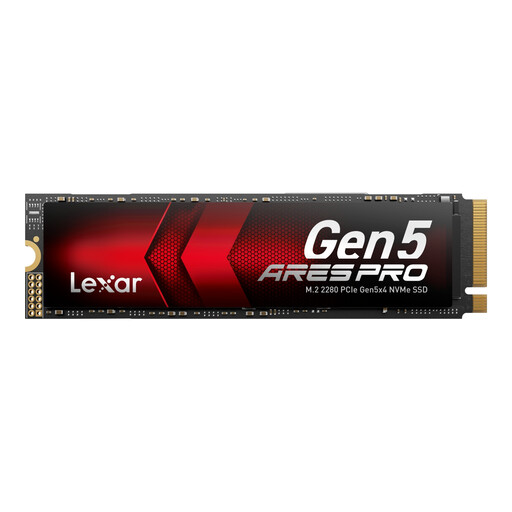
What Makes It Stand Out: The Lexar ARES PRO represents the pinnacle of current storage technology. As a PCIe 5.0 SSD, it delivers sequential read speeds of up to 14,000 MB/s, according to the manufacturer. It is engineered for the most demanding workloads, including AI applications, professional video editing, and AAA gaming on the latest generation systems. An integrated graphite heat spreader and Thermal Defender technology assist with thermal management under heavy load.
Advantages:
Who Is It For? The ARES PRO is aimed at power users, AI developers, and PC enthusiasts who own a system with PCIe 5.0 support and require maximum performance for next-generation applications. It is an investment in tomorrow's performance.
View the Lexar ARES PRO 1TB on Joybuy.de
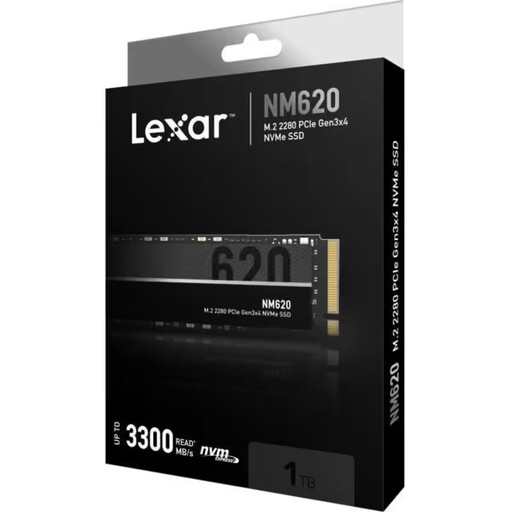
What Makes It Stand Out: The Lexar NM620 is a reliable and cost-effective 1TB internal SSD with a PCIe 3.0 interface. It offers a significant speed boost compared to traditional SATA SSDs, making it an ideal upgrade for older PCs or as a fast boot drive in a new build. With read speeds of up to 3,300 MB/s (manufacturer's specification), it noticeably accelerates the operating system and everyday applications.
Advantages:
Who Is It For? This model is ideal for PC users looking to upgrade from an old hard drive or a SATA SSD and want a solid performance boost on a budget. It is perfectly suited as a system drive or for general SSD for gaming on systems that do not have PCIe 4.0.
View the Lexar NM620 1TB on Joybuy.de
If these recommendations don't include the perfect model for your specific needs, or if you're looking for different capacities, you can find more options in our broader selection.
Discover Our Entire Range of Hard Drives & SSDs
1. Is a Lexar M.2 NVMe SSD compatible with my PlayStation 5? For a PS5 SSD expansion, you need an M.2 NVMe SSD with a PCIe 4.0 interface that meets the minimum speeds specified by Sony. Models like the Lexar NQ790 are technically suitable. It's important to note that for installation in the PS5, a separate heatsink must be installed to regulate heat dissipation.
2. What is the difference between NVMe and SATA SSDs? The main difference lies in the interface and speed. NVMe SSDs use the M.2 form factor and the fast PCIe interface, which communicates directly with the CPU. SATA SSDs use an older, slower interface. As a result, NVMe drives achieve multiples of the speed of SATA SSDs and are the top choice for a fast SSD for PC systems.