
Lieferung heute & morgen

Qualitätsgarantie

Willkommens-Angebote freischalten: KOSTENLOSE Lieferung | Bis zu 80 % RABATT | Kostenlose 30-Tage-JoyPlus-Testphase
App herunterladen
Choosing an internal SSD is a fundamental decision for the performance of a computer system or gaming console. A Lexar M.2 NVMe SSD uses the M.2 form factor and the NVMe protocol to communicate directly with the CPU via the PCIe interface. This results in significantly higher data transfer rates compared to older SATA-based drives. Selecting the right model depends on the user's specific requirements, existing hardware, and budget.
The decision to purchase a Solid State Drive should be based on an analysis of objective technical parameters. The following criteria are relevant for your selection.
The PCIe (Peripheral Component Interconnect Express) generation defines the maximum theoretical bandwidth of the interface.
The required storage capacity depends directly on the use case.
Before purchasing, you must check the compatibility of the M.2 slot on your motherboard or console. Most modern motherboards support M.2 2280 NVMe drives. For PCIe Gen4 and Gen5 SSDs in particular, adequate cooling with a heatsink is required to prevent thermal throttling under load and ensure consistent performance.
Based on technical specifications and different user profiles, we present three models from the Lexar portfolio.
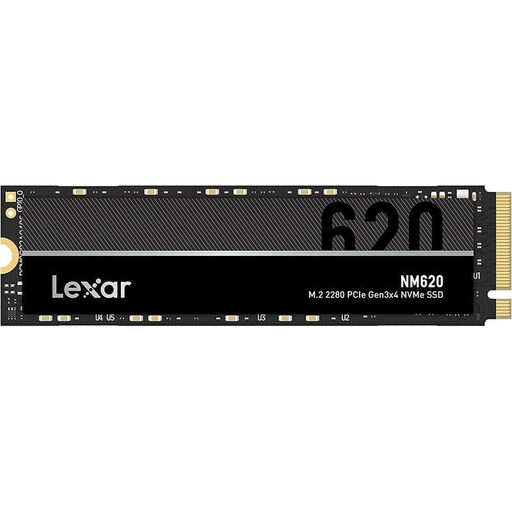
Why We Recommend This Product The Lexar NM620, with 2TB SSD capacity, delivers solid performance based on the PCIe Gen3x4 interface. It represents a significant upgrade over traditional SATA SSDs or hard drives and is suitable for systems that do not require or support the maximum speeds of Gen4 or Gen5.
Advantages
Who It's For This model is designed for PC users and gamers looking to upgrade a system with PCIe 3.0 support who are seeking excellent value. It is a fitting choice for everyday use, office applications, and less demanding games.
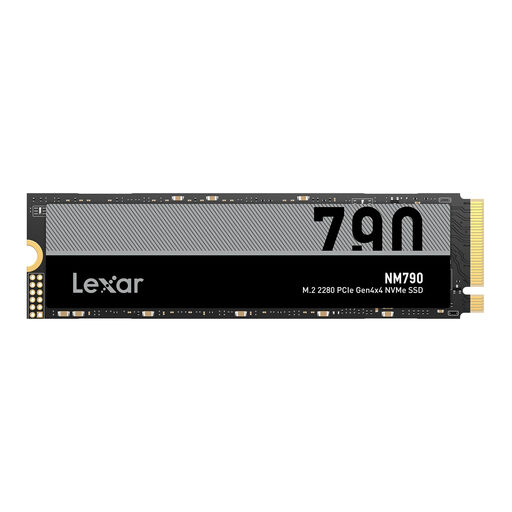
Why We Recommend This Product The Lexar NM790 with 4TB SSD capacity almost fully utilises the PCIe Gen 4 interface, offering high performance for demanding applications. Its specifications make it an excellent choice as a gaming SSD and for expanding the storage of a PlayStation 5.
Advantages
Who It's For This drive is aimed at PC enthusiasts, gamers with large game libraries, and content creators working with 4K video files. It is the ideal choice for users who need high capacity and fast loading times for their PC SSD or PS5.
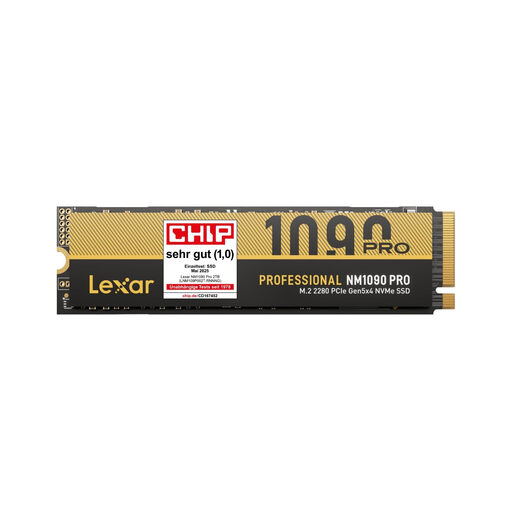
Why We Recommend This Product The Lexar NM1090 Pro is a PCIe Gen 5 SSD designed for maximum data transfer rates. It is intended for professional users and early adopters who need the latest technology for extremely data-intensive tasks such as AI workloads, real-time 3D rendering, or 8K video editing.
Advantages
Who It's For This model is designed for professionals and enthusiasts with a compatible system (a current CPU and motherboard with a PCIe 5.0 slot). It is the choice for users who want to make no compromises on storage performance and wish to equip their system for future demands.
If the models presented here do not exactly meet your requirements, you can find a broader selection of storage solutions in our main category. There, you can compare different capacities and performance tiers to find the perfect product for your system.
Discover more models in the PC Internal SSD Storage category
1. Will a Lexar M.2 NVMe SSD fit in a PlayStation 5? Yes, models like the Lexar NM790 are fully compatible with the PlayStation 5. The console requires a PCIe Gen4 M.2 NVMe SSD with a read speed of at least 5,500 MB/s. It is mandatory to use a heatsink to prevent overheating and performance throttling during operation.
2. What is the practical difference between PCIe Gen 4 and PCIe Gen 5 SSDs? The main difference lies in the maximum transfer speed. While a PCIe Gen 4 SSD reaches speeds of up to approx. 7,500 MB/s, a PCIe Gen 5 SSD can deliver over 12,000 MB/s. In practice, this primarily benefits very specific, professional applications, such as processing extremely large files. For everyday tasks and most games, the differences are currently less noticeable, as software often does not yet fully utilise the speed of Gen5.
3. Does my M.2 SSD need a heatsink? For PCIe Gen3 SSDs, a heatsink is generally optional but can promote longevity and consistent performance. For PCIe Gen4 and especially PCIe Gen5 SSDs, a heatsink is highly recommended or even mandatory. These drives generate significant heat under load, which leads to performance throttling without adequate cooling. Many motherboards already come with integrated M.2 heatsinks.