
Lieferung heute & morgen

Qualitätsgarantie

Willkommens-Angebote freischalten: KOSTENLOSE Lieferung | Bis zu 80 % RABATT | Kostenlose 30-Tage-JoyPlus-Testphase
App herunterladen
A 4TB SSD offers plenty of room for games, video projects and large data collections. But big numbers on the box don’t automatically mean it’s the right storage solution for you. When choosing the Lexar NQ790 4TB NVMe SSD, consider the interface, form factor, cooling and compatibility with your system together.
According to the product specifications, the Lexar NQ790 delivers sequential read speeds of up to 7000 MB/s and sequential write speeds of up to 6000 MB/s. These figures apply to compatible PCIe 4.0 systems and specific test conditions. An older motherboard with PCIe 3.0, a restricted laptop slot or lots of background processes running at once can all reduce real-world performance.
Random access speeds, loading times and your system configuration also matter for gaming and office applications. The advertised peak figures are therefore a useful technical benchmark, not a guarantee of the same speed in every application.
“M.2” alone doesn’t tell you whether a drive is compatible. The Lexar NQ790’s M.2 2280 form factor means it is 22 mm wide and 80 mm long. Before buying, check that your motherboard, laptop or expansion card supports this size and has a suitable M-key slot with PCIe connectivity.
Depending on the device, an M.2 slot may carry SATA signals only. A PCIe NVMe SSD won’t necessarily work in one of these slots. That’s why the details in your motherboard or device manual are more important than the “M.2” label alone.
A PCIe 4.0 SSD can generate heat during long write sessions, game installations or video projects. According to the datasheet, the Lexar NQ790 operates at 0 to 70 °C. A heatsink already fitted to your motherboard can help keep the operating temperature within the recommended range, provided it fits the drive.
Before installation, shut down your system completely and disconnect it from the mains. As the SSD is sensitive to electrostatic discharge, it’s best to work in an earthed environment. Insert the SSD at an angle of around 30 degrees, then secure it with the screw provided for the slot.
According to the product description, the Lexar NQ790 is suitable for PlayStation 5. Before buying, PS5 owners should still check Sony’s latest guidance and the required dimensions. A PS5 expansion will generally also need a compatible M.2 heatsink. The console must format the SSD before you can use it.
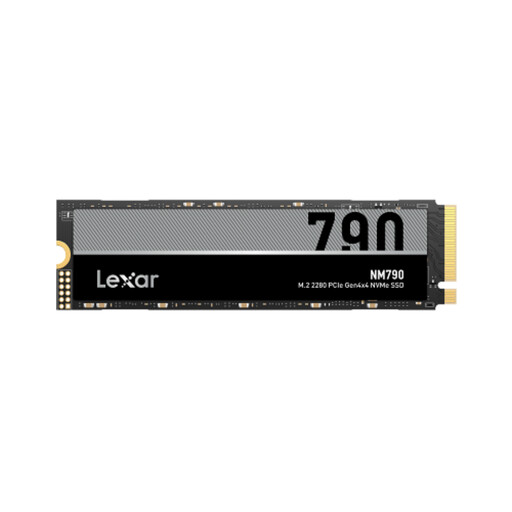
Why this product suits this profile: The 1 TB version offers the same features in a smaller capacity. It’s a good choice if you’re replacing a system or gaming drive and don’t need a huge amount of storage.
You won’t be choosing a larger capacity than you need. You can match your actual storage requirements to the M.2 2280 slot in your device.
PCIe Gen 4x4, NVMe and read speeds of up to 7000 MB/s according to the product specifications.
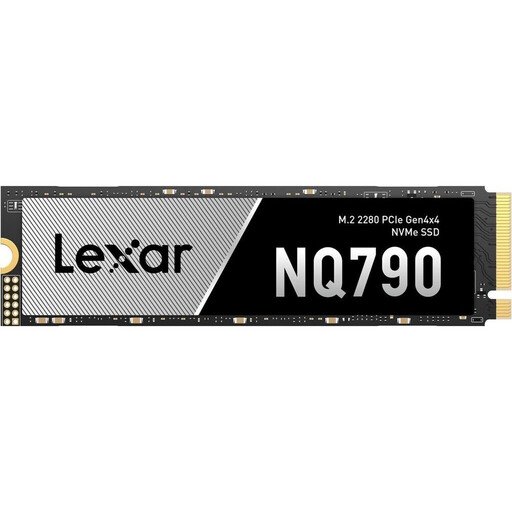
Why this product suits this profile: With 4 TB of storage, PCIe 4.0 and high sequential transfer speeds, this drive is ideal if you want to keep games, media projects and applications together on one internal drive.
Details such as the PCIe generation, M.2 format, TBW rating and operating temperature give you a clearer basis for choosing than marketing claims alone.
4 TB, read speeds of up to 7000 MB/s, write speeds of up to 6000 MB/s, 2400 TBW and a five-year limited manufacturer’s warranty, according to the product details.
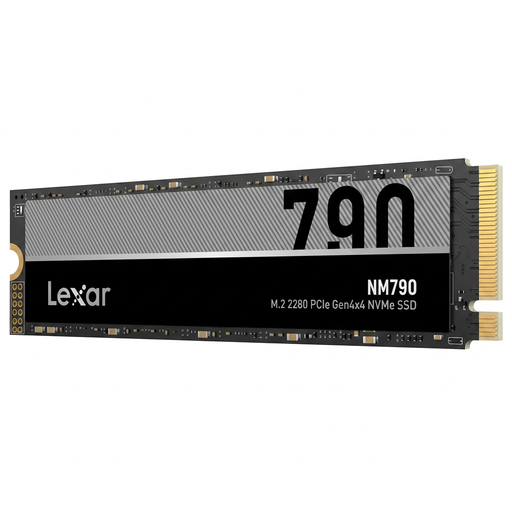
Why this product suits this profile: 8 TB is a good fit for large game libraries, extensive video collections and work files, helping you avoid constantly moving data to external storage.
The generous capacity means less need to move files between multiple drives. You should still check that it’s compatible with your device before buying.
8 TB capacity, M.2 2280 form factor and PCIe 4.0 NVMe connectivity, according to the product description.
We’ve put together a complete, regularly updated list of products that meet these strict selection criteria and the safety regulations in force across the EU.
According to the product specifications, this model is suitable for PlayStation 5. Before installation, check Sony’s latest requirements for M.2 dimensions, read speeds and cooling. A compatible heatsink may be required.
According to the datasheet, the Lexar NQ790 is backwards compatible with PCIe 3.0. However, its transfer rate will be limited by the older interface and won’t reach the advertised PCIe 4.0 peak speeds.
Manufacturer figures such as TBW, MTBF and the warranty period can help you assess a drive. Regular backups are still important, as no SSD is immune to faults or data loss. You should also keep the SSD within its stated operating temperature range and avoid leaving it completely full for long periods.