
Lieferung heute & morgen

Qualitätsgarantie

Willkommens-Angebote freischalten: KOSTENLOSE Lieferung | Bis zu 80 % RABATT | Kostenlose 30-Tage-JoyPlus-Testphase
App herunterladen
An NVMe SSD (Non-Volatile Memory Express Solid State Drive) is a central component for the performance of modern computer systems. Unlike older SATA-based drives, these storage modules communicate directly with the processor via the PCIe (Peripheral Component Interconnect Express) interface. This reduces latency and enables significantly higher data transfer rates. Choosing the right Lexar NVMe SSD depends on specific technical requirements and the intended use case, whether for a gaming PC, a workstation, or as a storage expansion for a console.
The decision for an internal SSD should be based on an analysis of objective parameters. The following criteria are crucial for selection.
The PCIe generation defines the maximum theoretical bandwidth of the interface.
The required storage capacity depends directly on the usage profile.
The M.2 2280 form factor (22mm wide, 80mm long) is the common standard for modern NVMe SSDs and is supported by most current motherboards and laptops. When used in a Sony PlayStation 5, note that the console mandates an SSD for PS5 with a heatsink to prevent overheating under sustained load.
Based on technical specifications and use cases, we present three models from the Lexar portfolio.
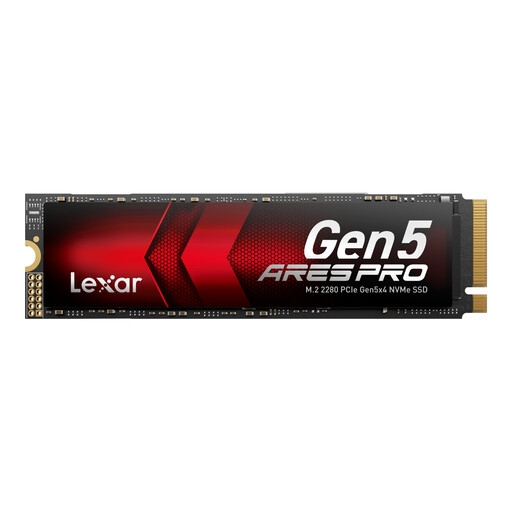
Technical Profile and Use Cases The Lexar ARES PRO utilizes the PCIe 5.0 interface to achieve sequential read speeds of up to 14,000 MB/s. This positions it at the forefront of currently available storage technology. Its high IOPS performance makes it particularly suitable for compute-intensive tasks like AI applications, where large data models need to be loaded quickly. The integrated "Thermal Defender" technology serves to regulate heat under load.
Specifications at a Glance
Ideal For This model is aimed at professional users and enthusiasts working in AI, 8K video editing, or scientific simulations who cannot compromise on storage performance. It is a future-proof investment for high-end workstations.
View Product: Lexar ARES PRO 2TB Gen5
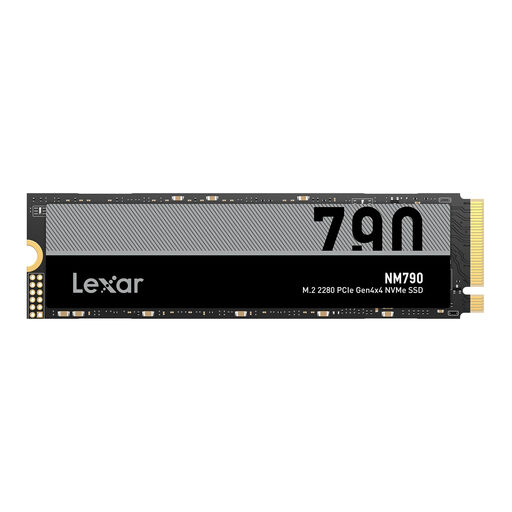
Technical Profile and Use Cases The Lexar NM790 offers a balanced combination of high speed and large capacity based on PCIe Gen4 technology. With read speeds of up to 7,400 MB/s, it nearly maxes out the Gen4 interface. Its high 4TB capacity makes it an excellent choice for users who want to store an extensive library of games or media content directly on a fast drive. It meets the technical requirements for a PlayStation 5 storage expansion (a separate heatsink is recommended).
Specifications at a Glance
Ideal For The NM790 is an ideal Gaming SSD for PC and PS5 players. It is also suitable for video producers and creative professionals who need a fast and spacious storage solution for their projects without relying on the even newer Gen5 technology.
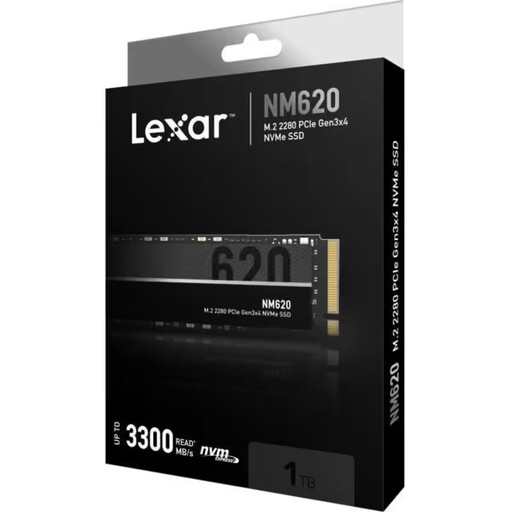
Technical Profile and Use Cases The Lexar NM620 is a PCIe Gen3 SSD that represents a significant performance leap over traditional SATA SSDs. With read speeds of up to 3,300 MB/s, it offers fast system boot-ups and short loading times for applications and games. The LDPC (Low-Density Parity Check) technology provides error correction and contributes to data integrity.
Specifications at a Glance
Ideal For This model is a pragmatic choice for upgrading laptops and desktop PCs that have an M.2 slot with a PCIe Gen3 connection. It is a cost-effective solution for users who want to leverage the benefits of an NVMe SSD for their everyday or gaming SSD for PC without needing the maximum performance of Gen4 or Gen5.
If the models presented here do not exactly meet your capacity or interface requirements, you can find a broader selection in our main category. There, you can compare various internal storage solutions to buy the right Solid State Drive.
View More Internal Solid State Drives
1. Is a Lexar NVMe SSD compatible with the PS5? Yes, certain models like the Lexar NM790 are suitable as an SSD for PS5. The console requires a PCIe Gen4 M.2 SSD that achieves a read speed of at least 5,500 MB/s. Additionally, the installation of a heatsink is mandatory to regulate the SSD's operating temperature. Always check the specific compatibility information from the SSD manufacturer and Sony's requirements.
2. What is the key difference between PCIe Gen4 and PCIe Gen5 SSDs? The primary difference lies in the maximum data transfer rate. PCIe Gen5 doubles the theoretical bandwidth of PCIe Gen4. In practice, this means a Gen5 SSD can load or save large files like 8K video footage or complex 3D scenes in about half the time. For everyday tasks and most games, the speed advantages of a Gen4 SSD are already more than sufficient. Gen5 SSDs are backward compatible and can be operated in Gen4 slots, but they will only achieve Gen4 speeds.
3. How is an M.2 NVMe SSD installed? The installation is a standardized process: