First, check whether your library provides the magazines you want through Onleihe, PressReader or an in-library service: a tablet alone won’t give you access. For illustrated guides, a larger colour screen makes sense if you’ll be reading at a table. A more compact device is easier to hold, but fixed-layout PDF pages may mean you need to zoom in more often. The specific service, compatible app or browser, and offline access if needed are also important.
Which tablet is right for you?
Readers of illustrated guides
If you want to view patterns, instructions and images at a library table without constantly moving around the page, try a typical issue on the screen first. The Onleihe help pages from divibib GmbH note that fixed-layout PDF pages with tables and images may be less suitable for smaller mobile devices.
Users of digital library services
If you’re choosing a tablet mainly for a particular magazine service, first check which service and titles your library offers. The Onleihe help pages from divibib GmbH and Chemnitz City Library describe different ways to access library services.
Readers who like to travel light
If you’ll be holding or carrying your tablet often, a more compact device may suit you better, though you may need to zoom in more on fixed-layout magazine pages. Lenovo lists the weight of the Tab One ZAF00255SE as approximately 320 g; you should also check how a typical issue looks on screen.
What should you look for when buying?
Larger Android tablet with a colour screen
A good fit if: You’ll mostly be reading full illustrated pages at a table and the service you want works on that particular device.
The trade-off: The larger format is less convenient to hold, and screen specifications alone don’t tell you how your magazine will look.
iPad
A good fit if: You want to use an iPad for library apps as well as other iPad applications.
The trade-off: Apple lists the Wi-Fi version of the iPad (A16) at 477 g; a compatible stylus doesn’t guarantee that you can annotate a borrowed magazine.
Compact Android tablet
A good fit if: You’ll often hold the device or carry it in a small bag, and don’t mind zooming in more on illustrated pages.
The trade-off: A smaller screen shows less of a fixed-layout page at once, so check how easy it is to read a typical guide.
Fire tablet with browser access
A good fit if: You specifically want to use Onleihe on the web in the Silk browser rather than the Onleihe 3 app.
The trade-off: The Onleihe help pages explain that the version 3 app isn’t available in the Fire tablet app store; check that you can access your title through the browser.
| Priority |
What to look for when buying |
Who should pay particular attention? |
| Easy-to-read illustrated pages |
Check a typical issue in the service you want and compare the page and text from your usual reading position. |
If you want to read guides without constantly zooming in, being able to see more of the page matters. Around 34% of consumers prioritise magazine pages that are easy to read. |
| Access to a library service |
Ask which titles and services are available, how to sign in and whether you need to be at a particular location. Then check the operating system, app and browser requirements. |
If you’re choosing a tablet for a particular library title, the service must work on your device. Around 33% of consumers prioritise access to the right library service. |
| Portability |
Compare the weight and dimensions of the exact model, including with the case you plan to use, and try viewing a magazine page. |
If you’ll often hold or carry the device, a more manageable size may matter more than seeing more of the page at once. Around 20% of consumers prioritise ease of holding and carrying. |
| Reading offline |
Try opening a downloaded issue without an internet connection and check whether an in-library service is available outside the library. |
If you want to keep reading without a reliable connection, check the offline features of the specific service. Around 13% of consumers prioritise reading offline. |
Avoiding common buying pitfalls
-
Assuming a large screen guarantees access to magazines
Your tablet doesn’t determine which titles your library offers or what sign-in requirements apply.
Check the specific service and title you want before choosing a device platform.
-
Assuming an older app means the current Onleihe app is supported
The Onleihe help pages explain that the Onleihe 3 app isn’t available in the Fire tablet app store. For Fire tablets, they describe Onleihe on the web in the Silk browser as an alternative way to access the service.
If you’re considering a Fire tablet, specifically test Onleihe on the web in the Silk browser with the title you want.
-
Assuming downloads guarantee offline reading
In August 2026, the Onleihe help pages reported device-specific limitations on offline use of their version 3 app.
Test the specific issue without an internet connection and, if needed, regularly sync the app while online.
-
Taking a similar model name as proof that it’s the same device
Variants may differ in model, storage or included accessories, even when their names are similar.
Check the full model name and variant details on the actual product page.
Key brands at a glance
Samsung
The Galaxy Tab A11+ is a larger Android option for reading at a table.
- Samsung lists an 11-inch screen and expandable storage for the Wi-Fi variant SM-X230NZAREUB.
- Manufacturer specifications don’t show how easy a particular magazine will be to read on the device; check the app and issue.
Xiaomi
The REDMI Pad 2 is another 11-inch Android option for illustrated content.
- Xiaomi lists a resolution of 2560 × 1600 pixels for this model.
- The resolution alone doesn’t prove that the display is better than other tablets or that you’ll have access to a particular library title.
Apple
The iPad (A16) combines a larger colour screen with the iPad app ecosystem.
- Apple lists the Wi-Fi version at 477 g, with a visible screen diagonal of 10.86 inches when measured as a rectangle.
- Apple Pencil compatibility doesn’t mean you can annotate borrowed magazines in every library app.
Lenovo
The Tab One ZAF00255SE is a compact Android alternative that’s easy to hold and carry.
- Lenovo lists an 8.7-inch screen, 1340 × 800 pixels and a weight of approximately 320 g for this model.
- The smaller screen is the trade-off with fixed-layout illustrated pages, so check how often you’ll need to zoom in.
Tablets at Joybuy
This Joybuy selection features Android tablets for reading illustrated magazine pages. Before buying, check that your library service works with the configuration of the device you choose.
 No image available
GOODTEL G11, 11-inch, Android 15
The 11-inch screen is worth considering if you want to read illustrated magazines at a table.
Listed in the title: 2176 × 1600 pixels, 256 GB storage and an EVA protective case. The description mentions access to Google Play.
View at Joybuy
 No image available
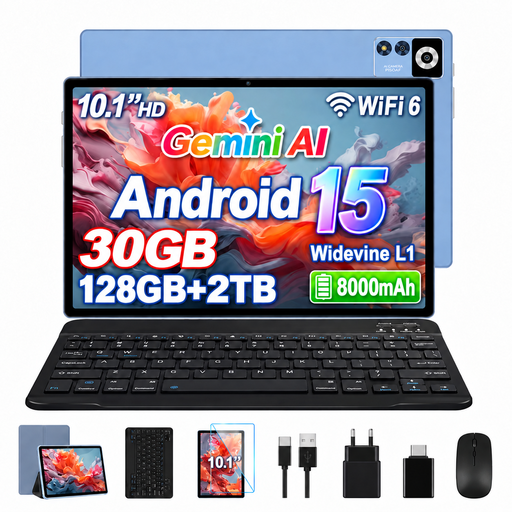
YESTEL T13, 10.1-inch, Android 15
The 10.1-inch screen may be suitable for reading magazines at a table; check how easy a typical issue is to read.
Listed in the title: IPS display with 1280 × 800 pixels, 128 GB storage, dual-band Wi-Fi and a protective case.
View at Joybuy
 No image available
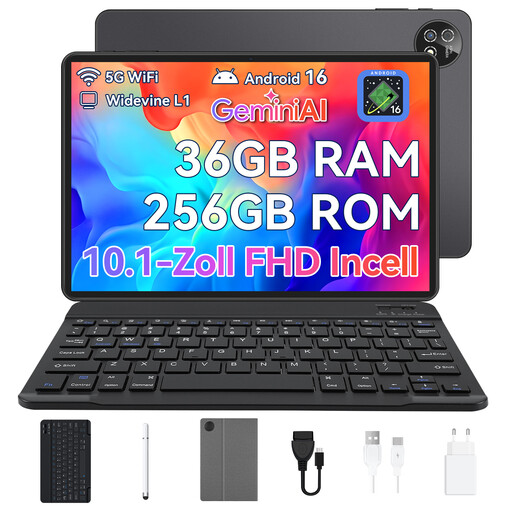
Android tablet, 10.1-inch, 256 GB
The 10.1-inch screen could be a suitable size for reading magazines at a table; check how it looks with your library service.
Listed in the title: Android 16, Unisoc T310 octa-core processor and a set including a keyboard, mouse and protective case.
View at Joybuy
 No image available
TECLAST P50, 11-inch, Android 15
The 11-inch screen is worth considering for illustrated pages at a table.
Listed in the title: 90 Hz, 8 GB RAM, 128 GB storage, dual-SIM 4G LTE and Wi-Fi.
View at Joybuy
Frequently asked questions
Do I need a library card to read digital magazines?
To use Onleihe, you need a valid card from a participating library and your library account sign-in details. Other services may work differently: Chemnitz City Library says you can access its PressReader service by signing in with your library card number and OPAC password. Ask your library about its own requirements.
Can I read magazines on a Fire tablet using the Onleihe app?
According to the Onleihe help pages, the Onleihe 3 app isn’t available in the Fire tablet app store. The help pages list Onleihe on the web in the Silk browser as an alternative; check there to see if the title you want is available.
How do I set up reading in the library itself?
First find out which service your library offers. For Onleihe, select your library and sign in with your library details; for sharemagazines, the Onleihe help pages describe access through a browser in the library and an app. Try the specific issue before settling on a device platform.
Are there any extra costs after buying a tablet, and how long can I borrow a magazine?
Fees, borrowing limits and loan periods depend on the terms set by your library or Onleihe network. Check card fees and the availability of the titles you want directly with your library. Your statutory rights against the seller and a voluntary manufacturer’s guarantee are separate entitlements.
Can I definitely read downloaded Onleihe magazines offline?
This can’t be guaranteed for every device. In August 2026, the Onleihe help pages reported device-specific limitations on offline use of their version 3 app and recommended syncing regularly while online. Test your issue before trying to read without an internet connection.


