Library e-book borrowers
You want to borrow fantasy novels digitally and mainly need a device that works with your library’s service.


If you want to use library e-books and other apps on one device, a tablet may be a good option, provided your library’s service is available on it. If you mainly read novels, a compatible E Ink reader is another option. With Fire tablets, check carefully that the library app you need is supported before you buy. Also compare screen size and weight for your reading spot, and test borrowed books before relying on offline reading.
You want to borrow fantasy novels digitally and mainly need a device that works with your library’s service.
You read for long stretches and are choosing between a handy tablet and an E Ink reader designed for reading novels.
You switch between novels, PDFs, magazines and audiobooks, so you need more than a device for reading text alone.
A good fit if: you often hold your device and want to use Android reading apps as well as read novels. Lenovo lists the Tab One ZAF00255SE as having an 8.7-inch screen and weighing around 320 g. Check the exact variant and your library’s app.
The trade-off: The smaller screen leaves less room for large text or full-page PDFs than a larger tablet.
A good fit if: you often want to use PDFs, magazines or other apps on a larger screen as well as read novels. Apple lists the iPad (A16) as having an 11-inch display.
The trade-off: According to Apple, the Wi-Fi model weighs 477 g. Consider whether the extra screen space is worth the added weight when holding and carrying it.
A good fit if: you have confirmed that the books and apps you need are available in the Fire ecosystem.
The trade-off: Google Play isn’t supported on the Fire HD 8 (2024). So don’t assume that the Onleihe app’s compatibility with Android devices means it will work on this model.
A good fit if: you mainly read novels and don’t need additional tablet apps. PocketBook lists the Verse Pro as having a 6-inch E Ink display and supporting Onleihe.
The trade-off: According to the service provider, Onleihe E-Audios can’t currently be used on e-readers.
First check that your library’s service and app work on the specific device. Then consider the text display that suits you and how the device’s weight feels at your reading spot.
| What to consider | What to look for | Who will find it especially important? |
|---|---|---|
| Library access | Check the operating system, access to the relevant app store and your library’s app. For Onleihe 3, the service provider specifies at least Android 10 or iOS 15.1. | If I want to borrow library books, the service needs to work on the specific device I own. Around 29% of consumers prioritise library access. |
| Reading comfort | Try a page from a novel at your preferred text size and consider whether a tablet or E Ink display is better suited to the way you read. | For long reading sessions, I want to choose a text size and display that work for me at my reading spot. Around 23% of consumers say reading comfort is their most important buying criterion. |
| Portability | Consider size and weight together, and allow for any case you plan to use. | If I’m carrying the device to the library and holding it while I read, a handy size matters more than extra screen space. Around 18% of consumers prioritise portability. |
| Total cost | Compare the same storage capacity and check which accessories are included. Check separately for any fees charged by your library. | Before buying, I want to know the combined cost of the device, any essential accessories and the content. Around 18% of consumers base their decision on the total cost. |
| Other media | For each type of media you want to use, check that it works with the specific device and app. | If I want to use audiobooks, magazines or other apps as well as read novels, a device designed for text alone may not be enough. Around 12% of consumers prioritise additional media. |
Google Play isn’t supported on the Fire HD 8 (2024). Onleihe’s help pages say its app is generally compatible with Android and iOS devices that can access their respective app stores. This information doesn’t automatically confirm that the app will work on a Fire device.
Before you buy, check whether you can install and use your specific library app on the model you want.
If the app you need doesn’t work, you may need an additional compatible device to use the service.
A charged battery won’t get around limitations in the Onleihe app: according to the service provider, downloaded media can’t currently be used reliably offline on all devices.
Download your borrowed title in advance and test it on the specific device without an internet connection.
Samsung lists 4 GB RAM for the 64 GB variant, and 128 GB of storage with 8 GB RAM for a different variant. These specifications don’t apply to the same configuration.
Compare the full model code, storage capacity and contents of the box for the specific offer.
If you need a different storage variant or extra accessories, the actual package may differ.
The Tab One ZAF00255SE is a compact Android tablet option for readers who often hold or carry their device.
The Galaxy Tab A11 is a range of compact Android tablets. Specifications vary by storage variant.
The iPad (A16) is an option for readers who want more screen space and access to iPad apps as well as a device for reading novels.
The Verse Pro is an E Ink reader and an alternative for those who mainly read novels borrowed from the library.
This selection of Joybuy products includes tablets with a range of screen sizes and operating systems. Before you buy, check that your library’s service is available on the model you’re considering.
 No image available
If you’re looking for a larger screen for reading novels, the 11-inch format may suit you.
Wi-Fi, 6 GB RAM and 128 GB of storage.
Check in advance that your library’s app works on this specific model.
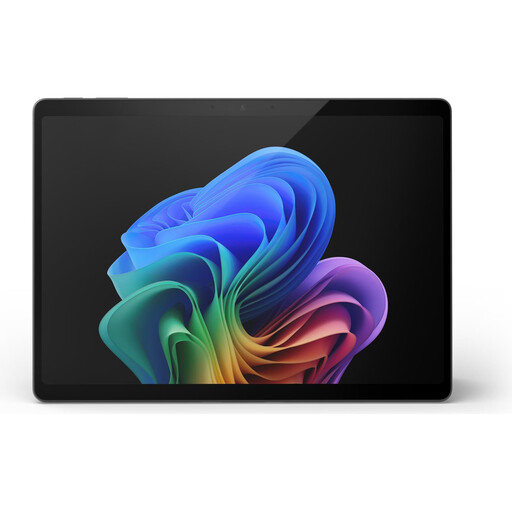 No image available
If you’re looking for a larger screen for reading, check first that the library service is available on this model’s operating system.
The product name lists a 13-inch touchscreen, Windows 11 Pro, Snapdragon X Elite, 16 GB RAM and 512 GB of storage.
 No image available
If you’re considering a larger tablet for reading, check that the library service is compatible with this model before you buy.
The product name lists a 12-inch touchscreen, Windows 11 Home, Snapdragon Plus, 24 GB RAM and 1 TB of storage.
 No image available
If you want to use the listed accessories as well as read novels, compare what’s actually included with what you need, and check that the library app works on the device.
The product name lists a 13.4-inch display, Android 16 and 2K resolution. It also lists 32 GB RAM (8 GB + 24 GB), 256 GB of storage and expandable storage of up to 2 TB.
 No image available
If you want to use the listed accessories as well as read, check that the library app is available on this specific tablet.
The product name lists Android 16, a 13.4-inch IPS display with a resolution of 1920 × 1200 pixels and 256 GB of storage. The RAM specification is 20 GB (8 GB + 12 GB virtual).
First, check which digital service your library offers. For Onleihe 3, the service provider says to install the app from Google Play or the Apple App Store, then sign in with your library account details. The app requires at least Android 10 or iOS 15.1.
Don’t assume you can with Onleihe 3. The service provider says downloaded media can’t currently be used reliably offline on all devices. Test the specific title in offline mode before your reading session.
No. According to Onleihe’s help pages, you can use E-Audios through the app on compatible smartphones and tablets. These Onleihe media aren’t currently available on e-readers.
Your statutory rights against the seller are separate from a voluntary manufacturer’s warranty. The Verbraucherzentrale says that new goods are generally covered by a two-year statutory warranty. Under the conditions it describes, the period may be extended to three years following a repair from 31 July 2026.