Joybuy products for reading and annotating
This selection includes lightweight laptops for reading and writing text, as well as a 2-in-1 model for handwritten input on the screen.
 No image available
Lenovo Yoga Slim 7i Aura Edition 14″, Core Ultra 7 355, 16 GB/1 TB
A possible choice if you often move between library workspaces and mainly work with a keyboard and PDFs.
14″ OLED display with 2880 × 1800 pixels; 16 GB RAM and 1 TB SSD.
The product description lists a weight of 1.14 kg and a German keyboard.
View at Joybuy
 No image available
HP OmniBook Ultra 14-kd0072ngx, Core Ultra 7 356H, 16 GB/1 TB
An option for highlighting text and longer typing sessions, with the added benefit of a touchscreen.
14″ 3K OLED touchscreen, 16 GB RAM, 1 TB SSD and Windows 11 Home.
The product description lists a weight of 1.27 kg and a backlit keyboard. A touchscreen alone doesn’t confirm stylus support.
View at Joybuy
 No image available
HP OmniBook Ultra Flip 14-fh0670ng, 32 GB/1 TB
This 2-in-1 configuration suits a workflow where you want to switch between typing and handwritten notes on the screen.
14″ OLED touchscreen with 2880 × 1800 pixels, 32 GB RAM and 1 TB SSD; Intel Core Ultra 7 258V and Windows 11 Home.
The product description lists an included stylus, several usage modes and a weight of 1.34 kg. A power adapter is also listed as included.
View at Joybuy
 No image available
Apple MacBook Air 13-inch M5, 16 GB/512 GB, Midnight, German QWERTZ keyboard
A traditional laptop option if you mainly highlight text, manage references and type longer passages.
13.6″ display, 16 GB unified memory and a 512-GB SSD.
The product description lists a weight of 1.23 kg. According to the product description, a power adapter isn’t included.
View at Joybuy
 No image available
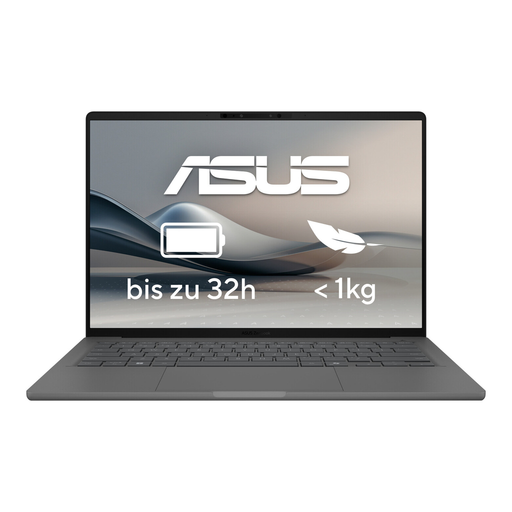
ASUS Zenbook A14 OLED UX3407RA-QD011W
A lightweight traditional notebook option if you mostly read papers on screen and work with a keyboard.
14″ OLED display, 16 GB RAM and a 512-GB SSD.
The product description lists an approximate weight of 1.2 kg, as well as Thunderbolt 4, USB-A and HDMI.
View at Joybuy
Frequently asked questions
Do I need a touchscreen to highlight research papers?
No. You don’t need a touchscreen to highlight text in PDFs. Zotero supports text highlighting and transferring highlights into notes; if you regularly want to write or sketch directly on the screen, check that the specific device supports stylus input.
How do I share Zotero annotations with someone who opens the PDF in another reader?
Export the PDF with annotations embedded, then check the exported file before sharing it. According to Zotero, annotations made in its built-in reader are stored in the Zotero database and won’t appear in external PDF readers unless you export them this way.
What should I set up before my first library session?
Test your PDF reader with one of your own papers and check that you can find your highlights and notes again, and export them as intended. If you’re using a stylus device, also check that the exact device and stylus are compatible.
Are the stylus and charger always included?
No, what’s included depends on the specific configuration. Lenovo lists the stylus as optional for the Yoga 7 reviewed here; no power adapter is listed for the Dell Inspiron 7440 configuration viewed. Check the details of the offer you’re choosing.
What are my legal rights if I buy a new faulty product from a trader?
According to official EU consumer information, goods you buy from a trader in the EU are covered by a legal guarantee of at least two years from the date you receive them. Any additional manufacturer’s guarantee offered doesn’t replace this right; the EU information explicitly excludes purchases from private individuals.


