Handwriting enthusiasts
If you write summaries by hand and want to mark up documents, check the stylus support for the exact model and what’s included in the box. Apple, Samsung and Lenovo list different stylus options for their respective models.


If you want to use notes, PDFs and other study apps together, a versatile iPad or Android tablet could be a good fit, as long as your chosen app and stylus work with the specific model. If you mainly read, annotate by hand and organise notes, a paper tablet may be worth considering. Check how you can export your work, as well as which features require Wi-Fi or an account. Download important documents before your library visit and test that you can access them offline.
If you write summaries by hand and want to mark up documents, check the stylus support for the exact model and what’s included in the box. Apple, Samsung and Lenovo list different stylus options for their respective models.
If you annotate lecture notes and want to find or export them later, try out the complete process in your preferred app. Goodnotes describes importing, syncing and exporting differently depending on the platform and subscription plan.
If you don’t want to rely on a stable connection in the library, download important files beforehand and test which tasks work without Wi-Fi. Goodnotes and reMarkable specify conditions for using certain documents and features offline.
Choosing is easier when you first decide which part of your library workflow matters most: organising notes, writing by hand, reading offline, carrying your device or putting together the features you need.
A good fit if: you want a versatile tablet for lecture notes and study apps, and your note-taking app works with iPadOS.
Bear in mind: Apple lists compatible Pencil models for the iPad (A16), but a Pencil isn’t included in the stated tablet package.
A good fit if: you want to work by hand in PDFs and note-taking apps, and choose between device models or accessory bundles.
Bear in mind: Samsung says the Galaxy Tab S10 FE comes with an S Pen, while Lenovo lists the Tab Pen as optional for the Tab M11.
A good fit if: you mainly read documents, annotate by hand and organise notes, rather than using a general-purpose tablet app setup.
Bear in mind: The reMarkable Paper Pro requires Wi-Fi and an account for handwriting conversion; certain cloud and app features require Connect.
These five considerations can help you organise your requirements when choosing a tablet for study notes in libraries in Germany.
| Buying consideration | What to check | Who it matters most to |
|---|---|---|
| Organising notes and PDFs | Import one of your own lecture notes, file it under a subject, then test annotation and export. | If I want to find or export lecture notes and handwritten notes later, I need a workflow that works with my note-taking app. Around 28% of consumers put organising notes and PDFs together at the top of their list. |
| Handwriting and mark-ups | Check the exact stylus version, model compatibility and what’s included in the box. | If I write summaries by hand and want to mark up documents directly, I need a compatible stylus. Around 22% of consumers prioritise handwriting and marking up documents. |
| Offline access | Download important files in advance and test the task you need to do without a connection. | If I want to access lecture notes and study notes in the library without Wi-Fi, my main workflow needs to work offline. Around 22% of consumers prioritise offline access. |
| Portability and viewing | Compare the dimensions and weight of the specific version, and check how your PDFs look on the display. | If I regularly carry my device and read longer texts at a library desk, it needs to suit the way I travel and the viewing experience I need. For 17% of consumers, ease of use on the go is the main priority. |
| Features you need | Work out which stylus, keyboard and app features you actually need, and what’s included in the offer. | If I want to set up a complete note-taking system, I need to know exactly which accessories and features are required. Around 11% of consumers focus primarily on the equipment they need for their entire workflow. |
A compatible stylus isn’t automatically included with the tablet. Apple lists compatible Pencil versions for the iPad (A16), while Lenovo describes the Tab Pen for the Tab M11 as optional.
Check the model number, exact stylus version and contents of the specific offer together.
If the compatible stylus isn’t included, it isn’t part of the offer.
Goodnotes notes that on Android and Windows, a document that’s only available online can’t be opened without an internet connection.
Download an important set of lecture notes beforehand and try opening it without a connection.
According to reMarkable, handwriting conversion on the device requires Wi-Fi and an account, but not a Connect subscription. Certain cloud and app features, however, are part of Connect.
Check the features you need individually and compare them with what’s included in the relevant Connect features.
The 11-inch iPad (A16) is an option for a versatile note-taking and PDF workflow with iPadOS.
The Galaxy Tab S10 FE is an Android option for handwritten notes and PDFs.
The Tab M11 is another Android option if you check which stylus and accessories are included with your configuration.
The Pad 7 is an Android option for reading PDFs and working across apps.
The Paper Pro is designed for reading, annotating by hand and organising, rather than for a general-purpose tablet app setup.
The Joybuy products below include general-purpose Android and Windows tablets for digital study materials. If you take handwritten notes, check stylus support, compatibility and what’s included with the specific version.
 No image available
As a Windows tablet with a touchscreen, it’s worth considering for digital study materials. Before you buy, check that your note-taking app and chosen stylus work with the specific configuration.
Windows 11 Home; 12-inch touchscreen; 3:2 display with 2.196 × 1.464 pixels; 686 g.
 No image available
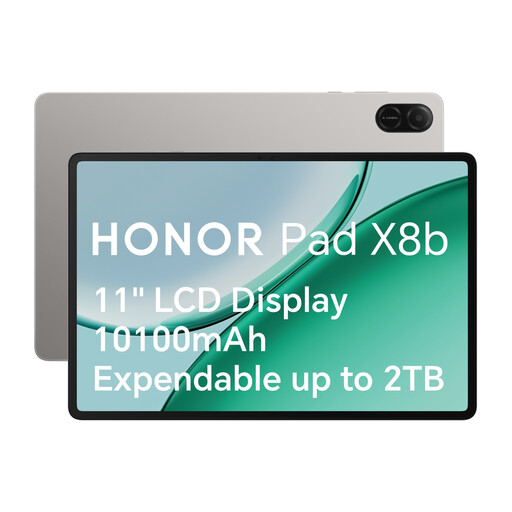
It’s one option for using PDFs and note-taking apps on Android. If you need a stylus, check its compatibility and whether it’s included separately.
Android tablet; 11-inch display with 1920 × 1200 pixels; 499 g.
 No image available
The keyboard set is worth considering if you want to work on study materials using a keyboard as well as the touchscreen.
Android 16; Unisoc T310; 36 GB RAM; 256 GB ROM; keyboard set.
 No image available
If you want to plan for both handwritten notes and typing, the product title lists a touch pen and keyboard set.
Android 16; Unisoc T310; 36 GB RAM; 256 GB ROM; 6000 mAh.
 No image available
The described combination of a stylus and detachable keyboard is worth considering if you want to combine handwritten notes and typing in one workflow.
36 GB RAM (6+30); 256 GB storage; octa-core processor.
Open important files online first, then test them without a connection. Goodnotes notes that on Android and Windows, a document that’s only shown as available online can’t be opened offline, so wait until it has fully loaded.
No. According to reMarkable, handwriting conversion requires Wi-Fi and signing in to a reMarkable account. The manufacturer says a Connect subscription isn’t needed for conversion on the device; different conditions apply to certain features in the desktop and mobile apps.
Check that the app you actually use is syncing, and export important notes as well. According to Goodnotes, syncing between Apple and non-Apple devices requires Goodnotes Cloud on the Apple device and a Goodnotes Pro plan. Goodnotes also recommends exporting important notebooks as separate copies for Android, Windows and web.
For a distance-selling contract with a consumer, you generally have a statutory right to cancel. The standard cancellation period is 14 days, although the start of the period and statutory exceptions should be taken into account (Sections 312g and 355 of the German Civil Code (BGB)). If newly purchased goods are faulty, you can generally exercise your statutory rights within two years of delivery, as explained by the Verbraucherzentrale. These statutory rights are not the same as a voluntary guarantee.