Which size is right for you?

Readers of long PDFs and essays

If you read longer film reviews, some with illustrations, at a library table, check that text and images fit comfortably on the page in your preferred view. Apple and Xiaomi publish resolution and display-size details for their respective models.

Library borrowers

If you want to read your library’s e-books or e-magazines on a tablet, check the available access options and your device’s compatibility. Onleihe’s help pages explain the app’s supported formats and system requirements.

Readers who often hold their tablet

If you often take your tablet with you or hold it while reading, weigh the convenience of a more compact display against the visible area available for full PDF pages. Samsung lists an 8.7-inch display for the Galaxy Tab A11; Apple gives the iPad (A16) Wi-Fi a weight of 477 g.

What should you look for when buying?

Buying priority What to check Who is it important to?
PDF readability Open a typical film review using your preferred text size and image view; compare the display size and resolution of the specific model. If I want to view full pages and film stills without constantly adjusting the layout, seeing the whole page matters to me. Around 36% of consumers put readability of longer texts first.
Library access Check that the title and format you’re looking for are available from your library. Onleihe’s help pages list Android 10 or iOS 15.1, as well as the relevant official app store, as requirements for the Onleihe 3 app. If I want to read borrowed texts directly on my tablet, it needs to support access to my library’s collection. Around 29% of consumers prioritise access to library content.
Portability Consider the device’s weight with the case you plan to use, and view a typical film review on the tablet in portrait orientation. If I often hold my tablet, a comfortable size matters more to me than having as much screen space as possible at once. Around 21% of consumers prioritise portability.
Notes and annotations Check stylus compatibility for the exact model, what’s included in the box, and the features available in your reading or PDF app. If I want to jot down thoughts next to passages or film stills, I need a compatible stylus and a suitable app. Around 14% of consumers prioritise notes and annotations when reading.

Common misconceptions

  • Choosing based on screen size alone

    A larger display can make full PDF pages easier to view, while a smaller device may be more comfortable to hold. Technical specifications don’t tell you how easy your specific documents will be to read.

    Before you buy, open a typical film review or PDF page in the view you expect to use.

  • Assuming every tablet supports every library service

    Access depends on your library’s collection and the service it uses. Onleihe’s help pages distinguish between the supported app and web access.

    First check whether the title you want is available and how your library provides access. Then check that the tablet’s operating system and app store meet the requirements.

  • Assuming a stylus or power adapter is included

    Stylus compatibility doesn’t necessarily mean one is included. Xiaomi specifically states that the Redmi Pad 2 doesn’t come with a power adapter.

    Check what’s included and which accessories are compatible with the exact model you’ve chosen.

Brands to consider

Apple

The iPad (A16) combines an 11-inch-class display with officially listed Pencil compatibility. It’s an option if you read illustrated texts and want to make notes.

  • Apple lists the iPad (A16) Wi-Fi at 477 g, with a resolution of 2.360 × 1.640 pixels.
  • The Pencil isn’t listed as included with the tablet on the specifications page mentioned. Check the stylus accessories and PDF app you’ll need for your intended use.

Samsung

According to their respective German product pages, the Galaxy Tab A11 models come with either a more compact 8.7-inch display or a larger 11-inch option.

  • Samsung lists a resolution of 1.340 × 800 pixels for the Galaxy Tab A11. The A11+ also offers features including microSD expansion and a 3.5 mm jack.
  • Storage and features vary by model, so check the details for the exact version you’re choosing.

Xiaomi

The Redmi Pad 2 is another option, with an 11-inch colour display for text and images.

  • Xiaomi lists a resolution of 2.560 × 1.600 pixels, a reading mode and a weight of 510 g.
  • The German specifications sheet says that no power adapter is included. Manufacturer specifications and display certifications can’t predict how comfortable you’ll find the tablet personally.

Lenovo

The Tab M11 is an Android tablet range in which storage and power-adapter configurations vary by model.

  • Lenovo’s PSREF specifications sheet lists different storage and power-adapter configurations depending on the model, as well as Android 13 or later.
  • You can’t match the listed specifications to a specific version without checking the exact model you’re buying. The stated battery life is based on internal tests under favourable conditions.

Suitable tablets at Joybuy

The following Joybuy tablet options include larger models for film reviews, PDFs and illustrated texts. For each version, check the display specifications and accessories, and consider how you plan to use it.

Samsung Galaxy Tab A11+ X230, 11-inch, Wi-Fi, 6 GB RAM, 128 GB, Grey

Samsung Galaxy Tab A11+ X230, 11-inch, Wi-Fi, 6 GB RAM, 128 GB, Grey

The 11-inch display is an option if you want to read longer film reviews and illustrated pages on a larger screen.

The product specifications list a resolution of 1.920 × 1.200 pixels and a weight of 482 g; weight alone doesn’t indicate how comfortable it is to hold.

View at Joybuy
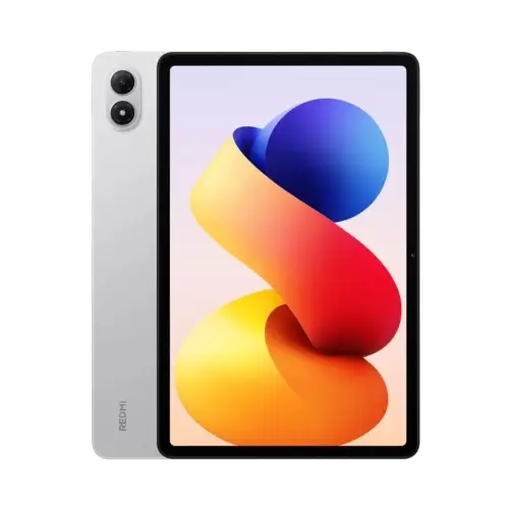
Redmi Pad 2 Pro Wi-Fi, 8 GB RAM, 256 GB

Redmi Pad 2 Pro Wi-Fi, 8 GB RAM, 256 GB

The larger display is an option if you want to read longer texts and full PDF pages.

The product specifications list a 12.1-inch display with a resolution of 2.560 × 1.600 pixels.

View at Joybuy

UXD Android 16 tablet, 13.4-inch, 128 GB, with keyboard, mouse and stylus

UXD Android 16 tablet, 13.4-inch, 128 GB

The large display may suit table-top use if you want to view text and images on a bigger screen.

The product title lists an IPS display with a resolution of 1.920 × 1.200 pixels, plus a keyboard, mouse and stylus in the box.

View at Joybuy
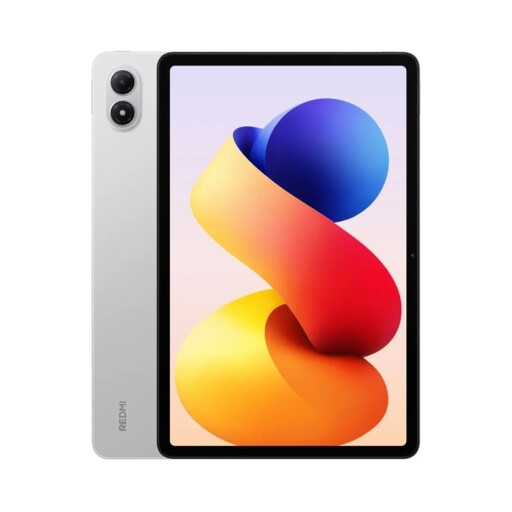
Redmi Pad 2 Pro, 6 GB RAM, 128 GB, Silver

Redmi Pad 2 Pro, 6 GB RAM, 128 GB, Silver

If you want to read film reviews and illustrated texts on a large screen, this is another 12.1-inch option.

The product title lists a 2.5K display; the product description specifies a resolution of 2.560 × 1.600 pixels and a 120 Hz refresh rate.

View at Joybuy

TECLAST ArtPad Pro, 12.7-inch, 2K, 256 GB, with stylus

TECLAST ArtPad Pro, 12.7-inch, 2K, 256 GB

The large display is an option for film reviews and images that you want to read on a bigger page.

The product title lists an included stylus with 4.096 pressure levels. Check that your reading or PDF app supports the annotations you want to make.

View at Joybuy

Frequently asked questions

Can I read film reviews from my library on any tablet?

No, it depends on your library’s collection and the access options it offers. Onleihe’s help pages list Android 10 or iOS 15.1, and the relevant official app store, as requirements for the Onleihe 3 app. Check whether your library offers the text you want digitally and whether your device meets the requirements.

How do I set up Onleihe on a compatible tablet?

According to Onleihe’s help pages, you install the app from Google Play or Apple’s App Store, then sign in with a valid library card and the associated password. To find out whether a particular film review is available, check your library’s collection.

Will I need extra accessories for note-taking or charging?

It depends on the model and how you plan to use it. Apple lists compatible Pencil models for the iPad (A16), while Xiaomi specifically says that the Redmi Pad 2 doesn’t come with a power adapter. Before you buy, check what’s included and which accessories are compatible with the exact model.

What are my rights when buying a tablet online in Germany?

According to the consumer advice centre, online orders generally come with a 14-day cancellation period from the date you receive the goods; exceptions and the cancellation information should be checked. EU consumer information states that faulty goods are covered by a minimum two-year legal guarantee from receipt, and distinguishes this from any additional manufacturer’s warranty.