For close-ups of your knitting
If you’re filming your hands and stitches up close, pay attention to how the light falls and where shadows appear. Rollei and Canon Europe offer guidance on lights and diffused lighting.


For knitting videos, the key is to light your stitches clearly and position the light so your hands don’t block your work. A small spotlight won’t necessarily illuminate the whole table, so check whether you have room for a stand or need a suitable mount. Record a test video at your own table: brightness figures only apply at the specified measuring distance.
If you’re filming your hands and stitches up close, pay attention to how the light falls and where shadows appear. Rollei and Canon Europe offer guidance on lights and diffused lighting.
If your camera and knitting leave little room, choose a mount that works with the edge of your table, your tripod or your existing set-up. SmallRig and Elgato describe lights with a threaded mount or monitor mount.
If you film at different times of day or in different places, adjustable white light and a suitable camera white balance can help you capture yarn colours consistently. Ulanzi and Adobe explain the relevant features and settings.
Choose according to what matters most to you: clear stitches first, followed by free table space, accurate yarn colours and a power supply that suits the length of your recording.
| Priority | What to check before buying | Who is this important to? |
|---|---|---|
| Show stitches without distracting shadows from your hands | Check for a diffuser or light panel, as well as the angle and brightness; record a test with both hands in your usual working position. | When I move my hands as I knit, I still want the stitches to be easy to see. Around 31% of consumers would therefore prioritise light distribution and shadows. |
| Keep the work surface clear | Check how much room the stand needs, or whether there’s a suitable, secure mount; make sure it can move freely above your work. | When the camera, my hands and my yarn already take up space on a small table, I want to attach the light outside the work area if possible. Around 25% of consumers would prioritise the mounting method and space required. |
| Capture yarn colours consistently | Check that the exact model variant has adjustable white light, and set the camera’s white balance to match. | If I want the yarn to look as close as possible to its real colour in the video, I look for white light rather than relying on colour effects alone. Around 25% of consumers would first check the white light and camera settings. |
| Finish recording without the power cutting out | Check the battery life at your planned brightness, whether the light can be powered while in use, and whether a mains adaptor or cable is included. | If a knitting demonstration runs long, I don’t want to have to stop because the battery has run out. Around 19% of consumers would prioritise battery life and power supply. |
Manufacturer figures for the Rollei LUMIS Key Light 28555, SmallRig P96 Neo and NEEWER NL660 kit are measured at different distances. They can’t therefore be used to make a direct comparison of brightness at your own knitting table.
Only compare figures measured on the same basis, and test your planned set-up with a recording.
A threaded socket alone won’t give you a secure way to position the light outside your work area. Check the thread, the mount included and the load capacity of the mounting point for the specific model variant.
Depending on your set-up, you may also need a suitable mount or tripod.
Ulanzi distinguishes between the VL49 RGB and the white VL49. In addition, one Joybuy listing has a product name that doesn’t match the model details shown on the page.
Check the full model name against the technical details on the product page before relying on a particular variant or its mounting options.
Rollei says the LUMIS Key Light Pro does not include a USB mains adaptor; optional NP-F batteries are not included with the NEEWER NL660 twin kit.
Check what’s included, the electrical input specifications and how long you plan to record. Depending on the model, you may need a suitable USB power supply or a battery sold separately.
LUMIS Key Lights are tabletop panels with a tripod, designed for a fixed filming position.
The P96 Neo Bi-Color 5820 is a small light that needs a suitable separate mount.
The VL49 RGB is a small, battery-powered light for changing positions; the white VL49 is a different variant.
The European NL660 twin kit is designed to light a larger work area using separately positioned lights.
The Key Light Neo is a compact monitor light and is only suitable for filming at a table if it can be positioned at the right angle.
This selection includes compact lighting options for video recording, including ring lights and small camera lights. Before you choose, check that the light size, mounting options and power supply suit your table and the length of your recording.
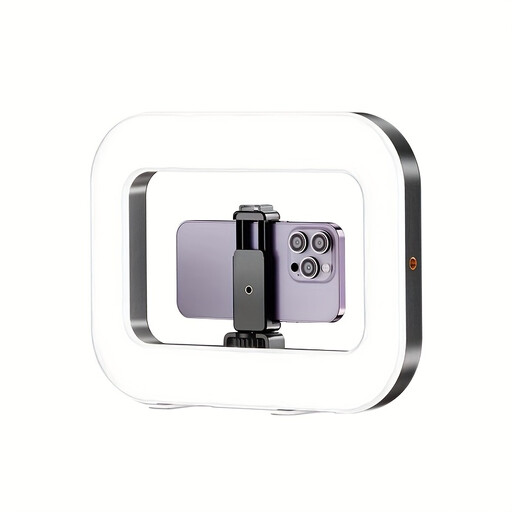 No image available
A good option if you record videos on your smartphone and want a flexible way to mount the light.
The product description specifies a built-in battery, three adjustable colour temperatures and brightness settings, plus 1/4-inch threaded sockets on the bottom and sides.
 No image available
A compact option if you want to attach the light to a camera or tripod.
The product description specifies a 3.100-mAh battery, a colour temperature range of 2.500–9.000 K, dimmable light, a 1/4-inch thread and a cold shoe mount.
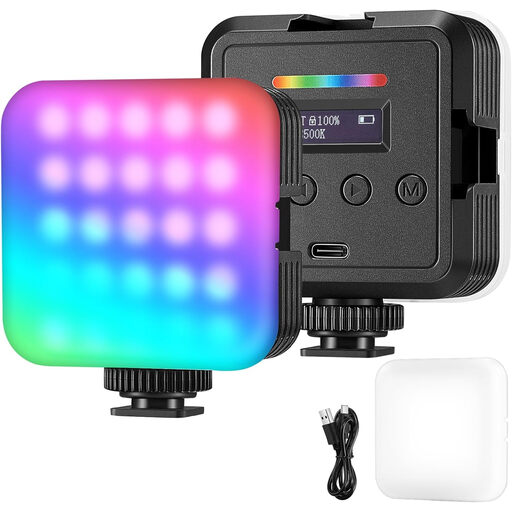 No image available
A useful option for changing filming conditions if you want to adjust the light’s colour and brightness.
The product description specifies adjustable colour temperature and brightness, with battery or USB power.
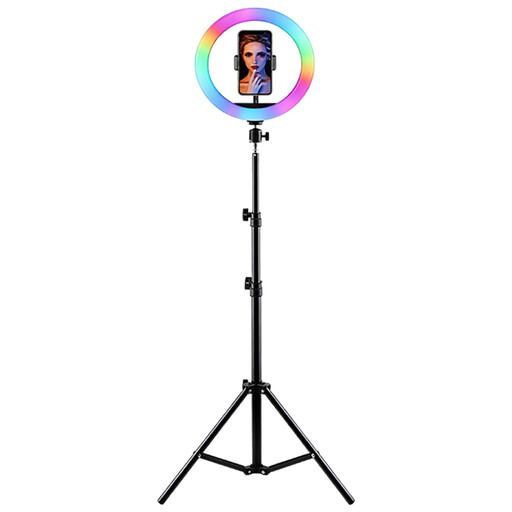 No image available
A good option if you film on your smartphone and have room to set up a tripod with a holder.
The product title specifies a height-adjustable stand, a smartphone holder, and adjustable brightness and colour temperature.
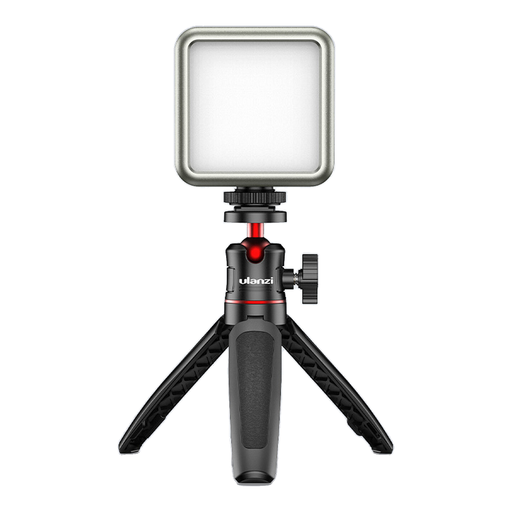 No image available
A small light could be useful if you film from different positions, provided the model and mounting options suit your planned set-up.
The name ULANZI VL49 RGB and the model details given can’t be confidently matched to the same variant. Carefully check the model number and mounting options before deciding to buy.
Record a short test with both hands in your usual working position. Check that the stitches remain visible. If needed, adjust the angle or position of the light rather than simply turning up the brightness.
No. To capture yarn colours consistently, it’s important to set the white light and camera white balance correctly. RGB is an extra creative feature on the Ulanzi VL49 RGB, but it doesn’t guarantee colour-accurate footage.
Test the light with your intended brightness and camera by recording a short clip. Sony Support notes that flickering light sources can cause banding, and adjusting the shutter speed may help. The anti-flicker features available depend on your camera model.
According to information from Your Europe, European Union, CE marking is only required when the relevant harmonised EU rules require it for that product. The marking is a declaration by the manufacturer, not general proof that every product listing has been independently tested.
For a covered consumer purchase, statutory claims relating to a lack of conformity are generally made against the seller; a voluntary manufacturer’s guarantee is separate. The European Commission describes the EU legal framework as providing for at least two years of seller liability for covered faults.