
Lieferung heute & morgen

Qualitätsgarantie

Willkommens-Angebote freischalten: KOSTENLOSE Lieferung | Bis zu 80 % RABATT | Kostenlose 30-Tage-JoyPlus-Testphase
App herunterladen
The search for a suitable lightweight wireless gaming mouse can quickly become overwhelming. Manufacturers advertise ever-higher DPI counts and lower weights. But not every spec that looks impressive on paper translates to a better gaming experience in practice. As your Joybuy Product Recommendation Officer, I'll help you identify the crucial features and avoid common marketing traps.
Before we dive into the key parameters, let's clear up three common misconceptions that often lead to poor purchasing decisions.
To make the right choice, you should focus on objective technical features that directly impact your in-game performance.
For fast-paced games like FPS shooters, a lightweight mouse is advantageous. A weight of under 65 grams reduces inertia and allows for faster, more precise movements with less wrist fatigue. In addition to the weight itself, pay attention to the shape: Symmetrical mice are suitable for both left- and right-handed users, while ergonomic models are specifically shaped for the right or left hand and often offer more comfort during long sessions.
The sensor is the heart of any gaming mouse. More important than the maximum DPI value are a high tracking speed (IPS) and flawless tracking. The polling rate, measured in Hertz (Hz), indicates how often the mouse reports its position to the computer. A standard value is 1000 Hz (1 ms response time). For competitive players, an 8K gaming mouse with a polling rate of 8000 Hz can offer a tangible advantage by reducing latency to as low as 0.125 ms and ensuring smoother cursor movement on high-refresh-rate monitors. This is especially crucial for a mouse for FPS games.
A stable wireless connection is essential. The 2.4 GHz wireless standard has established itself as the reliable solution. A gaming mouse with long battery life ensures you don't run out of power mid-game, even during intensive use. Check the battery life specifications in relation to the polling rate you intend to use, and look for models that can also be used via cable while charging. A programmable gaming mouse with onboard memory also offers the advantage of saving your settings for button assignments and DPI levels directly on the mouse, making them available on any PC without reinstalling software.
Here are some recommendations tailored to different needs and playstyles.
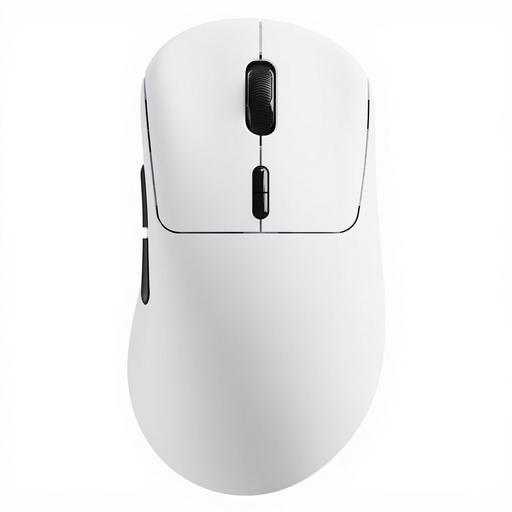
Why This Fits Their Persona: Ideal for competitive players who depend on minimal latency and maximum responsiveness. The combination of an extremely low weight and native 8K Hz wireless technology provides a measurable advantage in fast-paced FPS titles.
The RAPOO VT3 delivers a true 8000 Hz wireless polling rate without software tricks. Its very long battery life (up to 750 hours at 1000 Hz, according to the manufacturer) dispels concerns about rapid drain during normal use.
Native 8K Hz wireless gaming for extremely low latency; very lightweight at just 53g with a solid shell; 10 programmable buttons.
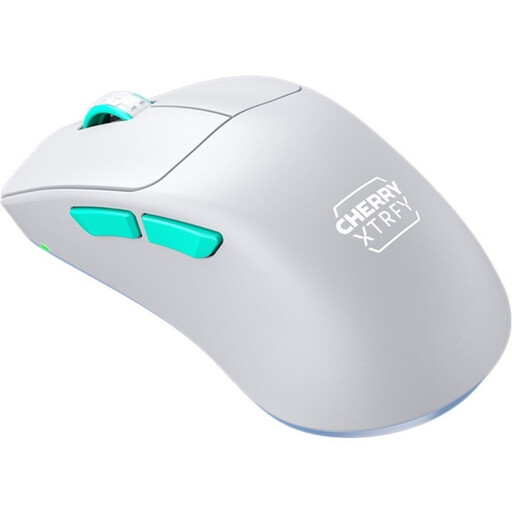
Why This Fits Their Persona: For gamers seeking a balanced package of performance, durability, and ergonomics. It offers high-end components in a thoughtful design without the premium price tag of flagship models.
The solid 53g shell avoids the drawbacks of a perforated design. The focus is on a proven sensor (Pixart 3395) and thoughtful ergonomics rather than pure marketing numbers.
Ergonomic design with an ultra-low front for improved control; stable and lightweight solid-shell body; reliable Pixart 3395 sensor.
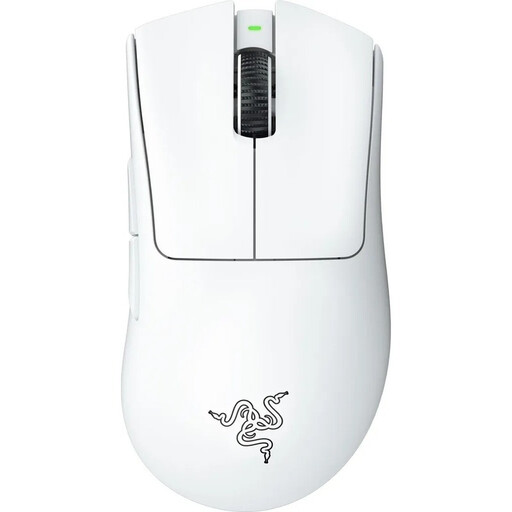
Why This Fits Their Persona: Perfect for gamers who prioritise maximum comfort during long gaming sessions and prefer a proven shape optimised for right-handed users. A reliable companion for a wide variety of game genres.
This model builds on a robust, ergonomic shape refined over many years, rather than compromising on stability for a marginally lower weight. Its performance is geared for real-world usability.
Iconic, highly acclaimed ergonomic shape; very lightweight for an ergonomic model at 64g; powerful Razer Focus Pro 30K sensor.
We have compiled a complete, up-to-date list of products that fully meet these strict selection criteria and safety standards.
An 8000 Hz polling rate is most noticeable for gamers with very high-refresh-rate monitors (e.g., 240 Hz or higher). It provides a visibly smoother and more direct cursor movement by minimising the latency between mouse movement and the on-screen response. For ambitious players in fast-paced titles, this can make a crucial difference.
There is no single "ideal" weight, but the trend in esports is clearly towards lighter mice. Models under 65 grams are often preferred as they allow for quick directional changes and precise aiming ("flicking") with less effort and reduce fatigue during long gaming sessions. The choice ultimately depends on personal preference and grip style.
Most modern wireless gaming mice work via plug-and-play for basic functions. However, to access advanced settings like remapping buttons, creating macros, adjusting DPI levels, or configuring the lighting, you will need to install the manufacturer's software. Models with onboard memory have the advantage that these configurations can be saved directly on the mouse.