
Lieferung heute & morgen

Qualitätsgarantie

Willkommens-Angebote freischalten: KOSTENLOSE Lieferung | Bis zu 80 % RABATT | Kostenlose 30-Tage-JoyPlus-Testphase
App herunterladen
As a Joybuy Product Recommendation Officer, I analyse product data daily to provide you with clear guidance in the jungle of online offers. When searching for a lightweight wireless gaming mouse, many encounter exaggerated marketing promises and technical specs with questionable practical value. Before you make a decision, it's crucial to understand the most common pitfalls that can lead to a bad purchase.
A widespread misconception is the fixation on extremely high DPI values. Figures over 20,000 DPI are often promoted as a key selling point, even though most gamers, including professionals, use settings between 800 and 3200 DPI. An unnecessarily high value can even make control feel imprecise. Another pitfall is weight. An ultralight gaming mouse can improve reaction time, but some models achieve their low weight with a fragile construction that can lead to material fatigue or creaking after just a few months of intense use.
To make an informed decision, you should focus on a few crucial technical parameters. These determine the real-world performance and longevity of a mouse in daily gaming.
Weight is a central factor for an ultralight gaming mouse. Models under 65 grams enable faster movements and changes in direction, which is particularly advantageous in fast-paced mouse for FPS games like Valorant or CS2. The lower weight reduces wrist fatigue during long sessions.
However, the shape must suit your grip style. An ergonomic gaming mouse is optimised for right-handed users and often provides better support for the palm (Palm Grip). Symmetrical mice are suitable for both left- and right-handed users and are often preferred by players with a Claw or Fingertip Grip. The balance between low weight and a stable, well-built shell is critical for durability.
The sensor is the heart of any professional gaming mouse. Pay attention to the following specs:
A modern PC gaming mouse wireless often offers multiple connection modes.
Battery life is also a key practical consideration. Check the manufacturer's specifications and note the polling rate at which these values are achieved, as a higher polling rate increases power consumption.
Based on objective technical data, we have identified a few models that are particularly well-suited for specific user profiles.
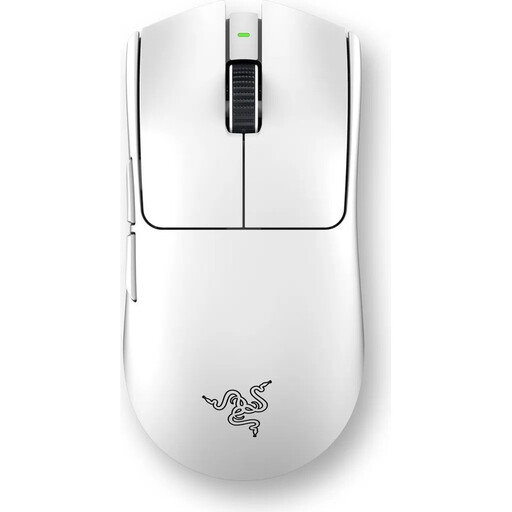
Why This Fits Their Persona: This model is engineered purely for competitive performance. The combination of an extremely lightweight 54-gram design and 8000 Hz HyperPolling technology is tailored for minimal latency and maximum responsiveness to meet professional demands.
Instead of advertising a useless DPI figure, this model focuses on a practically relevant 8K polling rate and a shape developed in collaboration with esports pros, prioritising control over pure marketing.
The focus is on extremely low latency via the 8000 Hz polling rate. The 3rd generation optical switches prevent double-clicks and offer high durability rated for 90 million clicks.
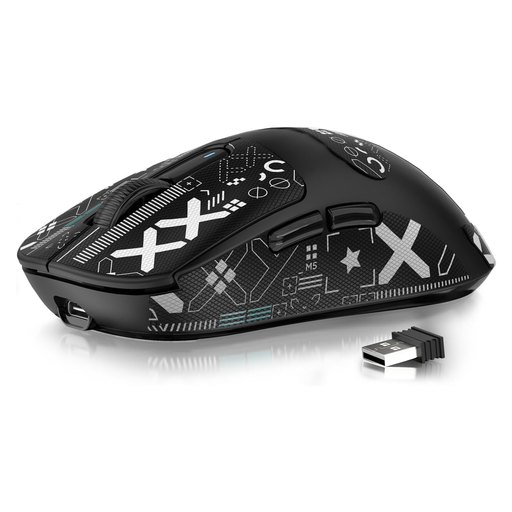
Why This Fits Their Persona: This model offers technical specifications often found only in more expensive mice. Weighing just 49 grams, featuring a high-performance PAW3395 Sensor, and tri-mode connectivity, it's an option for users seeking maximum performance for their money.
This model bypasses the pitfall of paying extra for a brand name. It focuses on core components like the sensor and low weight without compromising on fundamental performance.
The extremely low weight of 49g is a clear advantage for fast, reactive playstyles. The tri-mode connectivity (USB, 2.4G, Bluetooth) offers great flexibility for various use cases.
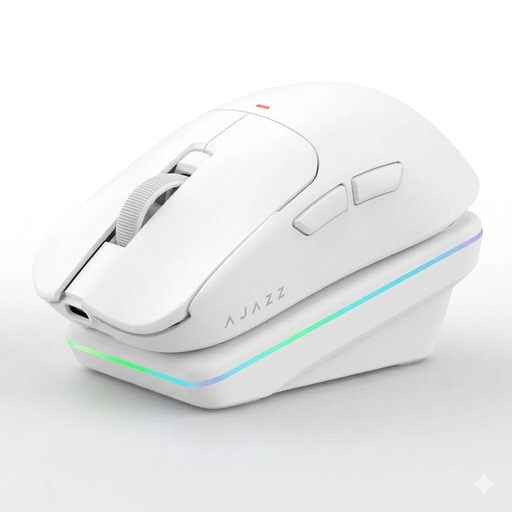
Why This Fits Their Persona: For users who need one mouse for both intense gaming and productive work. The tri-mode connectivity allows for seamless switching between devices. The included charging dock adds convenience and keeps the desk tidy.
This model avoids the trap of being a pure niche product. It combines gaming features like a PAW3311 sensor and a low weight of 63g with practical everyday functions like the magnetic charging dock.
The magnetic charging station is a clear convenience feature. The AI functions, enabled by the Starflash chip, offer additional productivity tools like voice commands and translation.
We have compiled a complete, real-time updated list of products that fully meet these strict selection criteria and UK/EU safety regulations.
A polling rate of 8000 Hz (8K) sends eight times more data per second to the PC than the 1000 Hz standard. This results in visibly smoother cursor movement and a theoretical reduction in input lag from 1 ms to 0.125 ms. The difference is most noticeable for competitive gamers using monitors with very high refresh rates (240 Hz or higher). For casual gamers, the benefit is often marginal, but for esports athletes, every millisecond can count.
Mechanical switches use a physical metal contact to register a click. Over time, this contact can wear down or bounce, leading to unintentional double-clicks. Optical switches, on the other hand, use an infrared light beam. When the button is pressed, the beam is interrupted, which triggers the click. This method is faster because no mechanical debounce delay is needed, and it's more durable as there is no physical wear that leads to double-clicking.
Weight directly affects the force required to move the mouse. A lighter mouse (under 65g) reduces inertia, allowing for faster "flicks" and more precise target tracking. It can also reduce hand and arm fatigue during long gaming sessions. However, some users prefer the feel of a slightly heavier mouse, as it can offer more stability during controlled, slow movements. The choice ultimately depends on personal preference and the game genre.