
Lieferung heute & morgen

Qualitätsgarantie

Willkommens-Angebote freischalten: KOSTENLOSE Lieferung | Bis zu 80 % RABATT | Kostenlose 30-Tage-JoyPlus-Testphase
App herunterladen
Finding the right lightweight wireless gaming mouse can quickly become a complex task. Manufacturers advertise high DPI counts and extremely low weights, but not every specification automatically translates to better in-game performance. To help you distinguish marketing hype from genuine performance advantages, we've analysed the most common pitfalls and the technical parameters that truly matter.
Before you make a decision, you should be aware of three common marketing traps that often lead to buyer's remorse.
Focus on the following three objective criteria in your selection process to find a mouse that will genuinely support your performance.
The weight of a mouse is a critical factor for fast-paced games like FPS titles. A lighter mouse (typically under 65 grams) allows for quicker directional changes and reduces wrist fatigue during long sessions. The shape is equally important. An ergonomic gaming mouse for right-handed users often provides more comfort for palm grip users, while symmetrical shapes can be advantageous for claw and fingertip grips, or for left-handed players. The shape must suit your hand size and grip style to ensure maximum control.
The optical sensor is the most critical component for precise tracking. Modern high-performance sensors like the Pixart 3395 are an established standard in the esports scene. They are characterized by flawless tracking without any unwanted acceleration, smoothing, or jitter. Instead of focusing on the maximum DPI number, you should rely on a proven sensor that guarantees a consistent 1:1 translation of your hand movements to the screen.
The polling rate, measured in Hertz (Hz), indicates how often the mouse reports its position to the computer. The standard for gaming mice is 1,000 Hz (1 ms response time). An 8K polling rate mouse reports its position 8,000 times per second, which can reduce latency to as low as 0.125 ms. This difference is most noticeable on high-refresh-rate monitors (240 Hz and above) and can provide an edge in competitive scenarios. A stable wireless transmission technology that can sustain these high rates without interruption is crucial. A long battery life is also an important factor, as high polling rates consume more power.
Here are some models that represent a considered choice for specific user profiles, based on the criteria mentioned above.
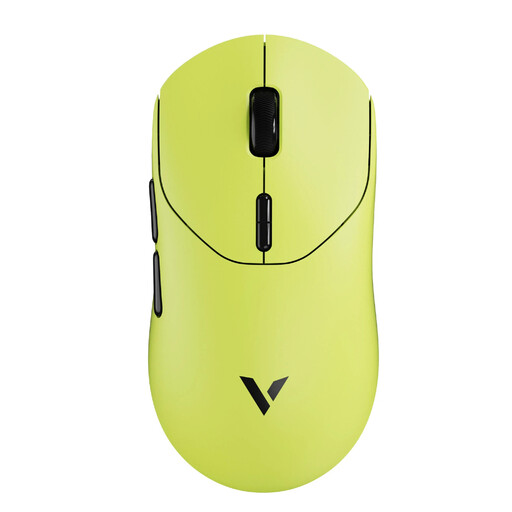
Why This Fits Their Persona: For players who demand maximum performance without compromise. The combination of an extremely low weight, a stable 8K polling rate, and long battery life is designed for competition.
It offers true, stable 8K polling rate mouse functionality without an unstable connection and achieves its low 53g weight with a solid, closed-shell body.
Very long battery life (up to 750 hours at 1000 Hz, according to the manufacturer) despite its high performance. Symmetrical design suitable for various grip styles.
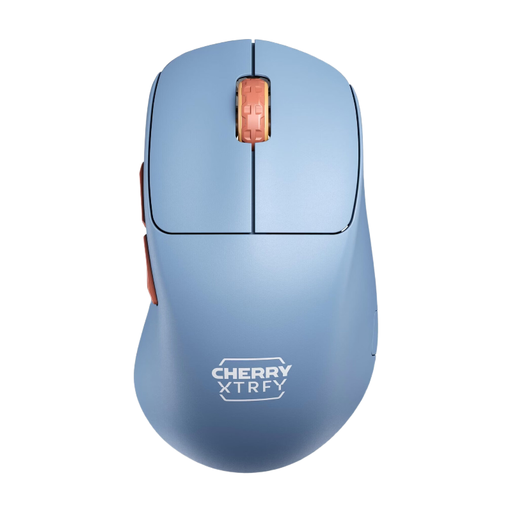
Why This Fits Their Persona: Ideal for right-handed players who value control and a natural hand posture. The low-front design allows for a very close finger position to the mousepad for maximum precision.
It focuses on the essentials: a solid, closed, and ultra-lightweight shell (53g) and a high-quality Pixart 3395 sensor, rather than advertising superfluous DPI values.
Unique ergonomic shape for right-handed users. All settings can be adjusted directly on the mouse without requiring drivers.
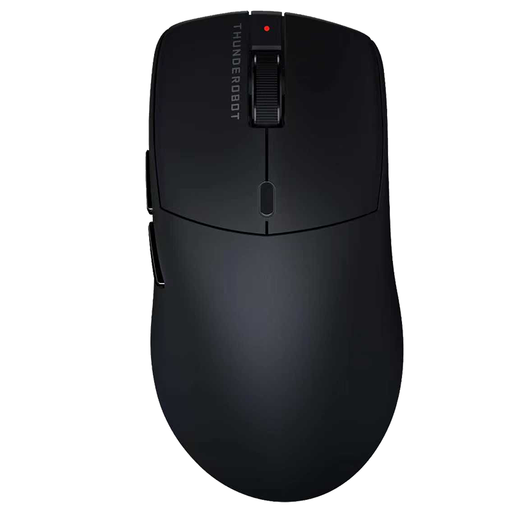
Why This Fits Their Persona: A solid all-rounder for gamers who need a high-performance mouse for gaming, office, and home use. The tri-mode connectivity offers maximum flexibility.
It forgoes a perforated design in favour of a closed, ergonomic shell. The focus is on proven technology (PAW3395 sensor) instead of marketing gimmicks.
Flexible connectivity (Wired, 2.4G, Bluetooth) for use with various devices. Ergonomic, hole-free design for better durability and feel.
We have compiled a complete, up-to-date list of products that fully meet these strict selection criteria.
1. Is an 8K polling rate worth the extra cost? An 8K polling rate can noticeably reduce input lag, which is particularly advantageous in fast-paced esports titles. However, the benefit is greatest when you use a high-refresh-rate monitor (e.g., 240 Hz or higher) and your PC has enough power to process the increased data load. For casual gamers, a stable 1,000 Hz mouse is often more than sufficient.
2. How important is battery life for a wireless gaming mouse? Battery life is a key convenience factor. High-performance models, especially with an 8K polling rate enabled, consume more power. Look for models that offer a long battery life of over 70 hours with standard use (1,000 Hz). Many modern mice also allow you to continue playing while charging via a flexible USB-C cable, which minimises reliance on the battery.
3. Does an ultra-lightweight build compromise durability? Not necessarily. Durability depends on the construction and the materials used. Mice with a closed, solid shell are generally more resistant to dust and mechanical stress than models with an open honeycomb structure. High-quality plastics and a well-thought-out internal structure can ensure high durability even at a weight of under 60 grams.