If the window is already lighting the print evenly, first try changing its position or using a reflector. An LED panel is most useful when you want to lift shadows precisely or make your set-up repeatable. For larger prints, an adjustable, dimmable bi-colour panel light is a more natural choice than a small camera light. Check how the light falls across the actual print, set the white balance, and make sure the mounting and power supply suit your needs. Manufacturer figures for lux and CRI alone do not guarantee an even, colour-accurate photograph.
Who are the different lighting options suited to?
Documenting prints evenly
When photographing complete linocut prints, pay attention to how light and shadow fall across the whole sheet. The Canadian Conservation Institute describes positioning lights at the sides as one way to illuminate a surface evenly.
Showing print colours accurately
For a portfolio or listing, you’ll want to represent the paper white and ink colour faithfully. Adobe notes that different lighting changes colour temperature, so consistent white balance is also an important part of your set-up.
Photographing at a small table by the window
If you have limited space or move between shooting locations, a compact panel may be easier to position. Also check that its illuminated area is large enough for your print size. Manufacturer figures measured at a particular distance do not automatically show how evenly a whole sheet will be lit.
What should you look for when choosing?
For a full sheet, how the light falls across the subject matters more than a single lux figure. The Canadian Conservation Institute describes using two lights positioned at the sides at a 45-degree angle as one way to achieve even illumination; your window set-up does not have to be identical.
| What you need |
What to check before buying |
Who this matters most to |
| Light the whole print evenly |
Check that the illuminated area, distance and angle suit your print size; test the light distribution at the corners. |
If I want to document a complete print without noticeable bright or dark patches, the light needs to reach the whole sheet. Around 36% of consumers put even illumination across the whole sheet first. |
| Reproduce paper white and ink colour |
Consider colour temperature and dimming; set the white balance to match the lighting you are actually using. |
For a portfolio or listing, I want to be able to judge whether the paper white and ink colour are close to the original. Around 29% of consumers prioritise faithful colour reproduction. |
| Set up in a limited space |
Make sure the mounting, stand and power supply work with the space available and your print size. |
If I’m photographing at a small table by the window or in different locations, I need a light I can position there. Around 21% of consumers prioritise a space-saving or portable set-up. |
| Plan the complete set-up |
Check what’s included for the stand, mount, mains adapter and, where applicable, batteries; only consider extra features you need. |
Before buying, I want to know which parts I’ll still need for the way I plan to use it. Around 14% of consumers focus first on having a complete set-up, including accessories. |
Common buying misconceptions
-
Comparing lux figures from different panels directly
A lux figure applies to the conditions under which it was measured. NEEWER gives a figure for the NL-116AI at 0.5 m, while amaran gives one for the P60c at 1 m and 5,600 K. These figures do not show how evenly the lights will illuminate your print.
Compare the measurement distances and conditions, and check the illumination across the whole sheet.
-
Assuming CRI or Kelvin figures guarantee colour-accurate photos
Light specifications alone do not tell you what the finished photo will look like. White balance depends on the lighting you use, as Adobe explains.
Compare your photograph with the original under suitable viewing light, and check the white balance.
-
Considering only the panel, not the ready-to-use set-up
You may need extra parts to get the position or battery power you want. According to the manufacturer, NP-F batteries are not included with the Rollei LUMIS LED Panel Bi-Color considered here.
Check what’s included against your available space and planned power supply; also make sure a stand or mount is included.
Brands to consider
Rollei
The LUMIS LED Panel Bi-Color is a larger, dimmable panel light for a fixed or portable set-up.
- Rollei lists this model as measuring 35 × 24 cm, with a colour temperature of 3,200–5,600 K and a CRI above 96.
- NP-F batteries are not included. The manufacturer’s CRI figure is not independent proof of how accurately it will reproduce the colours in a print photograph.
Godox
The LP range includes larger bi-colour and RGB panels; the LP400Bi is a panel light that can be set up on a stand.
- Godox lists a range of 2,800–6,500 K for the bi-colour models, and an NP-F battery option for the LP400Bi and LP600Bi.
- Manufacturer claims about soft or even light do not prove how the light will fall across a specific print.
NEEWER
The NL-116AI is a compact bi-colour desk panel for tight set-ups or adding light to a specific area.
- NEEWER lists a built-in 4,000 mAh battery, a colour temperature of 3,200–5,600 K and a maximum of 600 lx at 0.5 m for this model.
- The lux figure at this measurement distance does not tell you whether a larger print will be lit evenly. Check what’s included with the specific version.
amaran
The P60c combines an LED panel with RGBWW colour control and may also suit creative lighting with coloured light.
- amaran lists a colour temperature of 2,500–7,500 K and CRI 95+ for the P60c. The 5,900 lx figure applies at 1 m and 5,600 K with directional optics, according to the manufacturer.
- This measurement set-up does not allow a direct brightness comparison with panels measured differently; check separately for any optional power supply parts.
Photo lighting at Joybuy
The following Joybuy products cover a range of lighting options for photography, including photo bulbs, compact camera lights and a COB studio light. Before choosing, consider whether you need a panel light or another type of light for your print set-up.
 No image available
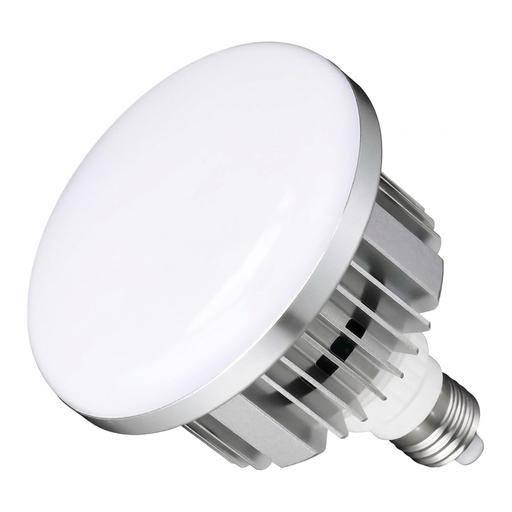
Set of 2 LED photo bulbs, 135 W, E27, dimmable, 3000–6500 K
Could suit your set-up if you can use two compatible E27 bulb holders; these are bulbs, not a panel light.
Listed as a set of two with a remote control. Requires compatible E27 bulb holders.
View at Joybuy
 No image available
MOMAN PC8 RGB camera light
A portable camera light for photos and video; it’s a compact alternative, not a larger panel light.
Described as an RGB LED video light. Check that its mount and illuminated area suit your camera position and print size.
View at Joybuy
 No image available
COLBOR 200W COB bi-colour studio light, 2700–7000 K
Could suit a studio set-up if you need a COB light rather than a panel light, along with a Bowens mount.
The product title mentions a built-in power supply and a Bowens mount. Check that these suit the mounting set-up you want.
View at Joybuy
 No image available
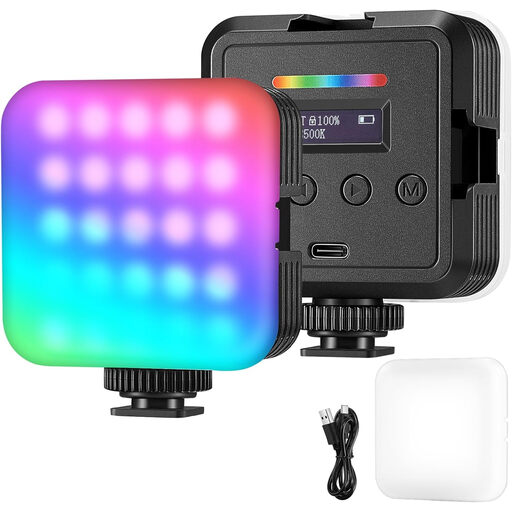
RGB video and camera light
A portable lighting option for photography, video and streaming when you want a compact light rather than a panel light.
Described as an RGB video and camera light. Check whether its illuminated area and positioning are suitable for the whole print.
View at Joybuy
Frequently asked questions
Do I need two LED panels for every linocut print?
No, not for every set-up. The Canadian Conservation Institute describes using two lights positioned at the sides at a 45-degree angle as one way to achieve even photographic documentation. If the window is already lighting one side well, first check whether adding light to the other side is enough.
How can I avoid a colour cast from the window and LED?
Set your camera’s white balance to match the lighting you’re actually using, then check the result against the print. Adobe explains that white balance affects the colours in a photo; the light’s Kelvin figure alone is no substitute.
What should I check about positioning and battery power?
Check that you can position the light to the side of the entire print, and that the specific offer includes the mount and power supply you need. According to the manufacturer, NP-F batteries are optional and not included with the Rollei LUMIS LED Panel Bi-Color; NEEWER lists a built-in battery for the NL-116AI.
Is a CE mark required on every LED panel?
Not necessarily on every product. According to Your Europe, CE marking is required only for products covered by relevant harmonised EU rules that require it. You cannot tell whether a specific offer meets the applicable requirements just from its product category.
What rights do I have if I buy a faulty product from a trader?
For goods bought by consumers from traders in the EU, Your Europe states that consumers have a minimum two-year legal guarantee against the seller for faulty goods. The rules explained there do not apply to purchases from private individuals.


