If you want to learn Linux without handling the initial installation yourself, choose a PC explicitly offered with Linux or check whether the exact hardware configuration you want is certified by Canonical for your version of Ubuntu. In a shared workspace, you should also consider documented noise levels and the right monitor connections. With barebones or virtual machines, you’ll need to plan for any missing components, as well as RAM and storage requirements.
Which PC is right for you?
Linux beginners with a dedicated desk
If you want to learn Linux on your own desktop PC, check the exact hardware against your preferred distribution before buying, and think about how much of the installation process you’re happy to handle yourself.
Learners in a quiet shared workspace
In a shared workspace, the size of the case, noise levels and connections for the monitors you already have all matter. Make sure manufacturer claims and test results apply to the specific model you’re considering.
Learners using several Linux environments
If you want to try virtual machines or additional installations, make sure you allow enough resources for both your main system and your learning environments.
What should you look for when buying?
Mini PC with Linux pre-installed
A good fit if: You want to use Linux without making the initial installation your first learning project. TUXEDO Computers describes the Nano Pro Gen14 as Linux-compatible.
Consider: Check the operating system and specifications of the exact configuration. Manufacturer claims are no substitute for an independent noise comparison.
Complete Windows mini PC
A good fit if: You want to choose the hardware yourself and try or install Linux independently. Canonical explains how to test Ubuntu from a bootable USB stick.
Consider: Windows pre-installed doesn’t confirm Linux compatibility. Back up any existing data before making changes to the drive.
Barebone for a DIY build
A good fit if: You want to make choosing and installing components part of the learning experience.
Consider: The tested Intel NUC 13 NUC13ANKI7 requires you to buy and install RAM, storage and an operating system separately.
| What matters |
What to check when buying |
Who it matters most to |
| Linux compatibility and setup |
Check the full model and component details, along with the relevant Ubuntu version; if possible, try it from a USB stick first. |
If I want to learn Linux with as little installation hassle as possible, I check the exact configuration against my preferred distribution. Around 36% of consumers put compatibility and setup first. |
| Noise, desk space and connections |
Compare the case dimensions, suitable video outputs and noise levels under similar operating conditions. MSI quotes 28 dB at idle and 38 dB under full load for the Cubi NUC 1M. |
If I need to concentrate in a shared space, I look at noise levels, desk space and suitable monitor connections. Around 29% of consumers prioritise quiet and space. |
| RAM and storage for learning environments |
Check how many systems you plan to run at once, the amount of RAM and the available storage. Oracle VirtualBox notes that VM files need additional space, particularly when using snapshots. |
If I want to test several Linux environments at the same time, I plan resources for both the host system and virtual machines. Around 21% of consumers prioritise virtual learning environments. |
| Access and local data |
Check whether you’re sharing just the room or the PC as well. If the PC is shared, set up user accounts and, if appropriate, check the encryption options for your chosen Ubuntu installation. |
If several people will actually use the same PC, I sort out user accounts and how to protect local data. Around 14% of consumers prioritise sharing a device and access to data. |
Common buying pitfalls
-
Assuming Ubuntu certification covers an entire model range
Canonical lists specific hardware configurations. Models with similar names may have different components.
Check the full product name and components against the listing for the relevant Ubuntu version.
-
Assuming a barebone is a ready-to-use PC
A test result for a case doesn’t tell you which components are included in a specific listing. The tested Intel NUC 13 NUC13ANKI7 requires you to buy and install RAM, storage and an operating system separately.
Before comparing options, make a note of what’s included and how you plan to set up the PC.
-
Assuming a compact PC will run quietly
Case size alone tells you nothing about noise levels. MSI quotes different figures for the Cubi NUC 1M at idle and under full load.
Check the operating conditions, source of the figures and exact model rather than assuming a smaller PC will be quieter.
-
Ignoring existing data before installing Linux yourself
Some installation options can affect existing data. Canonical recommends backing up devices that are already in use before installing.
Back up important data and read your chosen installation option carefully before making changes to the drive.
Brands to consider
TUXEDO Computers
TUXEDO Computers offers the Nano Pro Gen14 as a Linux-compatible mini PC. It’s aimed at buyers looking for a Linux-focused device rather than wanting to handle the initial installation themselves.
- The manufacturer’s Linux compatibility claim can help you narrow down your options.
- Specifications and operating system depend on the configuration you choose. The claim isn’t an independent comparison of noise levels or performance.
GEEKOM
The A5 Pro 2026 is a compact Windows mini PC for buyers who want to try or install Linux themselves.
- COMPUTER BILD describes the tested version with Ryzen 5 7530U, 16 GB RAM and 1 TB SSD as compact and energy-efficient.
- The review notes that a keyboard and mouse aren’t included. Linux support is a claim made by GEEKOM, not a result of this test.
MSI
The Cubi NUC 1M family is worth considering for workspaces where multiple connections and documented upgrade options matter.
- MSI lists two HDMI outputs and two RAM slots in the specifications.
- The specifications cover different versions and don’t confirm Ubuntu certification for every listing.
HP
The Pro Mini 400 G9 is a compact business PC range. Canonical’s Ubuntu certification applies to the specific configurations listed.
- COMPUTER BILD describes the tested D6B240EA version as quiet and upgradeable.
- A test result or Canonical listing for specific components doesn’t automatically apply to a differently configured version.
Lenovo
The ThinkCentre M75q Gen 5 Tiny is a small business desktop where documented maintenance options may be useful.
- Lenovo lists tool-free access to the SSD and memory modules.
- The tested configuration, 12RQCTO1WWDE1, lists Windows 11 Pro. This doesn’t mean that this configuration is Linux-certified.
Joybuy product selection
This selection includes mini PCs listed with Linux (DGX OS), as well as Windows mini PCs whose titles mention Ubuntu compatibility. Check that the operating system and specific configuration suit the Linux environment you want to use.
 No image available
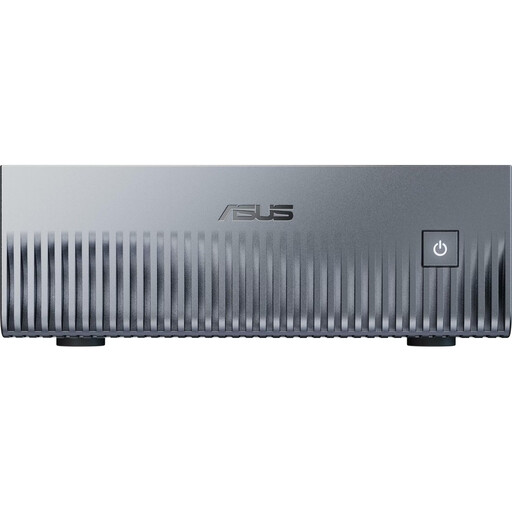
ASUS Ascent GX10 Mini AI Supercomputer, 1 TB SSD, 128 GB Unified Memory
If you want to learn Linux without a separate initial installation, the listed DGX OS is relevant. Check that it suits the distribution you want to use.
NVIDIA Grace Blackwell GB10; Linux (DGX OS); 128 GB Unified Memory; 1 TB SSD.
View at Joybuy
 No image available
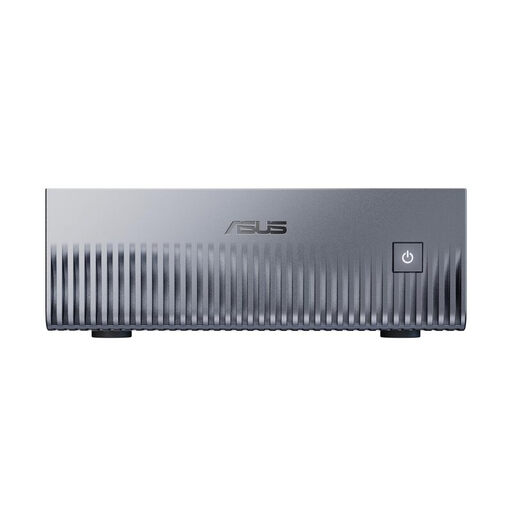
ASUS Ascent GX10 Mini AI Supercomputer, 2 TB SSD, 128 GB Unified Memory
If you’re looking for a system listed with Linux, check whether DGX OS suits the distributions and learning tasks you plan to use.
NVIDIA Grace Blackwell GB10; Linux (DGX OS); 128 GB Unified Memory; 2 TB SSD.
View at Joybuy
 No image available
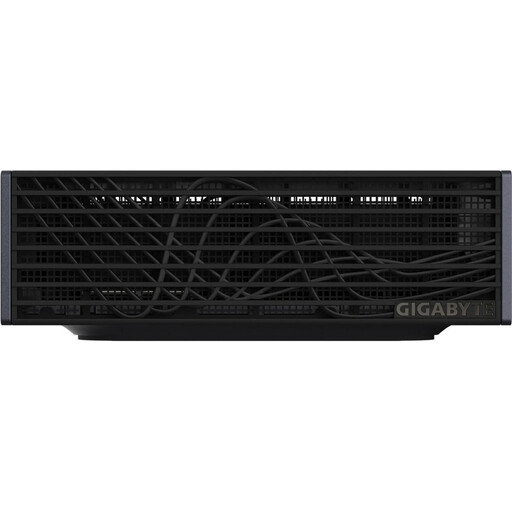
GIGABYTE AI TOP ATOM ATAGB10-9001, 128 GB LPDDR5X, 4 TB SSD
If you’re comparing compact PCs for Linux learning environments, check which operating system is included and whether it suits the distribution you want before buying.
NVIDIA GB10 Grace Blackwell; 128 GB LPDDR5X; 4 TB SSD.
View at Joybuy
 No image available
Ninkear L12 Pro, 16 GB DDR4, 1 TB SSD
This is listed as a Windows PC with stated Ubuntu compatibility for those planning their own Linux installation. Check the exact version and the distribution you need.
Intel Core i9-12900HK; Windows 10/11; Ubuntu compatibility; 130 × 127.5 × 52 mm.
View at Joybuy
 No image available
Ninkear M7, 16 GB DDR4, 512 GB SSD
If you plan to use several monitors, check that the stated support matches your screens. Linux is described as Ubuntu-compatible, not pre-installed.
Intel Core i7-1185G7; Windows 10/11; Ubuntu compatibility; support for three displays.
View at Joybuy
Frequently asked questions
Can I try Linux on the PC before installing it?
Yes. Canonical explains how to try Ubuntu from a bootable USB stick before installing it. Check that the hardware supports the functions that matter to you.
What should I do before reinstalling an operating system on a PC I already use?
Back up important data before you start installing. Canonical recommends backing up your data and advises you to read the installation options carefully if you want to keep an existing system and its data.
Does a small PC have enough resources for virtual machines?
It depends on the guest systems you plan to use and whether they’ll be running at the same time. Oracle VirtualBox recommends allowing enough free storage for VM files, particularly if you use snapshots. You’ll also need to allow enough RAM for the host system.
What consumer rights apply when buying in Germany?
Your Europe, the European Union’s information service, states that faulty goods are covered by a statutory minimum two-year guarantee from the seller. An additional manufacturer’s guarantee doesn’t replace it. Distance sales under a consumer contract generally come with a 14-day right to cancel. Contractual circumstances and exceptions should be checked separately.
What should I know about product compliance for a PC in Germany?
The Bundesnetzagentur lists CE marking, product identification, manufacturer details, instructions and safety warnings in German, and the declaration of conformity among the checks used for market surveillance. A CE logo or a claim of Linux compatibility alone doesn’t prove that a specific listing meets every requirement.


