If you mostly read with the device in your hand on the train, a compact tablet is a natural place to start. For densely set PDFs, footnotes and handwritten marginal notes, a larger workspace may be more practical. An E Ink reader is worth considering if reading and annotating matter more to you than a versatile range of tablet apps. However, the file format, copy protection and note export options need to fit the way you work. Before you buy, test a typical file at your preferred text size and check that you can save it, add annotations and open it on the move without an internet connection.
Which device is right for you?
Readers short on space
If you often read with your device in your hand while travelling, what matters is whether a compact screen is large enough for your texts. The stated size and weight can help you weigh up your options, but they’re no substitute for trying the device with your own reading material.
PDF and footnote readers
With fixed-layout essays, densely set text or footnotes, the key question is how much of the page remains legible. Also consider whether you’re happy to zoom in more often or would prefer a larger device.
Readers who make handwritten notes
If you annotate texts while travelling and want to find or share your notes later, the stylus, file format and export process should all fit the way you work.
What should you look for when buying?
Compact tablet
A good fit if: You often read with your device in your hand on the train and want to use other apps as well as PDFs.
The trade-off: A smaller screen leaves less room for a full PDF page and handwritten marginal notes.
Larger tablet with stylus
A good fit if: You want to see full PDF pages or footnotes at a glance and annotate passages by hand.
The trade-off: A larger device takes up more space on the train and may feel heavier when you hold it for a long time.
E Ink reader with stylus
A good fit if: Reading and annotating are your priorities, and you don’t need a versatile range of tablet apps.
The trade-off: With PDFs, copy protection, the import process and export options can limit the note-taking features.
| What matters to you |
What to check before buying |
Who it matters most to |
| Portability |
Check the weight of the specific Wi-Fi or mobile network version, and view a typical page at your preferred text size. |
When I read for a long time without a table, I want to be able to hold the device comfortably without giving up my usual text size. Around 31% of consumers put portability first. |
| Getting the full view of PDF pages |
Open a typical essay with footnotes and try viewing the full page, zooming in and turning pages. |
When I read fixed-layout pages, I want to see the footnotes without having to zoom in constantly. Around 31% of consumers prioritise seeing the full page. |
| Highlighting and notes |
Check stylus compatibility and what’s included; test importing, highlighting, saving and exporting your own file. |
When I note down arguments and references on the move, I want to be able to find and reuse my annotations later. Around 25% of consumers prioritise handwritten work on texts. |
| Reading offline |
Open the file on the device before your journey and test your preferred reading process without an internet connection. |
When I want to keep reading on the train without relying on a live connection, I want to make sure my text is available on the device beforehand. Around 13% of consumers put having their reading ready in advance first. |
Common misconceptions
-
A larger screen diagonal guarantees legible footnotes
Screen size alone doesn’t tell you whether the layout of a particular essay will be comfortable to read at your preferred text size.
Open a typical page on the device size you’re considering and check the footnotes, zoom and page turning before choosing between portability and screen space.
Frequent zooming can interrupt your reading; a larger device may be harder to hold while you read.
-
Being able to open a PDF doesn’t mean you can annotate and export it
On Kobo devices, handwritten notes aren’t supported on DRM-protected PDFs or PDFs that don’t allow annotations.
Try the full process with a file of your own: open it, add annotations, save it and export it in the format you need.
Depending on the file and device, you may need a different import or note-taking process.
-
Not every version comes with the same accessories
Lenovo lists the Tab Pen as compatible with the Tab M11, but also describes it as optional.
Before ordering, check the specific version against the components listed in the relevant offer.
Key brands to consider
Apple
The iPad mini (A17 Pro) is a documented example of a compact tablet for reading and annotating PDFs.
- Apple Support gives the Wi-Fi version’s size as 8.3 inches and weight as 293 g. The Books app can read and annotate PDFs.
- The smaller page area may be limiting with a dense layout. Check whether the stylus you want and the right accessories are included with the specific version.
Samsung
The Galaxy Tab S10 FE is aimed at readers looking for a larger tablet workspace with stylus input.
- Samsung Germany lists the Wi-Fi version as 10.9 inches and 497 g; an S Pen is included.
- Weigh the size and weight against the extra room for PDF pages. You should check how well your specific file works for yourself.
Lenovo
The Tab M11 is another 11-inch tablet option, provided the specific version is compatible with the stylus you want.
- Lenovo lists an 11-inch display and a compatible Tab Pen.
- Lenovo also lists the stylus as optional, so check what’s included with the version you choose.
Kobo
Kobo E Ink devices with a stylus are worth considering if reading and handwritten annotations matter more to you than a versatile tablet.
- Kobo Support describes handwritten notes on supported models and the export of annotated, unprotected PDFs.
- DRM-protected PDFs and those that don’t allow annotations are excluded. Kobo says handwritten notes on EPUBs can’t be exported in the same way.
Devices at Joybuy
The Joybuy products below include tablet and E Ink options for reading literary criticism on the move. The right choice depends, among other things, on page layout, whether you need a stylus and the file format.
 No image available
Samsung Galaxy Tab A11+ X230, 11 inches, Wi-Fi, 6 GB RAM, 128 GB, Grey
The stated 11-inch screen size makes this model an option if you want more room for PDF pages on the train. Check how legible your file is beforehand.
Listed in the product name: 11 inches, Wi-Fi, 6 GB RAM and 128 GB.
View at Joybuy
 No image available
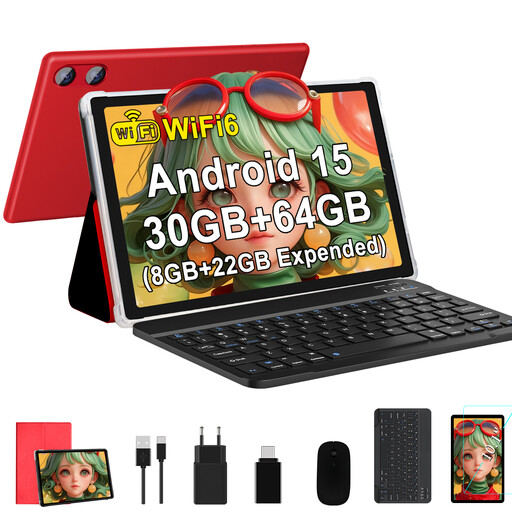
GOODTEL G9, 10.1 inches, Android 15, Red
The stated 10.1-inch screen size makes this another tablet option for reading on the move. Try it with a typical page, including its footnotes.
Listed in the product name: 1280 × 800 pixels, IPS display, 64 GB ROM, plus 8 GB RAM and 22 GB virtual RAM.
View at Joybuy
 No image available
Apple 11-inch iPad Air (M4, 2026), Wi-Fi, 128 GB, Blue
If you want to read and annotate PDFs on an iPad, Apple’s Books app supports these features. Also check that the pages of your literary criticism are easy to read on an 11-inch screen.
The product description lists support for Apple Pencil Pro and Apple Pencil (USB-C). Check what’s included with the specific version.
View at Joybuy
 No image available
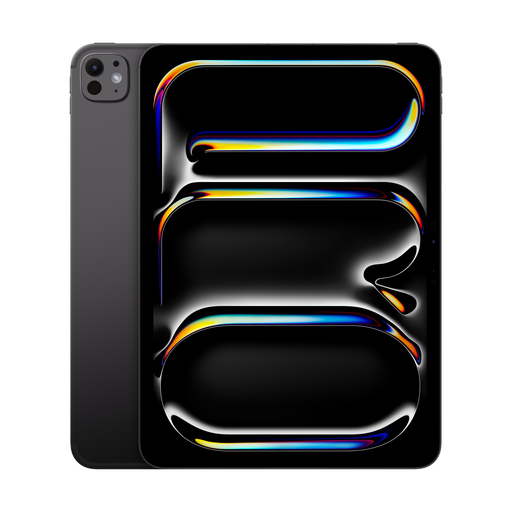
Apple 11-inch iPad Pro, Wi-Fi + Cellular (2025), 2 TB, Nano-Texture Glass, Space Black
If you want to read and annotate PDFs on an iPad, Apple’s Books app supports these features. Try your typical pages on the 11-inch screen.
Listed in the product name: Wi-Fi + Cellular, 2 TB and Nano-Texture Glass.
View at Joybuy
 No image available
iFLYTEK AINOTE 2, 10.65 inches, E Ink tablet
This E Ink model is an option if you want to read and make handwritten notes while travelling. Check that its features work with your files.
The product description lists an included stylus, and reading and note-taking among its intended uses.
View at Joybuy
Frequently asked questions
How can I check whether my essays will be readable before a train journey?
Open a typical essay in the app you plan to use, save it on the device and check the pages, footnotes and annotations. Also test whether you can open the file as you want without an internet connection. The Books app on iPad supports reading and annotating PDFs; other services and protected files may be subject to their own conditions.
Can I annotate any PDF with an E Ink stylus?
No, not with every device or file. Kobo doesn’t support handwritten notes on DRM-protected PDFs or PDFs that don’t allow annotations. So try a file of your own and check whether you can export your notes in the format you need.
Do I need to budget for a stylus separately?
It depends on the model and version you choose. Samsung says the S Pen is included with the Galaxy Tab S10 FE, while Lenovo also lists the Tab Pen for the Tab M11 as optional. Before buying, check which accessories come with the specific version.
What are my rights when buying a tablet online in Germany?
For an eligible purchase from a business seller, you generally have a 14-day right to cancel from the date of delivery; exceptions and the terms of the specific purchase should be checked. Your Europe, the European Union’s consumer portal, also explains the statutory guarantee of at least two years for faulty goods. This is separate from a voluntary manufacturer’s warranty.


