What to look for when buying
Start by checking the platform and game, then the connection from your seats, and finally how many controllers you’ll need to use at once. If you’re choosing between wireless and wired, factor in cable routing and power requirements too.
| Consideration |
What to check before buying |
Who it matters most to |
| Platform and game |
Check the console generation or PC, the full model name, connection type and whether the game supports local multiplayer with controllers. |
If I want to avoid buying the wrong controller and start playing straight away on my existing platform, I’ll check the model and game together. Around 33% of shoppers prioritise platform and game compatibility. |
| Connection from your seat |
Check the wireless mode for your platform and test the connection from every seat you plan to use. For wired play, consider the cable routing. |
If we’re sitting to the side or some distance from the screen, we want to use the controller without an awkward cable and connect from our seats. Around 33% of shoppers prioritise flexible seating and a suitable connection. |
| Number of players |
Compare the game’s local player limit with the number of controllers you need and any active audio or console features. |
If several people need to play at once, I want to know whether that specific combination of game and device will support it. Around 20% of shoppers prioritise the number of controllers that can be used simultaneously. |
| Power |
Check the stated battery life for the relevant connection type, as well as the power source and charging options. |
If we regularly play longer co-op sessions, I want to plan for charging breaks or battery changes. Around 14% of shoppers prioritise power and potential ongoing costs. |
Controllers at Joybuy
This selection includes controllers for co-op sessions on PC, Switch, Switch 2, Xbox and PS5. Before buying, check that the model and connection work with your specific platform and game.
 No image available
EasySMX D10 Wireless Controller
The product title lists the controller as compatible with PC, Switch, Android and iOS, and specifies Bluetooth for wireless connection. Check that your specific game supports it too.
The product name lists TMR joysticks, dual-mode triggers and mechanical buttons.
View at Joybuy
 No image available
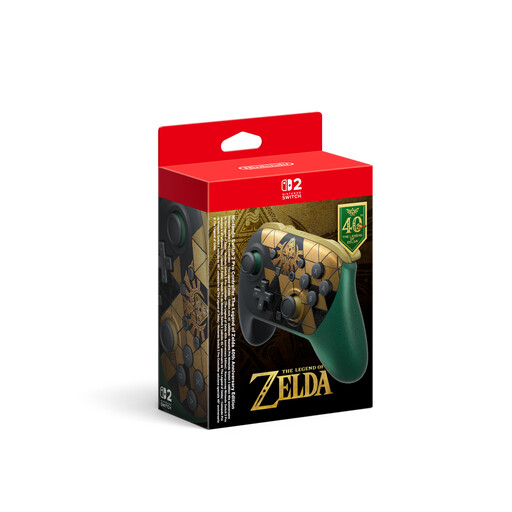
Nintendo Switch 2 Pro Controller – The Legend of Zelda 40th Anniversary Edition
A wireless controller for co-op on Switch 2, with the listed extra features. Nintendo says the Switch 2 Pro Controller is compatible only with Switch 2, not the original Switch.
The product name lists HD Rumble 2, mouse controls, amiibo functionality, GL/GR buttons and GameChat. The description also mentions a 3.5 mm headphone jack.
View at Joybuy
 No image available
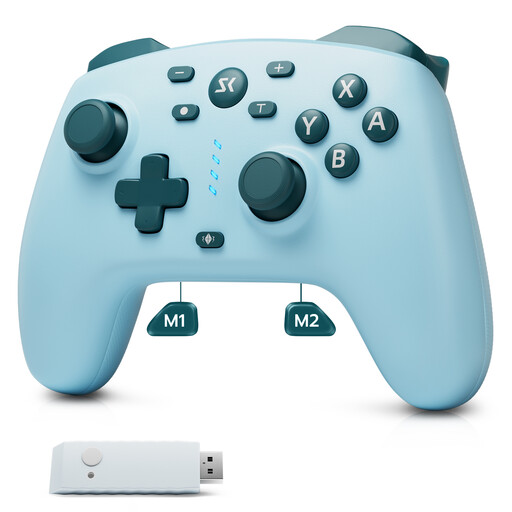
CHENGDAO Wireless Controller, Light Blue
The product name lists Switch, Switch 2 and Windows, as well as a 2.4 GHz receiver. Check that the connection and game are compatible with your device.
The product name lists Hall effect joysticks and triggers, plus two back buttons.
View at Joybuy
 No image available
Microsoft Xbox Wireless Controller, Deep Pink
Listed as compatible with Xbox One, Xbox Series X/S and PC. If you’re playing from a seat to the side, test the connection in your own set-up and check that the game supports it.
According to the product information, the controller uses two AA batteries.
View at Joybuy
 No image available
PlayStation DualSense Wireless Controller, White
The product name lists PS5, PC, Mac and Android. For PC, Sony notes that haptic feedback requires a USB connection and support from the game.
View at Joybuy
Frequently asked questions
Is “wireless” enough if I’m sitting to the side of the screen?
No. First check that your platform supports the wireless mode, then test the connection from every seat you plan to use. For example, the manufacturer specifies 2.4 GHz for Windows and Bluetooth for Android with the 8BitDo Ultimate 2C Wireless; the documented GameSir G7 Pro uses a wired connection with Xbox.
Does a Switch Pro Controller also work with Switch 2?
Yes. Nintendo confirms that the Switch Pro Controller can be used wirelessly with Switch 2. However, Nintendo says the Switch 2 Pro Controller is compatible only with Switch 2. So check the full model name against your console.
Can eight people play at once on Switch or Switch 2 using wireless controllers?
Not necessarily. Nintendo says up to eight wireless controllers can be connected, but the number you can use depends on the controller type, features and software. With a Bluetooth audio device connected, Nintendo specifies a maximum of two wireless controllers. Also check the local player limit for your specific game.
Does DualSense haptic feedback work wirelessly on PC?
According to Sony, haptic feedback on PC requires a USB connection and support from the game. If this feature matters to you, check the game’s requirements and plan your connection accordingly.
How do I pair a Switch Pro Controller for a co-op session?
Nintendo explains that you can sync it through the “Controllers” menu, then “Change Grip/Order”. Hold the SYNC button on the controller for at least one second. After that, check which controller set-up the game requires.


