What should you look for when buying?
For interviews around a shared table, clear voices, suitable signal paths and a reliable file workflow all matter. The Oral History Association recommends choosing a quiet location with minimal background noise and distractions wherever possible.
| Priority |
What to check before buying |
Who is this important for? |
| A clear interviewee’s voice |
How the mic attaches and how far it is from the speaker; make a test recording with the clothing and table setup you’ll actually use. |
If my main aim is to capture the interviewee’s voice clearly despite noise around a shared table, I’ll look for a quiet setting and a suitable microphone position. Around 33% of consumers put clarity first. |
| Recording both voices |
Number of microphones or transmitters included; number of recordable channels and whether both voices are captured in a test. |
If I want to capture both questions and answers clearly, I need two microphone positions and a suitable recording setup. Around 27% of consumers prioritise capturing both voices. |
| A compatible device connection |
The specific device model and signal path required; any necessary adapter and whether the external microphone is recognised in a test recording. |
If I want to keep using my existing recording device, the connection needs to work from the microphone through to the recording app. Around 20% of consumers put device compatibility first. |
| Backing up the recording |
A test recording and local recording switched on; storage, power supply, and how files are exported and saved. |
If a conversation will be difficult to repeat, I want to know in advance where the recordings will be stored and how I can back them up. Around 20% of consumers prioritise a clear backup process. |
Joybuy products for one- and two-person recordings
This selection includes lapel mics for one interviewee and sets with two transmitters for interviews where both people need a microphone.
 No image available
DJI Mic Mini 2S (2 TX + 1 RX + Charging Case)
The version with two transmitters and one receiver is worth considering if both people need a microphone.
View at Joybuy
 No image available
SYNCO S8 lapel mic
A lapel mic may suit a single interviewee if your recording device supports the connection you need. Check the connection against your specific device before choosing this option.
View at Joybuy
 No image available
Wireless Lavalier Microphone Set with 2 Transmitters
The two transmitters are designed for conversations where both people need to wear a microphone.
The product title specifies 2.4 GHz and USB-C and Lightning connection options. Check which connection works with your device version.
View at Joybuy
 No image available
Moman MA6 lapel mic
This lapel mic may suit a single interviewee if a 6-m cable works for your setup.
The product title specifies a 3.5-mm connection; check that the signal path works with your recording device.
View at Joybuy
 No image available
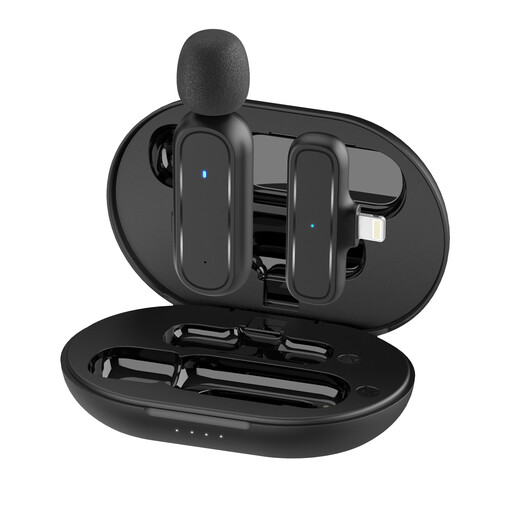
Moman MC1(A) Wireless Lavalier Microphone, Lightning
The set is described as having one transmitter and one receiver. The product information specifies Lightning, while also listing USB-C Android as a supported option. Check the exact version and your device’s connection before buying.
View at Joybuy
Frequently asked questions
How should I set up a microphone at a shared table?
If possible, choose a quiet spot, attach the microphone to the person speaking and listen back to a short recording made with the device you’ll actually use. The Oral History Association recommends choosing the quietest interview location possible; only a test will show how the recording sounds at your particular table.
Is one Zoom F2 enough for questions and answers?
Not if you need two separate close microphone positions: the F2 records from the connected lapel mic. If you also want to capture the questions clearly, plan another suitable recording route.
Can I record a non-public interview in Germany without consent?
Section 201 of the German Criminal Code makes it a criminal offence to record another person’s non-public spoken words without authorisation. Before recording, confirm with everyone involved that you’re authorised to do so, and discuss storage and any later publication separately. The Oral History Association recommends documenting informed consent; this is professional best practice, not an additional statutory formality.
Can I use any wireless lapel mic in Germany without checking anything else?
No. Permitted frequency use depends on the specific system and the conditions of the relevant allocation. In April 2026, the Federal Network Agency published a general frequency allocation for radio microphones. Check the frequency band and device version rather than assuming every model in this product category can be used.
Does consent to process interview data have to be given in writing?
No. Consent under the GDPR isn’t invalid simply because it wasn’t given in writing. According to guidance from the German Data Protection Conference, it must be informed, freely given and unambiguous, among other things; the data controller must also be able to demonstrate that consent was given. The obligations that apply to a specific archiving and publication project need to be assessed separately.


