What should you look for when buying?
For a local history podcast recorded from a fixed position, the main considerations are clear speech, the right signal path, comfort and the noise levels at your actual recording location.
Headset with a 3.5 mm TRRS connection
Suitable if: Your recording device has a compatible combined headset socket and you want to use the microphone and headphones through a single connection.
Keep in mind: According to the manufacturer’s instructions, the supplied TRRS cable is required for the microphone function on the RØDE NTH-100M; separate sockets may require a signal splitter.
Broadcast headset with separate connections
Suitable if: You have a compatible XLR microphone input and headphone output, or plan to integrate them into your recording setup.
Keep in mind: Connections and included accessories vary by model; the beyerdynamic DT 297 PV MK II requires a separate connection cable.
Analogue headset with 3.5 mm plugs
Suitable if: The microphone and headphone connections on your recording device match the headset plugs.
Keep in mind: beyerdynamic markets the MMX 300 PRO as a gaming headset, so assess its voice recording performance with a test using your actual recording setup.
Separate microphone and headphones
Suitable if: You want to position your microphone and headphones independently when recording from a fixed position.
Keep in mind: A desk or boom-arm microphone is not a headset and needs its own space or stand; the manufacturer lists USB-C and XLR outputs for the Shure MV7+.
| What matters |
What to check when buying |
Who should pay particular attention |
| Clear speech |
Check the microphone type and polar pattern of the specific model; make an unprocessed test recording using names and your normal speaking voice. |
If names and stories need to remain clear, I want to position the microphone correctly and hear how my voice sounds in my own room. Around 33% of consumers prioritise voice recording. |
| The right connection |
Check the sockets, signal pinout and included accessories for both the headset and recording device; a matching plug size alone does not guarantee microphone compatibility. |
If you want to keep using your existing recording equipment, you’ll want to avoid unexpected cable or connection issues. For around 27% of consumers, device compatibility is the most important consideration. |
| Comfort while monitoring |
Check the design and availability of replacement parts; if possible, try the headset with glasses on and wear it during a session of realistic length. |
For longer stories or interviews, I want to be able to monitor the audio without the headset becoming uncomfortable. Around 20% of consumers prioritise comfort during longer sessions. |
| Noise in the room |
Make a test recording from your planned seat with typical background noise; don’t assume that headphones which block out sound will prevent the microphone from picking up unwanted noise. |
If I’m recording at home or on location, I want to know how room noise and microphone position affect the test recording. For around 20% of consumers, the recording environment is the main consideration. |
Joybuy products for voice recording
The products below are gaming headsets with microphones. Depending on the model, a wired or wireless connection is specified; before recording, check that the microphone connection on the specific model is compatible with your recording device.
 No image available
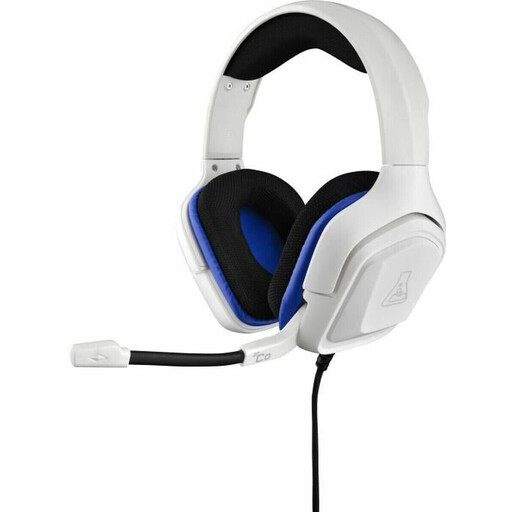
The G-Lab KORP-COBALT-W wired gaming headset, 3.5 mm, white
Designed for a wired setup with a 3.5 mm jack; check that the microphone and headphone connections are compatible with your recording device before buying.
View at Joybuy
 No image available
JBL Quantum 360P wireless over-ear gaming headset
Described as a wireless over-ear headset with a microphone. Before buying, check that your intended recording setup supports the microphone connection you need.
View at Joybuy
 No image available
ONIKUMA GT889 wireless gaming headset
The product name mentions 2.4 GHz wireless, a wired mode and a microphone. Check which mode provides a microphone connection that’s compatible with your recording device.
View at Joybuy
 No image available
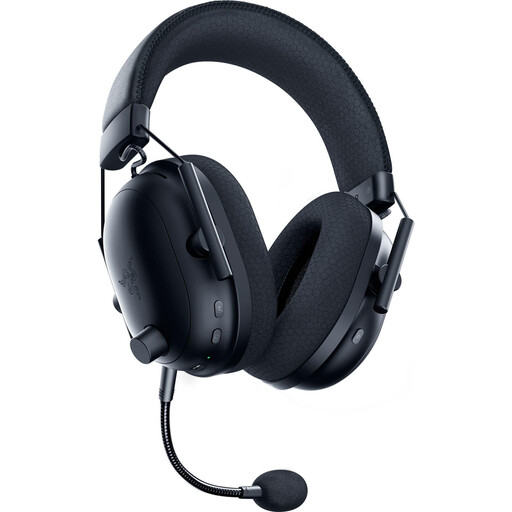
Razer BlackShark V2 Pro (2023) wireless gaming headset
Described as a wireless headset with a microphone. Check that the connection method you plan to use works with your recording device.
View at Joybuy
 No image available
Siukie CH25 wired over-ear gaming headset
A 3.5 mm jack is specified for the analogue audio connection. According to the product description, USB is for the LED lighting, so check the audio connection separately.
View at Joybuy
Frequently asked questions
Can I connect a broadcast headset directly to my laptop?
Not simply because it comes with a plug. Audio-Technica lists separate microphone and headphone connections for the BPHS1; check that both signal paths match the connections on your laptop or audio interface.
How should I position the microphone for a longer story?
Adjust the boom to suit your usual seated position and speaking style, then make a short test recording before you start. Audio-Technica documents movable microphone booms on the BPHS1 and BPHS2a; you’ll need to check the position and recording level with your own setup.
Do I need extra accessories for a broadcast headset?
That depends on the connections and what’s included with the specific model. According to the manufacturer, the beyerdynamic DT 297 PV MK II is supplied without a connection cable, so choose the right cable for your recording device as well.
Can I record and publish a private local history interview without permission?
Recording another person’s non-public spoken words without authorisation is a criminal offence under section 201 of the German Criminal Code (StGB). Get the other person’s agreement before recording and discuss how you intend to publish the interview; any other rules that apply will depend on the specific project. If consent under data protection law is the legal basis you choose, the German Data Protection Conference says it must be freely given, informed and specific to the particular case.
Can I use historical texts or old audio recordings in an episode without checking them first?
No. The age of the material alone doesn’t establish that it is free to use. The German Patent and Trade Mark Office notes that texts and other original intellectual creations may be protected, and that usage rights can matter when publishing online. Check the rights and intended use of the specific material separately.


