If you usually want your manuscript and sources visible on screen at the same time, a 16-inch laptop with a documented 16:10 display is a practical starting point. What matters, though, is whether your text remains readable in a split editor view. If you often work in an archive or library, weigh that extra screen space against the laptop’s weight and portability. Before buying, also check software compatibility, ports, keyboard and backup options. Manufacturer specifications are no substitute for trying the laptop with your preferred editor.
Who is this way of working suited to?
Writers who keep sources beside their draft
If you write longer chapters, you can keep notes or earlier passages visible in a second editor pane instead of constantly switching between views. Literature & Latte describes this split view for Scrivener.
Writers working in archives and libraries
If you regularly work in different places, consider not only whether there is room for two text panes, but also how easy the laptop is to carry. The specifications for the ASUS Vivobook 16 X1607CA provide a useful basis for comparing weight and display size.
Writers with a large collection of source material
If you manage drafts and digital sources over a long period, plan a reliable backup routine. The Federal Office for Information Security and Literature & Latte explain why project copies and their storage location matter.
What should you consider when choosing?
Start by testing your split editor view with a typical chapter and source. Then compare the display and weight of the complete laptop configuration. Software compatibility and a separate backup routine should also factor into your choice.
| Priority |
What to look for when buying |
Who will find this especially important? |
| A readable split workspace |
Open your own documents using your usual font size and sidebars, in your preferred split view. Compare the display size, resolution and aspect ratio of the specific model. |
If I read my manuscript and source side by side, I want to be able to use both panes at my usual font size. That’s why around 36% of consumers put a readable split workspace first. |
| Portability and working in different places |
Consider the weight of the complete configuration, as well as the keyboard and power adapter. If you plan to use a monitor, check that the laptop has a suitable port. |
If I regularly take my laptop to an archive or library, the screen space needs to suit a portable format. Around 29% of consumers prioritise portability between different places to write. |
| Keeping manuscripts and sources safe |
Check where automatic project copies are stored, and plan a separate backup that you can restore from. |
If I build up texts and collected sources over time, I want to be able to restore them if my laptop is lost or damaged. Around 21% of consumers prioritise keeping their files safe. |
| Writing software and licence |
Try the editor view you need on the intended operating system. Check that the operating system and licence included match the specific laptop configuration. |
If my writing software and existing files shape the way I work, my laptop needs to suit them. Around 14% of consumers put software and licence terms first. |
Common pitfalls when choosing
-
Assuming that a 16-inch screen automatically makes a split view easy to read
Sidebars and your preferred text size reduce the space actually available in each of the two editor panes.
Open a typical chapter and source in your preferred split view, then compare the display configurations.
-
Treating internal storage as a backup
If your laptop is lost or damaged, project copies stored on it could be lost too. The Federal Office for Information Security highlights the risk to data that has not been backed up elsewhere.
Plan a separate copy of your manuscript and sources, and test that you can restore the files.
-
Comparing only the name of a laptop range
Specifications such as RAM, SSD, operating system and keyboard can vary within the same range.
Check the full model number and exact specifications against the laptop on offer.
Brands and suitable laptop ranges
Lenovo
The ThinkPad E16 Gen 3 is a documented 16-inch option for writing on the built-in screen.
- For configuration 21STCTO1WWDE3, Lenovo Germany lists a matt display with a resolution of 1920 × 1200 pixels, a German keyboard, 16 GB RAM and a 256-GB SSD.
- These specifications apply to this exact manufacturer configuration. They do not confirm how comfortable it is to write on, or what other E16 models include.
ASUS
The Vivobook 16 X1607CA has documented display and port specifications to help you compare mobile and desk-based working.
- ASUS lists a 16-inch display, 1920 × 1200-pixel resolution, HDMI 1.4 and a weight of 1.88 kg.
- ASUS says that processor and SSD options vary. Check the full model number and specifications of the configuration you choose.
Dell
The Dell 16 DC16250 is available in configurations with different displays, RAM and storage capacities.
- For the selected base configuration, Dell lists 16 GB RAM, a 512-GB SSD and a 16-inch FHD+ display with a resolution of 1920 × 1200 pixels.
- Dell notes that selected options can change the specifications. The range name alone does not tell you exactly what a laptop includes.
HP
The ProBook 4 G1a 16 is a business laptop range that includes a specifically identified Windows configuration.
- HP describes the German model AD2N1ET#ABD as having Windows 11 Pro, 24 GB RAM, a 512-GB SSD and a 16-inch WUXGA display.
- HP’s statements about productivity and security are the manufacturer’s own positioning; they do not demonstrate a particular advantage for a book project.
Joybuy laptops for manuscripts and sources
This selection includes 16- and 17.3-inch laptops with stated display specifications that give you a practical basis for comparing them with a split editor view. Even so, check readability using your own text and software.
 No image available
Acer TravelMate TMP216-41-TCO, 16-inch, Ryzen 3 PRO 7335U, 16 GB RAM, 512 GB SSD
The stated 16-inch display gives you a practical basis for comparison if you want to view your manuscript and sources in a split view.
WUXGA, 1920 × 1200 pixels; AMD Ryzen 3 PRO 7335U, 16 GB DDR5, 512 GB SSD, Radeon 660M and Windows 11 Pro Education. The stated weight is 1.80 kg.
View at Joybuy
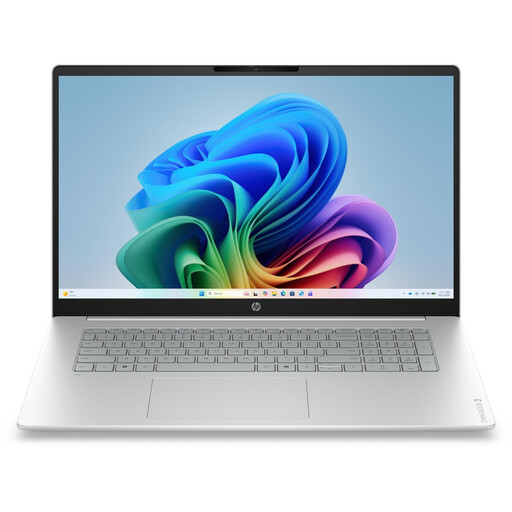 No image available
HP OmniBook 3 17-dg0050ngx, 17.3-inch, Core Ultra 5 225U, 8 GB RAM, 256 GB SSD
The 17.3-inch display gives you a large screen to work with if you want your manuscript and sources side by side on the built-in screen.
FHD; Intel Core Ultra 5 225U, 8 GB RAM, 256 GB SSD and Windows 11 Home. The stated weight is 2.01 kg, which is worth considering if you carry it around often.
View at Joybuy
 No image available
HP ProBook 4 16 G1i, Core Ultra 7 255U, 32 GB RAM, 1 TB SSD
The stated screen size and resolution are useful reference points for a split view. Check readability using your own preferred font size.
16-inch IPS display, 1920 × 1200 pixels and 16:10; Intel Core Ultra 7 255U, 32 GB RAM, 1 TB SSD and Windows 11 Pro.
View at Joybuy
 No image available
HP ZBook Power 16, Ryzen 7 8845HS, 32 GB RAM, 1 TB SSD
The matt 16-inch display with a 16:10 aspect ratio gives you documented specifications to help you try a split view with your own text.
WUXGA, 1920 × 1200 pixels; AMD Ryzen 7 8845HS, 32 GB RAM and 1 TB SSD. The stated weight is 2.12 kg.
View at Joybuy
 No image available
HP ZBook X G1i 16, Ultra 7 255H, 32 GB RAM, 1 TB SSD
Try the stated matt display configuration with your own manuscript and a source to see how readable they are side by side.
16-inch WUXGA display, 1920 × 1200 pixels and 16:10; Intel Core Ultra 7 255H, 32 GB RAM and 1 TB SSD. The stated weight is 2.04 kg.
View at Joybuy
Frequently asked questions
Can I view my manuscript and sources at the same time in my writing software?
Yes, if your software supports the view you need. According to Literature & Latte, Scrivener’s editor can be split horizontally or vertically. Word also has a feature for displaying two open files side by side. Try your preferred way of working with your own text.
How can I back up my book project?
In Scrivener, check the automatic project copies and where they’re stored. According to Literature & Latte, the default backup is saved in a folder on your computer. Create a separate copy as well, and test that you can restore it. The Federal Office for Information Security explains why backups matter in case of damage, theft or malware.
What are my rights if my laptop is faulty?
In Germany, if you buy a new device that is faulty, you may generally have statutory consumer rights against the seller. The Verbraucherzentrale says these apply for two years after receipt; the specific position depends on the circumstances. Statutory consumer rights and a voluntary guarantee are separate entitlements.
What should I look for when buying a laptop in Germany?
Check the full model number and the stated specifications. The Bundesnetzagentur lists a correct CE marking, an identifiable product and accurate manufacturer details among the checks made as part of market surveillance.
How should I dispose of an old laptop?
In Germany, an old electrical device must not go in household waste. The Federal Environment Agency describes separate collection and generally free municipal collection points. Remove your personal files before handing it in.


