For an archive that will stay mostly in one place, you can choose an external HDD based on its capacity, connection and power supply. If you’ll be carrying it around often, compare it with a portable SSD, making sure its interface is compatible with your computer and cable. A single hard drive is not a backup: the Federal Office for Information Security recommends keeping a separate copy and checking that you can restore it. If recordings can identify people, storing them locally does not in itself give you permission to record.
Which option is right for you?
Teachers with confidential recordings
If you store identifiable voices locally, access protection and the secure handling of login details matter. The State Commissioner for Data Protection and Freedom of Information for North Rhine-Westphalia points out that not every recording is permissible under data protection law; the specific context needs to be assessed separately.
Teachers building an audio archive
If you collect lesson recordings over an extended period, plan for the amount of data you already have, how much you expect it to grow and a separate backup that you can restore. The Federal Office for Information Security recommends allowing enough storage space and checking that recovery works.
Teachers working in different locations
If you move between rooms or computers, the connection, file system and power supply are key. Toshiba lists different formatting and connection features for certain Canvio models. For an SSD, the stated performance depends on the specific model and connection, as Samsung explains for the T7 Shield.
What should you look for when buying?
Portable HDD
A good fit if: You want to create a local archive and take the drive between compatible devices when needed.
Bear in mind: The capacity and file system need to suit your archive and the computers you actually use.
External SSD
A good fit if: You’ll be carrying the drive around often or regularly copying large collections of recordings, and you can use a compatible interface.
Bear in mind: For the Samsung T7 Shield, the manufacturer’s stated maximum speeds require a compatible host and cable, as well as UASP mode being enabled.
Desktop HDD
A good fit if: Your archive will mainly stay at a fixed workstation and you prefer a drive designed to stay in one place.
Bear in mind: The Seagate Expansion Desktop needs a power adapter and USB cable, making it less convenient to move around often.
The following guide is for consumers who want to store bilingual lesson recordings locally, without using the cloud.
| What matters to you |
What to check before buying |
Who is this especially important to? |
| Confidentiality without the cloud |
Check the security features of the specific model and whether you can set them up without a cloud account. Keep your login details somewhere safe. |
If I store identifiable voices locally, I want to restrict access if the drive is lost. Around 29% of consumers put confidentiality first. |
| Restorable backup |
Allow enough space for your original files and separate copies. Test whether you can open or restore selected files. |
If I want my recordings to remain available if a drive fails or goes missing, I need a separate copy. Around 24% of consumers put recoverability first. |
| Room for a growing archive |
Check the size of your existing recordings and how much you expect them to grow. Choose a capacity that also allows for your planned backup copies. |
If my audio archive grows over time, having enough storage space matters to me. Around 18% of consumers prioritise archive capacity. |
| Carrying and copying files |
Check the drive’s format and power supply, as well as the ports on your computer and cable. Consider how often you’ll copy files and how much data you’ll be transferring. |
If I often change teaching locations or need to carry large collections of files, ease of use matters to me. Around 18% of consumers prioritise portability. |
| Using the drive with different devices |
Check that the USB connection and file system are compatible with the devices you use. Back up your files before reformatting a drive. |
If I need to read recordings on different devices I already own, I want to check the connection and format in advance. Around 12% of consumers prioritise device compatibility. |
Avoid common buying mistakes
-
Treating your only copy as a ‘backup’
If this drive fails or goes missing, there’s no separate copy you can use to restore your recordings.
Keep the original files and a separate backup drive, then test that you can open or restore a few files.
You’ll need another storage device to keep a separate local copy.
-
Confusing avoiding the cloud with protecting access
Even a drive used only locally can expose confidential recordings if it’s lost and access isn’t protected.
Check what encryption the specific model offers, how to set it up and how to keep your login details safe. A product feature doesn’t replace checking whether you’re allowed to make the recording.
-
Assuming a USB-C port guarantees the advertised SSD performance
For the Samsung T7 Shield’s maximum speeds, Samsung specifies a compatible host and cables, as well as UASP mode being enabled.
Check that the ports and cables on the computers you actually use meet the requirements of the specific model.
-
Planning to use a desktop HDD like a portable USB drive
According to the manufacturer, the Seagate Expansion Desktop needs a power adapter and a USB cable.
If you change locations often, compare this desktop option with a portable HDD or SSD, and check the power supply each one needs.
Brands to consider
Toshiba
The Canvio range includes portable HDDs with different connections and formats.
- Toshiba says Canvio Basics models are USB-powered and available in capacities of up to 4 TB.
- According to Toshiba, Canvio Slim is formatted as NTFS; the manufacturer says you may need to reformat it for full compatibility with Mac computers. Features of one range do not automatically apply to other Canvio models.
Western Digital
The manufacturer’s German product range distinguishes portable lines such as My Passport and Elements Portable from desktop models such as My Book and Elements Desktop.
- The different product lines let you choose between portable use and a drive for a fixed workstation.
- Check the connections, security features and warranty terms for the specific model; details about one product line do not confirm the features of every version.
Seagate
Expansion Desktop is a range of desktop HDDs for keeping a local archive at a fixed workstation.
- Seagate says the Expansion Desktop needs a power adapter and a USB cable.
- The power supply adds a practical extra step if you carry the drive around often. Manufacturer information about data recovery services is no substitute for keeping your own backup.
Samsung
The portable T7 Shield SSD may suit buyers who carry a drive around often.
- For the MU-PE2T0S/EU version, Samsung quotes maximum sequential speeds of up to 1.050 MB/s read and 1.000 MB/s write, provided the host, cable and UASP mode meet the requirements.
- These speeds depend on the connection you use; check the protection and warranty terms for the exact model.
Verbatim
Fingerprint Secure is a range of portable HDDs focused on protecting access to local files.
- For its 1-TB HDD with product number 53650, Verbatim lists fingerprint access and 256-bit AES hardware encryption.
- These are the manufacturer’s claims for this specific model, not an independent security assessment or confirmation that a recording is permitted.
Suitable products at Joybuy
This selection includes portable HDDs, a desktop HDD and portable SSDs for local archives, transport and different connection requirements.
 No image available
WD Elements Portable 4TB USB-C
For a local archive you want to take between compatible devices.
As stated in the product name: 4 TB and USB-C.
Joybuy
 No image available
WD Elements Portable 2TB USB-C, USB 3.2 Gen 1, 2.5", exFAT, Black
For use with compatible Windows and macOS devices, if exFAT suits your workflow.
As stated in the product name: 2 TB, USB-C, USB 3.2 Gen 1 and exFAT. According to the product details, you may need an adapter for computers without USB-C.
Joybuy
 No image available
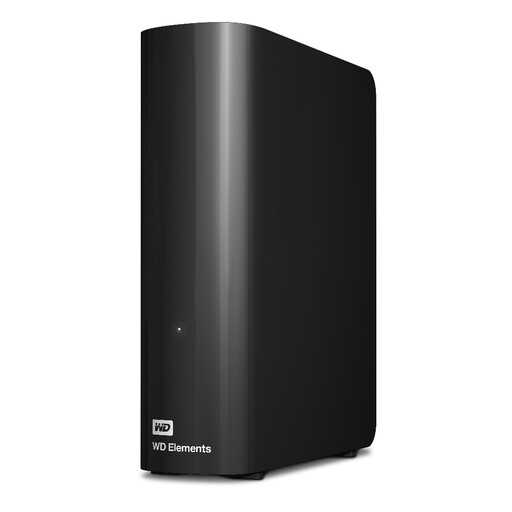
Western Digital WD Elements Desktop 20TB
For a large local archive kept at a fixed workstation.
The product details list 20 TB; according to the product information, the included power adapter is required for operation.
Joybuy
 No image available
Samsung Portable SSD T7 2TB USB Type-C 3.2 Gen 2, Titanium Grey
For a portable local archive, if the stated capacity and connection suit your devices.
The product details list 2 TB and USB 3.2 Gen 2. According to the product information, password protection requires encryption to be set up using Samsung software.
Joybuy
 No image available
Samsung Portable SSD T7 4TB USB Type-C 3.2 Gen 2, Titanium Grey
For a portable archive if you want to factor the stated capacity and access protection into your choice.
The product details list 4 TB and USB 3.2 Gen 2. According to the product information, password protection requires encryption to be set up using Samsung software.
Joybuy
Frequently asked questions
What capacity do I need for bilingual lesson recordings?
Start by checking the size of your existing recordings, then allow for expected growth and any backup copies you plan to keep. Without details about the recording format, length and frequency, it isn’t possible to recommend a single capacity for this use.
How do I check a local backup without using the cloud?
Make a separate copy regularly, then check that the files are readable by opening or restoring a few of them. The Federal Office for Information Security stresses that you also need to be able to restore your files later.
Can I use a hard drive set up for Windows directly with a Mac?
That depends on the specific model and its file system. Toshiba says Canvio Slim is formatted as NTFS and may need to be reformatted for full compatibility with Mac computers; the manufacturer describes Canvio Flex as having a format that works across devices. Back up any existing files before reformatting.
Can I record learners’ voices in Germany if I keep the files locally?
No. Storing files locally does not in itself give you permission to record. The State Commissioner for Data Protection and Freedom of Information for North Rhine-Westphalia points out that not every recording is permissible under data protection law. You need to assess the purpose, legal basis and requirements that apply to the specific school context separately.
Does a hard drive advertised as encrypted automatically make lesson recordings GDPR-compliant?
No. Encryption can be part of appropriate technical and organisational security measures, but it doesn’t replace checking whether the recording is lawful or taking any other necessary measures. The Federal Commissioner for Data Protection and Freedom of Information describes security measures as risk-based; a product claim is not legal approval for a teaching project.


