Couch co-op duo
You want to play together on the same screen and are choosing based on the games you have in mind and the controller layout you’ll need.


Start by choosing a console based on the games you actually want to play together on one screen, then check how many people can play and how many controllers you’ll need. Nintendo says the Switch 2 offers TV, tabletop and handheld modes; the PS5 and Xbox are options if the games you have in mind support local multiplayer. The disc or digital version also determines how you can access games.
You want to play together on the same screen and are choosing based on the games you have in mind and the controller layout you’ll need.
You switch between your desk monitor and a shared tabletop setup, so the display mode and available space will influence your choice.
You want to share your favourite games and possibly your existing discs, so you’re comparing platforms and disc-drive options.
A good fit if: you want to switch between a monitor and a tabletop setup. Nintendo describes TV, tabletop and handheld modes.
Bear in mind: the Switch 2 dock is required for TV mode, and whether you can use a single Joy-Con 2 depends on the game.
A good fit if: the PS5 games you want to play offer local co-op or competitive modes, and you’ll be gaming at a fixed screen.
Bear in mind: the Digital Edition has no disc drive. Check how many controllers each game and your group will need, too.
A good fit if: the Xbox games you want to play support local multiplayer. Choose the version that suits how you access your games.
Bear in mind: Microsoft’s comparison lists the Series S without a disc drive and the Series X included in the comparison with one.
| What to consider | What to check before buying | Who it matters most to |
|---|---|---|
| Games and player count | Check each game you’re interested in for local modes, the number of players on one console and the controllers required. | If I’m planning to play with others on the same screen, I want to know whether my games support it. Around 36% of consumers put compatible games and player numbers first. |
| Space and screen | Check the monitor connection, available space and whether you want to play in tabletop or TV mode. | If I switch between my desk and a shared tabletop setup, the console needs to work in both spaces. Around 29% of consumers prioritise space and switching screens in the home office. |
| Disc or digital | Check which discs you already own and the exact disc-drive version of the console. | If I want to keep using my discs or build a digital games library, how I access games is key. Around 21% of consumers first consider access to games they already own and ones they may buy in future. |
| Controller requirements | Check what’s included and how the game uses its controllers. | If we want to use separate controls, I want to know in advance whether our existing devices will be enough or whether we’ll need more. Around 14% of consumers focus first on the total cost of getting a group ready to play. |
Depending on the game, multiplayer can also mean playing online or using multiple consoles. Whether you can share one console and one screen depends on the mode in each game.
Before buying, check specifically how many people can play on one console and one screen.
Depending on the game, certain types of multiplayer may require another console or an additional copy of the game.
The PS5 Digital Edition documented here and the Xbox Series S included in the comparison have no disc drive. You won’t be able to use your existing game discs with them.
Check your games library against the exact disc-drive version before you decide.
The number of controllers alone doesn’t tell you whether a game supports separate controllers. Nintendo notes that a single Joy-Con 2 can be used as an individual controller only with compatible software. The documented PS5 and Xbox packages each include one controller.
Decide which games you want and how you’ll control them first, then check how many controllers everyone playing will need.
A good option if you want to switch between TV, tabletop and handheld modes on the Switch 2.
A good option if the PS5 games you want support local multiplayer. Check the Digital Edition and disc version separately.
A good option if the games you want support local modes on Xbox and you’re weighing up digital access against a disc drive.
This selection includes consoles for playing together on one screen. For each model, check that it supports the games you want, their local modes and the number of controllers you’ll need.
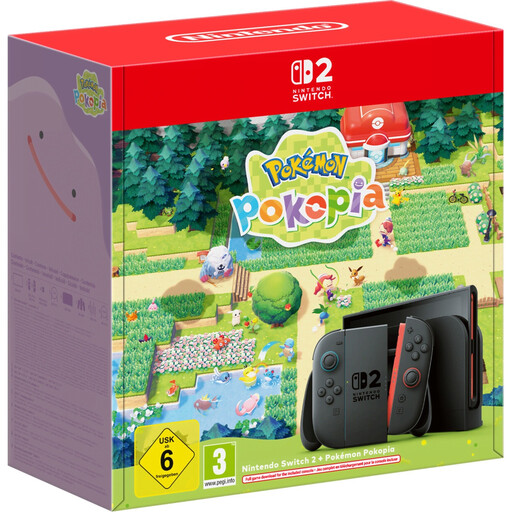 Image unavailable
An option if you want to switch between different setups for local play. Nintendo describes TV, tabletop and handheld modes for the Switch 2; the Switch 2 dock is required for TV mode.
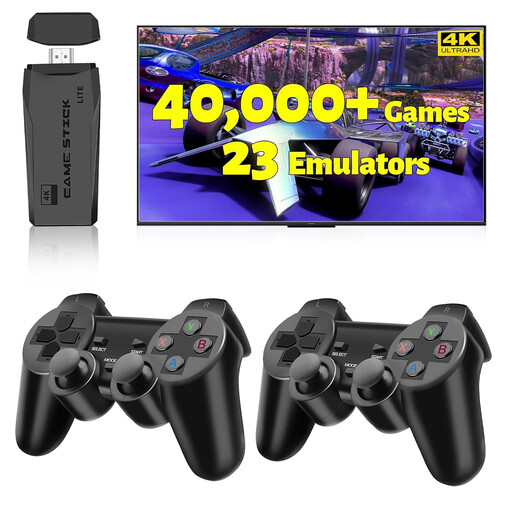 Image unavailable
The product title mentions HDMI and two wireless controllers. Before buying, check that it supports the games you want and the control setup you need.
 Image unavailable
An option if you’re considering switching between tabletop play and an external screen. Nintendo describes TV, tabletop and handheld modes; the Switch 2 dock is required for TV mode.
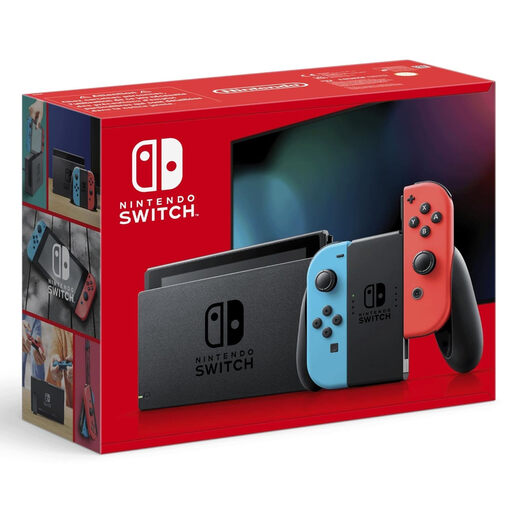 Image unavailable
If you’re considering this model for playing together, check each game you’re interested in for local modes, player numbers and the controller setup required.
 Image unavailable
An option if the games you want offer local PS5 multiplayer modes. PlayStation says the Digital Edition has no disc drive; the documented package includes one DualSense controller.
No, not for every game. Nintendo says a Joy-Con 2 held horizontally can be used as a single controller, as long as the software supports this play style. Check the control information for the game you have in mind.
Yes. Nintendo describes TV mode as working with a monitor, too. You’ll need to connect the Switch 2 dock; Nintendo recommends wrist straps when using the Joy-Con 2 controllers detached.
Playing locally on the same screen doesn’t automatically mean you need an online subscription. PlayStation says a paid Plus subscription is required for online multiplayer; check each game for any additional requirements.
No, the documented PS5 Digital Edition has no disc drive. Microsoft’s comparison also lists the Xbox Series S without a disc drive, so check your existing discs against the exact console version.
According to the USK, its age ratings don’t directly determine which media content parents can make available to their children at home. They’re also not a recommendation of educational quality. Check the rating for each game and decide whether it’s suitable for the children playing.