If you want to play without a separate screen, the Nintendo Switch 2 and Switch OLED are worth considering for their tabletop mode. The right choice depends on the games you want to play and how easy the screen is for everyone at the table to see. If you already have a monitor, you could also consider the Xbox Series S or PS5 Digital Edition, but check that each game supports local multiplayer and how many controllers it needs. The Switch Lite isn’t an easy option for playing together on one screen, as it has no TV mode and its controls are built in.
Which option suits you?
Players without room for a monitor
If you don’t want to set up an extra monitor on your desk, tabletop mode and a console screen that’s easy to see from where you’re sitting are important. Nintendo describes a tabletop mode for the Switch 2 and Switch OLED.
Groups with changing player numbers
If you sometimes play as a pair and sometimes with a larger group, check the local mode and controller setup required for each game you want to play. Detachable Joy-Con don’t automatically work as separate controllers in every game.
Co-op duos choosing a console for specific games
If particular co-op games are the deciding factor and you have a monitor, choose a console that supports their platform and local game mode. Sony lists couch co-op for two players in It Takes Two.
What to consider when buying
First, work out whether you have a monitor. Then consider the games you want to play, the number of players and the space available for the console, controllers and connections.
| What matters |
What to check before buying |
Who this matters most to |
| Screen and space |
Measure the available desk space and your seating distance; factor in tabletop mode or an existing monitor and its connections. |
If you want to share one screen, space and visibility matter. Around 36% of consumers say screen and space requirements are their top priority. |
| Controllers and number of players |
Check the local mode, player limit and controller setup required for the specific game. |
If the number of players varies, the game needs to support your group with the controllers you have available. Around 29% of consumers say player numbers and controller requirements are their top priority. |
| Games you want to play |
For the titles you’ve chosen, check the platform, whether they support local play on one console and which controllers are required. |
If you’re choosing a console for specific co-op or multiplayer titles, their actual local modes should guide your decision. Around 21% of consumers say specific games are their top priority. |
| Additional requirements and media format |
Check the controllers and storage you’ll need, as well as whether the games you want are available on disc or digitally. |
If you’re planning for the whole group, remember to factor in any extra equipment and the right game format. Around 14% of consumers say additional requirements and media format are their top priority. |
Avoid common buying mistakes
-
Assuming ‘up to eight players locally’ means eight people can play on one console
For the Switch Lite, Nintendo describes local play with up to eight connected consoles. That doesn’t mean eight people can play on a single console.
Check the game description to distinguish between playing together on one console, local play across multiple consoles and online play.
Local play across multiple consoles may require additional consoles, games and controllers.
-
Choosing based only on the size of the console
The Xbox Series S needs an external screen. The Switch Lite has no TV mode or detachable controllers. So a small console on its own doesn’t tell you whether you can fit everything your group needs on the desk.
Remember to allow for the screen, connections and the controllers required for the specific game.
If the console doesn’t have a built-in screen, you’ll also need space for a suitable monitor.
-
Planning to use an existing microSD card for Switch 2 game storage
Nintendo specifies microSD Express for expanding Switch 2 game storage. Standard microSD cards can’t be used for this purpose.
Check the card standard before buying accessories or relying on storage you already have for your games.
You may need a compatible microSD Express card to add more Switch 2 game storage.
Key console brands
Nintendo
The Switch 2 and Switch OLED have a tabletop mode and their own screen. Which one is right for you depends, among other things, on the games you want to play.
- Nintendo lists a 7.9-inch screen and a built-in stand for the Switch 2. The Switch OLED also has a tabletop mode.
- According to Nintendo, the Switch Lite doesn’t support TV mode. Switch 2-exclusive games require a Switch 2, and Joy-Con used separately are only suitable for games with compatible controls.
Microsoft Xbox
The Xbox Series S is a home console and a digital-only option if you already have a suitable screen.
- For the 512 GB version compared here, Microsoft lists dimensions of 6,5 × 15,1 × 27,5 cm and one controller included.
- This model has no disc drive or built-in screen. Its specifications don’t tell you whether a particular Xbox game supports local multiplayer.
Sony PlayStation
The PS5 Digital Edition CFI-2116B01Y reviewed here could suit you if you have a screen and enough space for specific PS5 co-op games.
- Sony lists couch co-op with split-screen for two players in It Takes Two.
- The Digital Edition reviewed here has no disc drive, measures around 358 × 80 × 216 mm according to Sony, and includes one DualSense controller. Check how many controllers the specific game requires for a two-player session.
Joybuy product selection
This selection includes consoles with tabletop mode for playing together without a separate screen, as well as an HDMI console for use with a monitor you already have.
 No image available
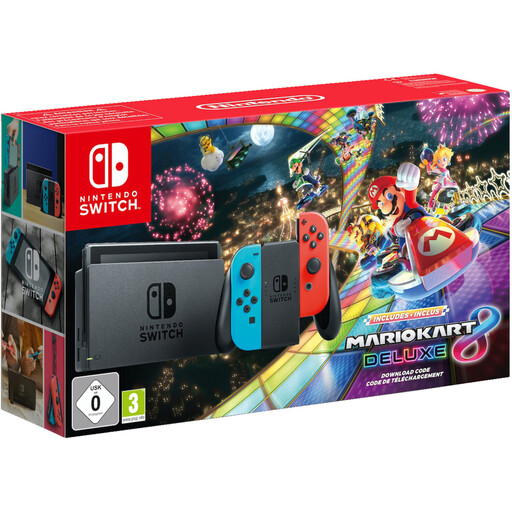
Nintendo Switch bundle with Mario Kart 8 Deluxe
If you want to play without a separate screen, this bundle includes tabletop mode and Joy-Con controllers.
Bundle includes: Mario Kart 8 Deluxe, Joy-Con controllers and dock.
View on Joybuy
 No image available
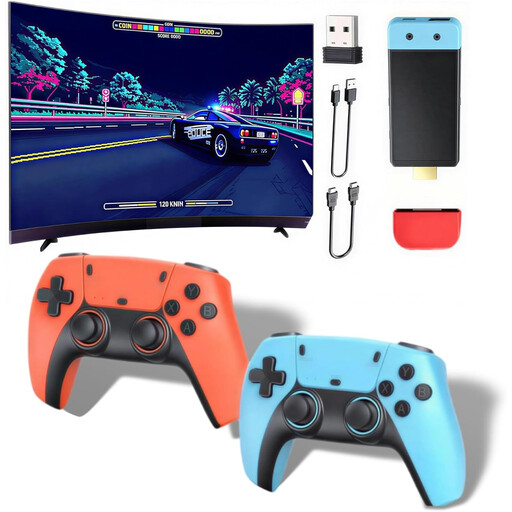
Retro games console with HDMI output
If you have an HDMI screen, this console is described in the listing as an option for playing together.
The listing mentions two wireless controllers and an HDMI output. The controllers need four AAA batteries, which aren’t included.
View on Joybuy
 No image available
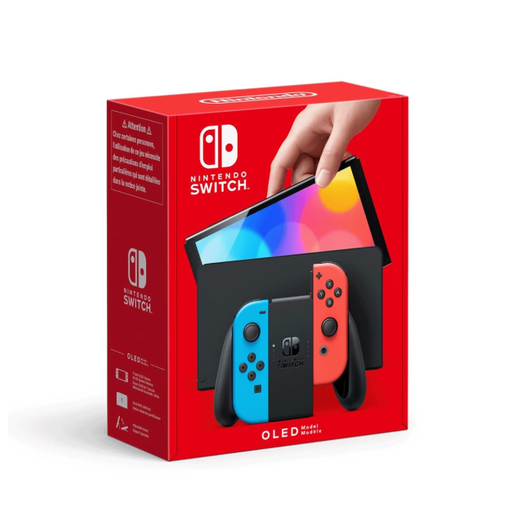
Nintendo Switch OLED Neon-Red/Neon-Blue
If you want to play together at a table without a separate monitor, the listing specifies a built-in screen, an adjustable stand and tabletop mode.
The Joy-Con are detachable. Whether they work as separate controllers for a particular game depends on its control scheme.
View on Joybuy
 No image available
Nintendo Switch 2 console (EU)
If you want to play at a small desk without a separate screen, the listing describes tabletop mode with a built-in screen and stand.
The listing specifies a 7.9-inch screen and two detachable Joy-Con 2 controllers. Check that the controller setup works for the game you want to play.
View on Joybuy
 No image available
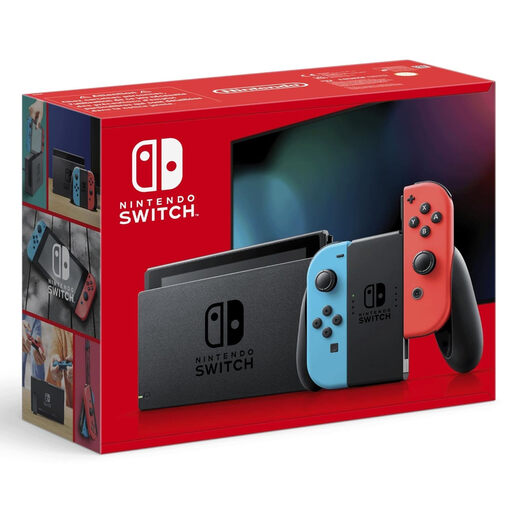
Nintendo Switch Neon Red/Neon Blue (New Edition)
If you want to share a screen at the table, the listing specifies tabletop mode with a built-in screen.
The listing specifies a 6.2-inch screen, a stand and a pair of Joy-Con that can be used independently as two controllers.
View on Joybuy
Frequently asked questions
Do we need a TV or monitor to play together at a table?
Not necessarily: the Switch 2 and Switch OLED have their own screen and tabletop mode, provided the game you want to play supports it. You’ll need an external screen for the Xbox Series S and the PS5 Digital Edition reviewed here.
Is local multiplayer the same as online multiplayer?
No. Check the mode for the specific game: Sony lists couch co-op and online co-op separately for It Takes Two.
Are the included controllers enough for our group?
That depends on the game and how many people want to play. Check how many players can join locally and whether the game supports separate Joy-Con. The PS5 Digital Edition reviewed here and the Xbox Series S compared here each include one controller.
Is the Switch Lite suitable for playing together at a desk?
It’s not an easy option for playing together on one screen: according to Nintendo, the Switch Lite doesn’t support TV mode and has built-in controls. Local play across multiple consoles may be possible for compatible titles, so check the game description.
Can I use a standard microSD card for Switch 2 game storage?
Nintendo specifies microSD Express for expanding Switch 2 game storage. Check the card standard before relying on cards you already have.


