What should you consider when choosing?
First, decide where the application will run and where your stock data will be stored. Then consider whether you’ll often enter information directly at the shelf or mainly read the display. Finally, check the connections and the space available.
| What you need |
What to check |
Who is this important for? |
| Local data and recovery |
Choose a computer and storage location; check how to export and restore your data. The BSI recommends saving regularly and keeping external backups. |
If I want to keep stock data on my own computer and restore it after a failure, I’ll plan storage and backups separately from the screen. Around 36 % of consumers name this as their main concern. |
| Direct touchscreen input |
Check the video, power and touch connections for the specific computer. Raspberry Pi Ltd lists DSI and GPIO for the Touch Display 2; with the ViewSonic TD1655, touch via Mini-HDMI also requires USB. |
If I want to update stock at the shelf as soon as I’ve taken something out, the input needs to reach the local computer reliably. Around 29 % of consumers put direct touchscreen input first. |
| A list that rarely changes |
Consider how often you’ll update it, the ambient light and how it will be controlled. The Waveshare 7.5inch e-Paper HAT uses SPI and requires ambient light. |
If I mainly read my stock list, having an overview that stays visible matters more than entering information quickly. Around 21 % of consumers prioritise this kind of static display. |
| Space and computer connections |
Check the space available and the video connections on your computer against your actual touchscreen needs. Dell lists the P2424HT at 23.8 inches; ASUS lists the MB16AMTR at 15.6 inches. |
If I want to use the overview at my desk, the screen needs to fit the available space and work with my computer. Around 14 % of consumers prioritise this. |
Joybuy products for stock overviews
These products are suited to a stock overview at your desk or an external touchscreen display. Before buying, check that the connections and input options are compatible with your local computer.
 No image available
KOORUI MB24V29FS4, 24-inch FHD IPS monitor
For a fixed stock overview at your desk, if your local computer can connect using a compatible port.
24 inches, FHD, IPS, 120 Hz; HDMI and VGA.
The monitor does not replace your computer or storage, or a separate backup.
View product at Joybuy
 No image available
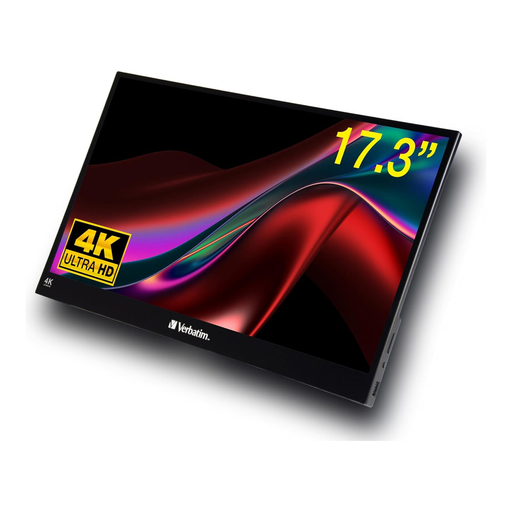
Verbatim portable 17.3-inch 4K touchscreen monitor
For an external touchscreen display, provided your computer supports the required connections and touch input.
17.3 inches, 4K, HDR; USB-C and HDMI.
Check that your computer supports the connections needed for both the picture and touch functions. Local storage and backups are separate considerations.
View product at Joybuy
 No image available
KTC H24B9S, 24-inch FHD IPS monitor
For a fixed display at your desk, if your computer has one of the compatible video connections.
24 inches, 1080p FHD, IPS, 144 Hz; HDMI and DisplayPort.
Check separately how you’ll update entries; the monitor does not replace your local computer, its storage or a backup.
View product at Joybuy
 No image available
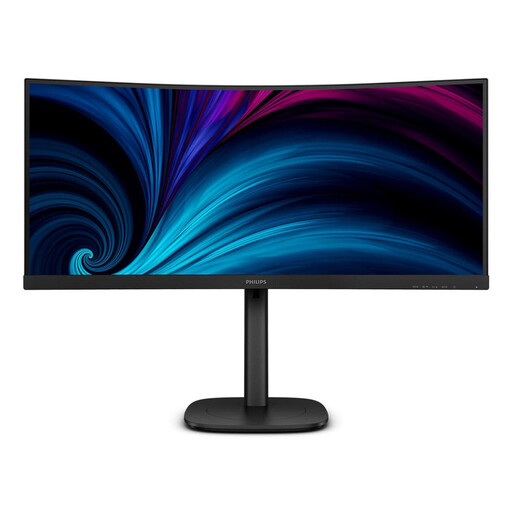
Philips 3000 Series 34B2U3600C/00, 34-inch monitor
For a large stock overview at your desk, provided you have enough space and a compatible connection on your local computer.
34 inches, 3440 × 1440 pixels; HDMI, DisplayPort and USB-C.
Make sure you have room for the 34-inch display. The monitor does not handle local storage or data backups.
View product at Joybuy
 No image available
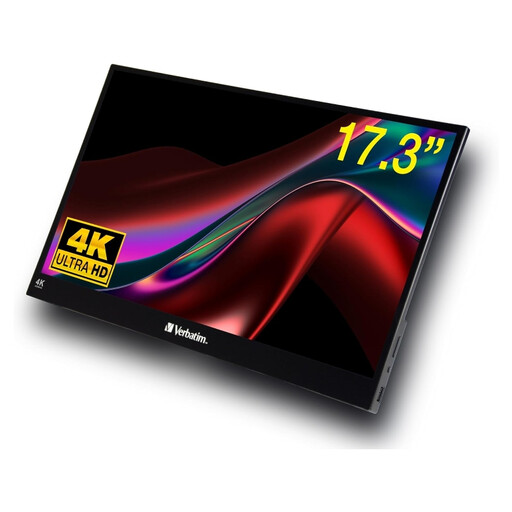
Verbatim PMT-17, portable 17.3-inch Full HD touchscreen monitor
For a portable external touchscreen display, if your computer supports the required connections and input.
17.3 inches, Full HD; USB-A, USB-C and HDMI.
Before buying, check that your computer supports the connections needed for the signal and touch data. The monitor does not replace your computer or storage, or a separate backup.
View product at Joybuy
Frequently asked questions
Does a touchscreen monitor automatically store my stock data locally?
No. A monitor is a display or input component; the application and data are on the connected computer or controller. Plan where your data will be stored and make a separate backup.
Why might touch not work over HDMI?
For the ViewSonic TD1655, the manufacturer's manual says that touch via Mini-HDMI also requires a USB connection. Check the manual for your chosen model and make sure your computer supports it.
How do I back up a locally managed stock list?
Plan to export your data and keep a backup separate from the device in use; also check that you can restore it. The German Federal Office for Information Security recommends saving regularly and keeping an external backup to protect against data loss.
Do I need to comply with the GDPR for a stock tracker used purely at home?
According to the European Commission, the GDPR does not apply to data processed by an individual solely for personal reasons or household activities, provided there is no professional or commercial purpose. You cannot automatically assume this exemption applies to a tracker used for business.
What are my rights if a screen I bought as a consumer in Germany is faulty?
According to consumer information from the European Union, you have a statutory legal guarantee of at least two years from the date you receive the goods, provided by the seller. This is separate from any additional manufacturer's warranty; the remedy available depends on the fault and the applicable conditions.


