Developers building a local rota
You’re starting with a straightforward app and want to organise your development tools and local project files on one device. SQLite stores a database as a single file.


You don’t automatically need a particularly powerful laptop to build a volunteer rota app that stores data locally. The key factors are the target platform and the tools you’ll actually use. Android Developers also recommend testing on a physical Android device, while native Apple apps rely on the macOS environment for Xcode and its simulators. If you’re handling real personal data, make sure you also plan for access controls and independent backups.
You’re starting with a straightforward app and want to organise your development tools and local project files on one device. SQLite stores a database as a single file.
If you’re processing names or other rota data that can identify individuals, you should plan for access controls, backups and recovery as well as the laptop itself. The European Commission describes security measures as part of protecting personal data, while the Federal Office for Information Security explains the importance of data backups.
Depending on your project, native Apple apps may require Xcode and Apple simulators. For Android, you can use Android Studio and, optionally, a local emulator. Apple Developer describes the Xcode and simulator environment, while Android Developers also list a physical Android device as a testing option.
First, decide on your development environment, target platform and testing method. Then you can weigh up the right device configuration, how you’ll handle real data and where you’ll work.
A good fit if: you need Windows tools or want to use Linux command-line tools through WSL.
What to consider: Check the requirements of the specific development software you’ll use. Windows alone says nothing about how well your rota data is protected.
A good fit if: you want to develop natively for Apple platforms using Xcode and its simulators.
What to consider: The version of Xcode you plan to use must be compatible with your chosen macOS version. Storing data locally doesn’t, by itself, mean you need a Mac.
A good fit if: you’re developing Android apps and want to run virtual test devices locally.
What to consider: Check the laptop’s configuration against the requirements for Android Studio and its emulator. Android Developers also recommend testing on a physical Android device.
| Buying priority | What to check before buying | Who is this important to? |
|---|---|---|
| Development tools and working across several apps | Choose your IDE and testing method first, then check the operating system, RAM and SSD in the specific configuration. | If I use an editor, browser and testing tools at the same time, I want to be able to work with the tools I need. Around 36% of consumers prioritise development tools and working across several apps. |
| Protecting and backing up local data | Check whether you can set up device encryption and a protected external backup as part of your planned setup. | If my device contains real rota data that identifies individuals, I want to protect access to it and be able to recover it if it’s lost. Around 29% of consumers prioritise data protection and backups. |
| Operating system and target platform | Decide whether you want to develop and test a web, desktop, Android or native Apple app locally, then check the operating system and software versions against your needs. | If I’m still deciding between app platforms, I want a laptop that supports the tools I’ll need. Around 21% of consumers prioritise the operating system and target platform. |
| Working in different locations | Check the screen size, keyboard layout and ports you’ll need for your existing devices and backups. | If I move between different workspaces, I want the screen and ports to suit my devices. Around 14% of consumers prioritise working in different locations. |
An SQLite file on your only laptop isn’t an independent backup. If the device is lost or damaged, the data could be lost too. Personal data needs appropriate protection wherever it’s stored. The European Commission and the Federal Office for Information Security explain these respective aspects.
Set up access controls, a backup method and clear responsibilities before entering real rota data.
Set aside time for backups and recovery. Depending on your backup method, you may need additional equipment.
Xcode and Apple simulators are part of the macOS environment, while Android Studio supports different systems and testing options. A configuration that suits a simple web app may not be suitable for running a local Android emulator.
Write down your target platform, development environment and testing method. Then check the requirements for the specific software and laptop configuration.
If you leave the platform decision until later, you may need to switch devices or buy an additional test device.
The ThinkPad E14 Gen 7 AMD 21T00022GE is a Windows option if you’re looking for a traditional keyboard and a clearly specified configuration.
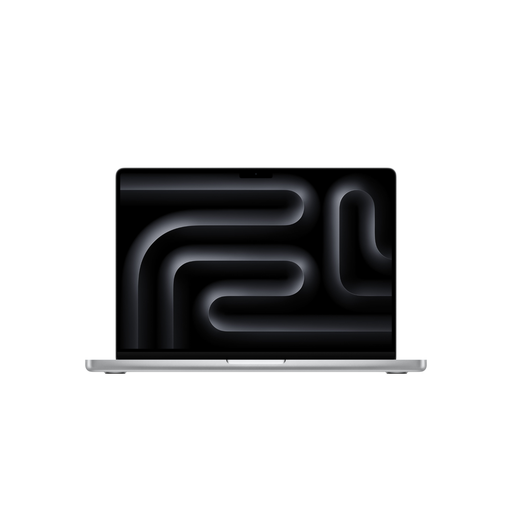
Consider MacBook Air models if you want to develop natively for Apple platforms using Xcode.
The ProBook 4 G1i 14 is a Windows option if you’re looking for a clearly specified business configuration with ports for your existing devices.
The Zenbook DUO UX8407 is a specialist option if you’ll make practical use of its two integrated screens when developing and checking interfaces.
The models below cover Windows-based development workflows as well as a macOS setup. Before buying, check that the specific app and testing environment are compatible with the operating system and specifications of the variant you’re considering.
 No image available
A Windows configuration for local project files and development tools.
AMD Ryzen 3 PRO 7335U, 16 GB DDR5, 512 GB SSD, 16-inch WUXGA display and Windows 11 Pro Education.
The stated weight is 1.80 kg. Check that the display size and weight suit where you plan to work.
 No image available
A Windows option if you’re looking for a configuration with plenty of RAM and local storage for your development environment.
64 GB RAM, 1 TB SSD, 14-inch display and Windows 11 Pro.
The stated weight is 1.43 kg. Listed ports include Thunderbolt 4, USB4 and HDMI 2.1.
 No image available
A Windows option if you’re looking for a 2-in-1 device with a touchscreen to suit your workflow.
Intel Core Ultra 7 258V, 32 GB RAM, 1 TB SSD, 2.8K OLED display and Windows 11 Home.
The stated weight is 1.34 kg. Two Thunderbolt 4 ports are listed.
 No image available
A Windows configuration for local projects if you want to take a 16-inch display and ports for your existing devices into account.
AMD Ryzen 5 230, 16 GB DDR5 RAM, 512 GB SSD, WUXGA IPS display and Windows 11 Pro.
The stated weight is 1.75 kg. This variant is listed with a German keyboard and USB-A, USB-C, HDMI 2.1 and RJ-45 ports.
 No image available
A macOS option if you want to use the Apple environment for app development. Check that it’s compatible with the version of Xcode you plan to use.
M5 Pro with a 15-core CPU and 16-core GPU, 24 GB unified memory and 2 TB SSD.
The description lists a 14-inch display, a weight of 1.60 kg and a German QWERTZ keyboard. The power adapter isn’t included, according to the description.
No. SQLite stores a database as a single file, but a file on the same laptop isn’t an independent backup. Plan protected backup copies and test that you can restore them in your intended setup. The Federal Office for Information Security explains the importance of regular data backups.
Yes. Android Developers list testing on a modern physical Android device as an alternative to using an emulator. The method you choose affects what you’ll need from your laptop.
No. According to the European Commission, data protection requirements don’t depend on whether information that identifies individuals is stored locally, in another IT system or on paper. When processing this kind of data, the organisation responsible must put appropriate security measures in place, among other things.
No. When you buy from a trader in the EU, you have statutory rights against the seller if the product is faulty. The European Union describes a minimum period of two years from receipt of the goods. An additional voluntary manufacturer’s warranty doesn’t replace these rights. Check the terms of any optional service package separately.